Available roles:
Admin
Business
Communication
Head of Project
Marketing
Membership
Membership Program Manager
You must be logged in as an administrator.
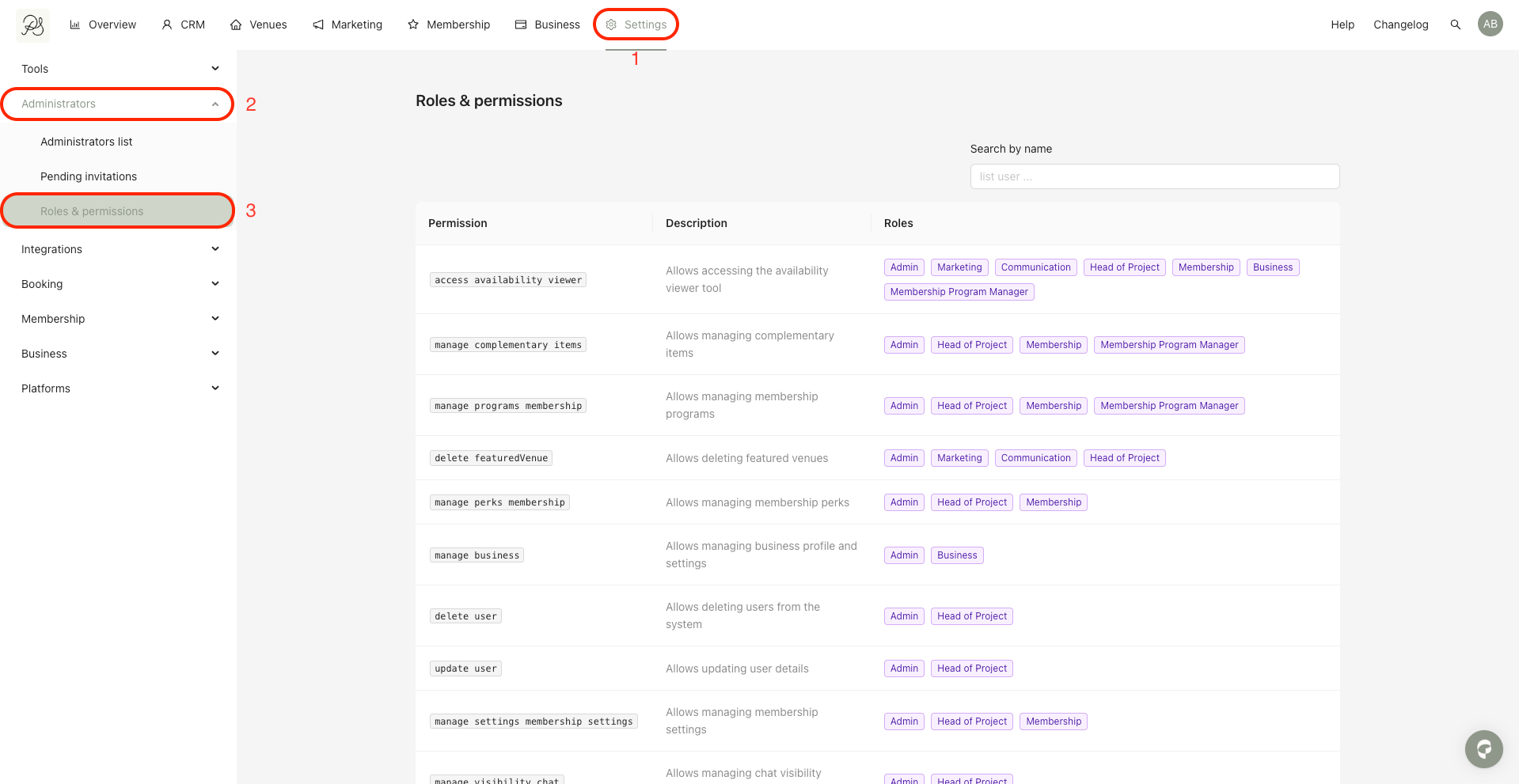
To view all roles and their permissions, go to Settings (1) → Administrators (2) → Roles & permissions (3).
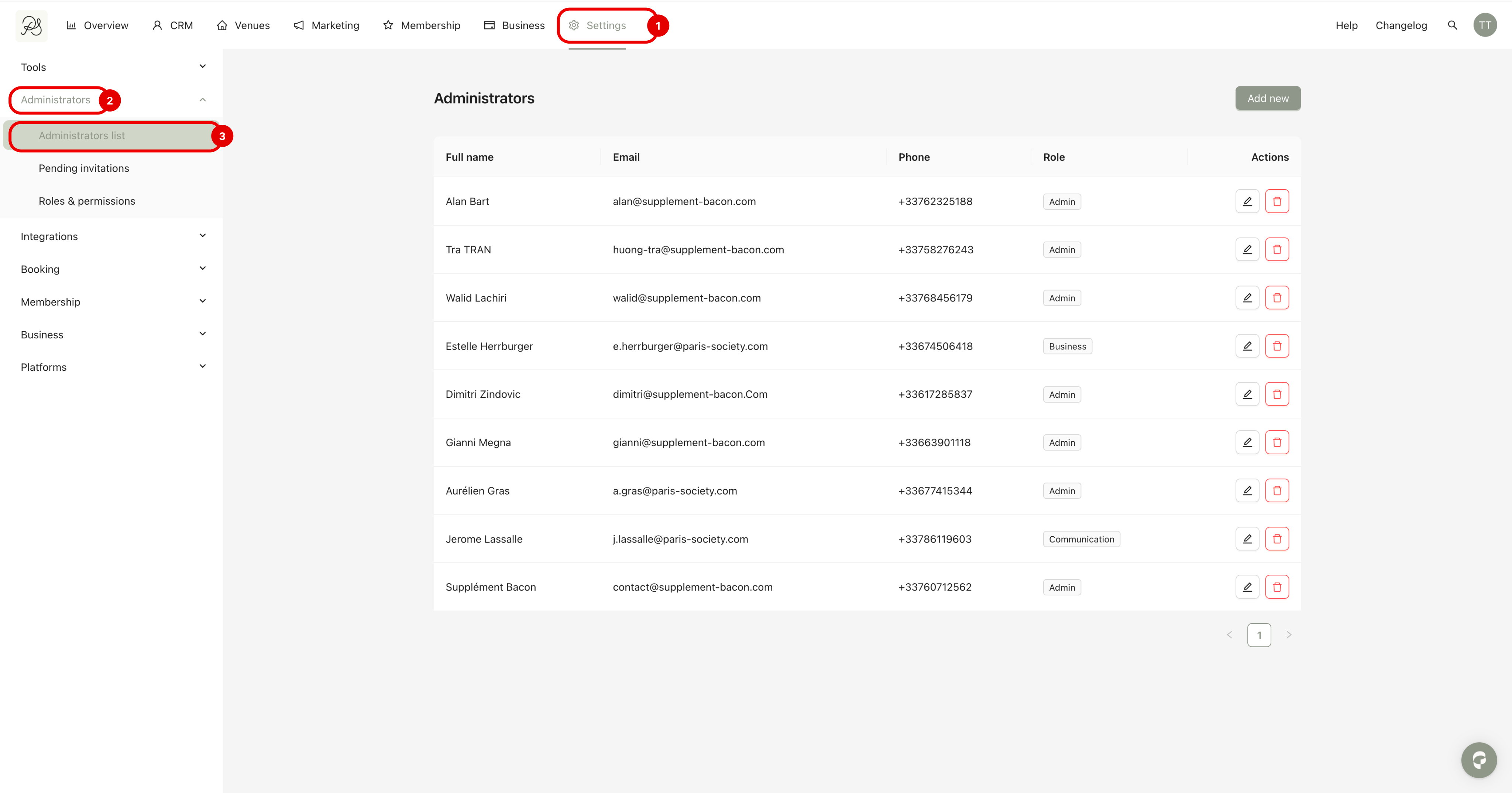
Step 1: Go to Settings (1) → Administrators (2) → Administrators list (3)
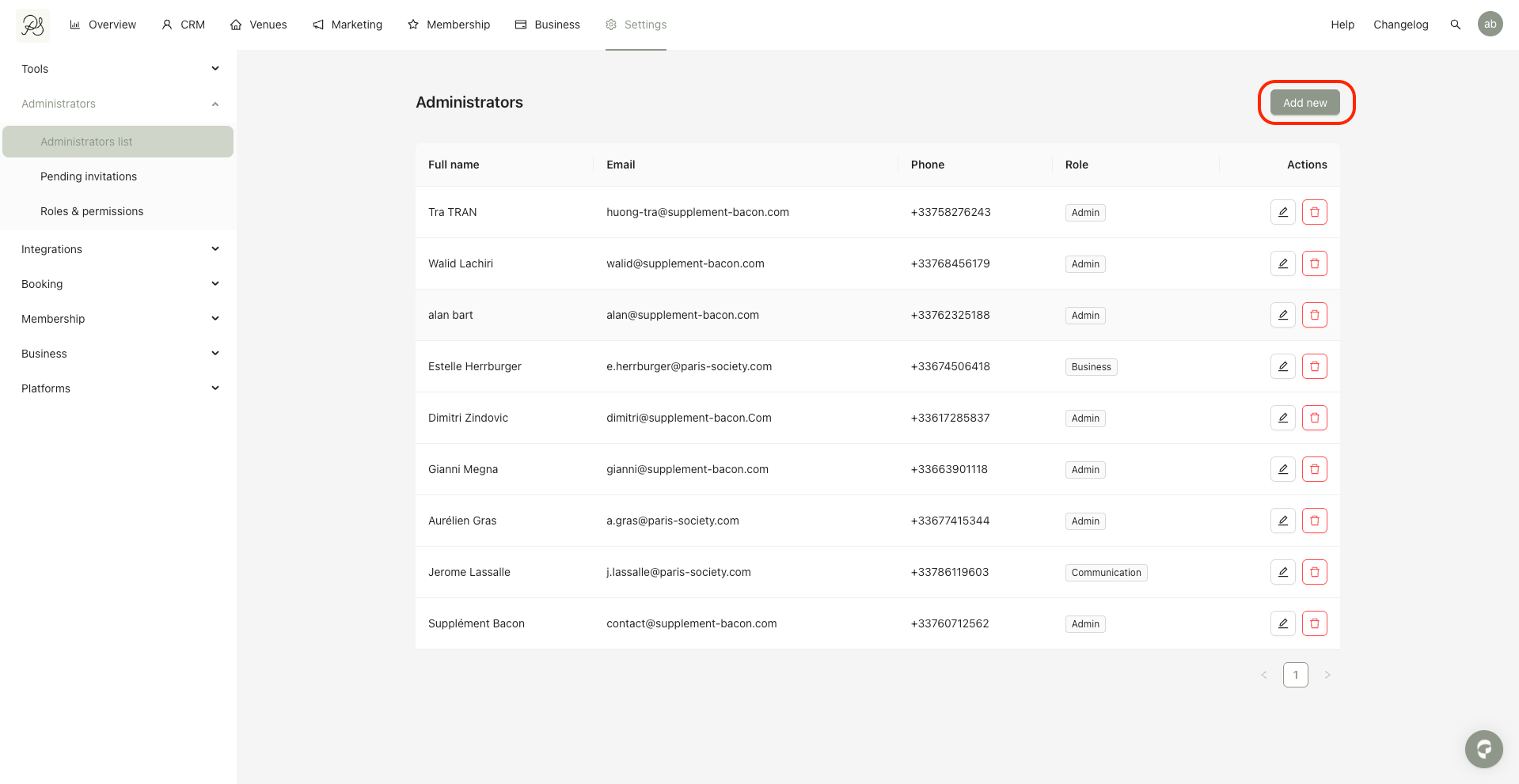
Step 2: Click Add new.
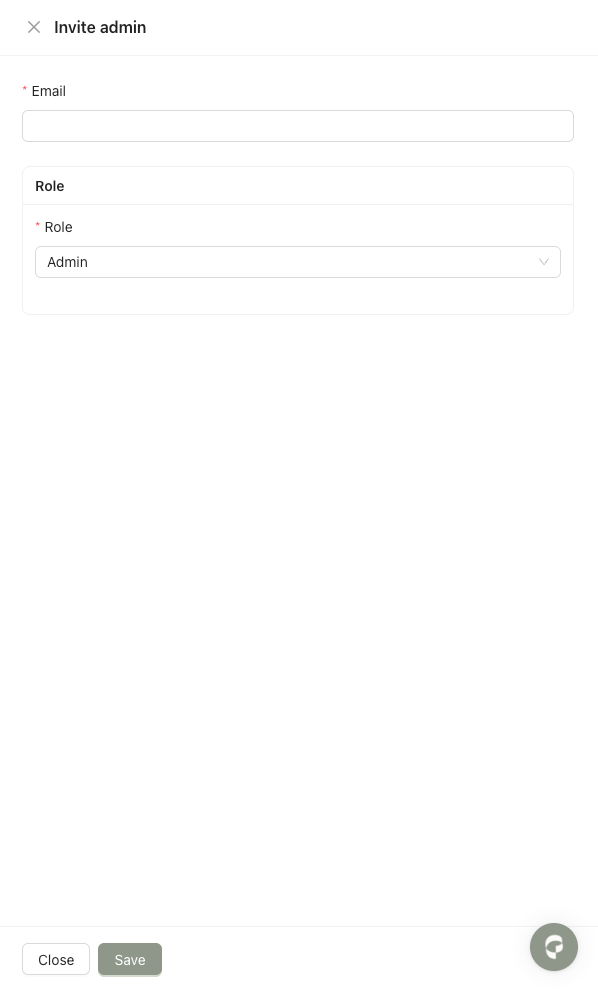
Step 3: Enter the email of the person and select the role you want to assign to them. Then click Save.

After clicking Save, the invited person will receive an email invitation. To complete the administrator onboarding process, they must accept the invitation and create their account.
