Roles with permission to delete a user account:
Admin
Head of Project
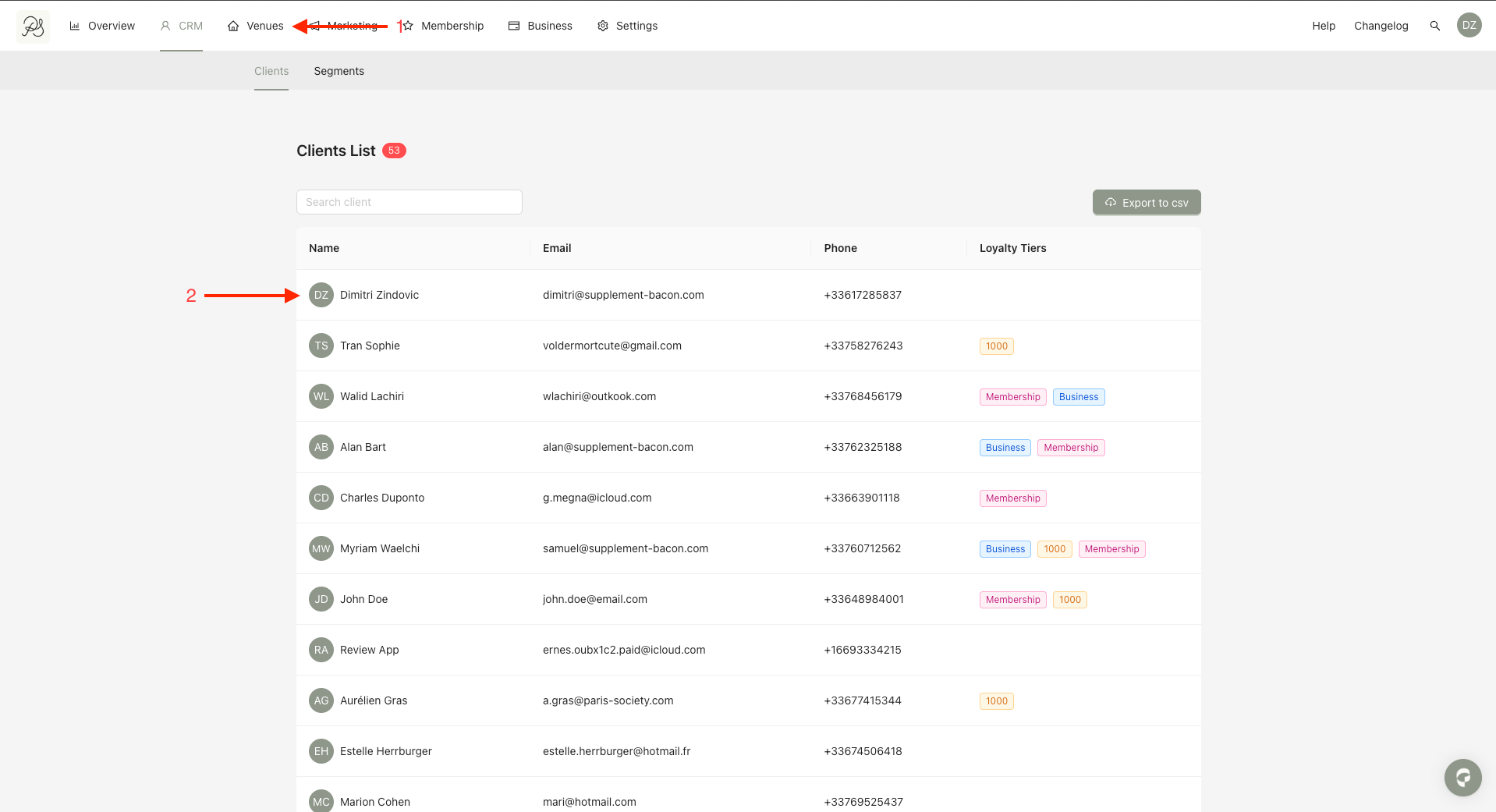
Step 1: From the homepage, click CRM. Select the user you want to delete.
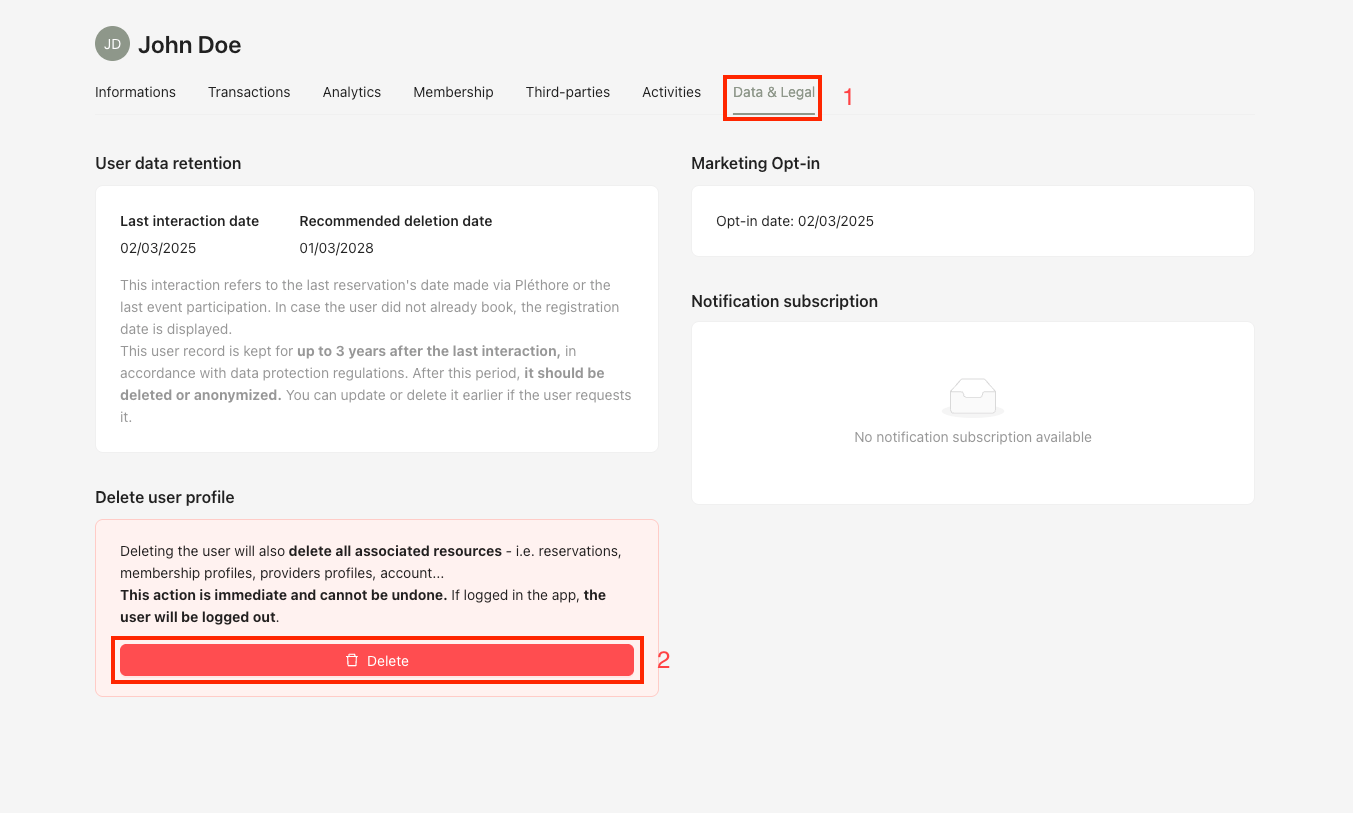
Step 2: On the user detail page, click Data & Legal. In the Delete user profile section, click Delete.
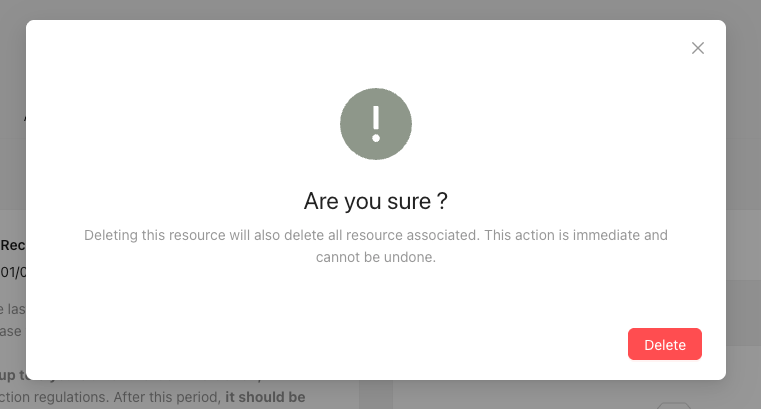
Step 3: A confirmation modal will appear, click Delete.
When you confirm the deletion of a user profile, the following associated resources will also be permanently deleted:
Reservations
Membership profile
Business profile


