Pléthore allows brands to create a personalized membership experience for their customers. The platform includes two main interfaces:
The Back Office Dashboard, used by your team to manage members and content
The Onboarding Form, used by users to register for membership programs
The Mobile Application, used by members to access their benefits
Many elements of the membership experience can be customized so that the platform reflects your brand identity and operational needs.
Some elements are part of the core configuration of your membership program and must be set up by the Pléthore team. Other elements are operational features that your team can manage directly in the dashboard, such as events, perks, members, and coupons. This article explains both types of customization.
The table below summarizes which elements are configured by the Pléthore team and which can be customized directly in the dashboard.
Element | Customized by Pléthore Team | Customizable in Dashboard |
Membership Programs & Plans | Creation of programs and plans:
| None |
Onboarding Form Structure |
|
|
Membership Card | Membership card design:
| Create and assign card numbers to members |
Events |
|
|
Event Collections |
|
|
Perks |
| Create and edit perks:
|
Coupons | None |
|
Members and Requests | None |
|
Tags | None |
|
More detailed explanations of each element are provided below.
Some elements are configured when your membership program is created. If you need to modify them later, please contact the Pléthore Support Team and provide us with theses informations:
A membership program defines the overall structure of your membership offering. Within each program, you can create different membership plans with their own conditions and pricing.
The structure of your membership program is configured by the Pléthore team. This includes:
The program and and the plans belong to it
The membership price (including joining and recurring fees) of each plan
Eligibility conditions (Such as age restrictions, number of members per subscription)
Fallback plans used when eligibility rules change
Because these settings affect how subscriptions function in the system, they are managed by the Pléthore team.
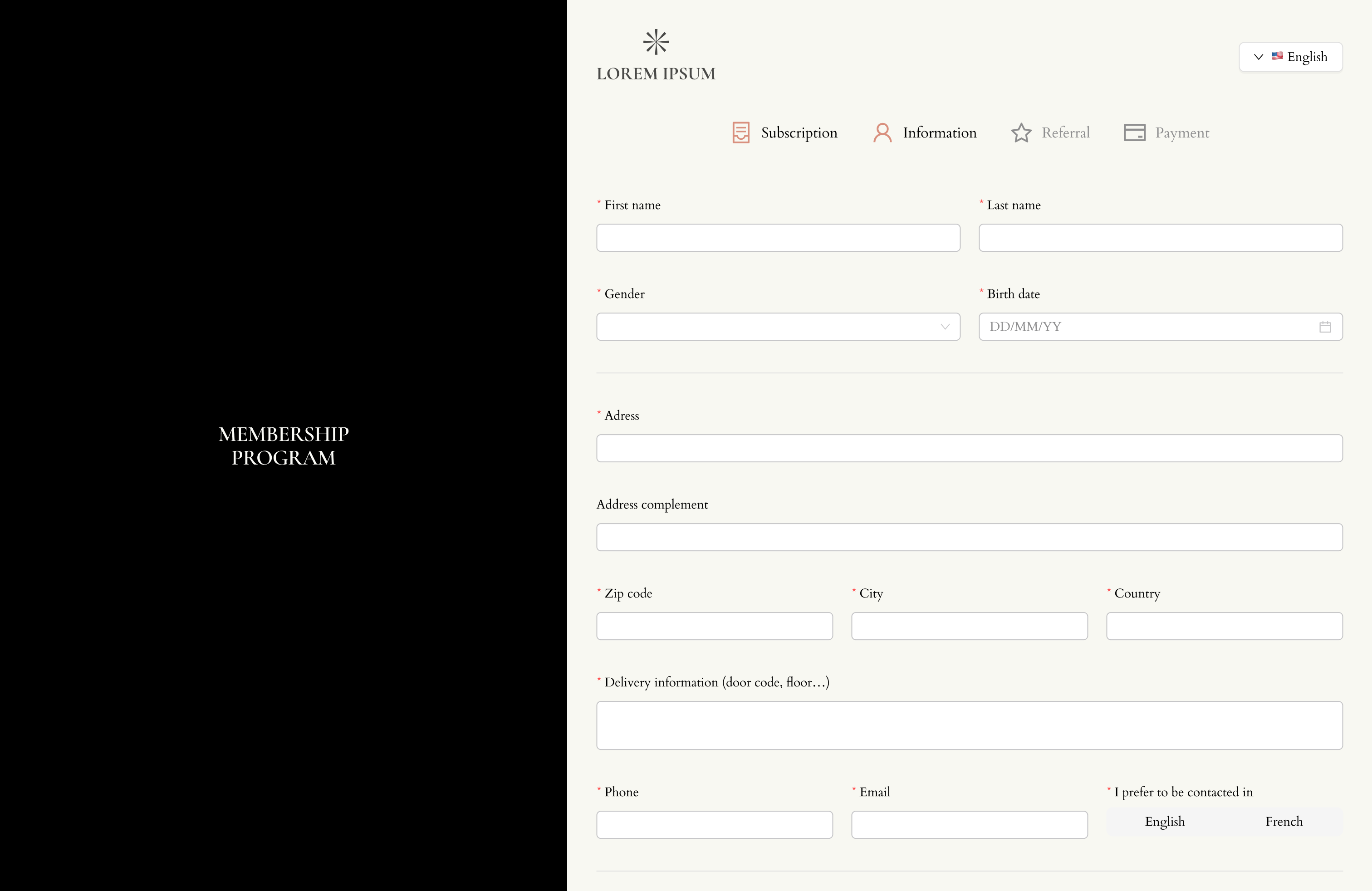
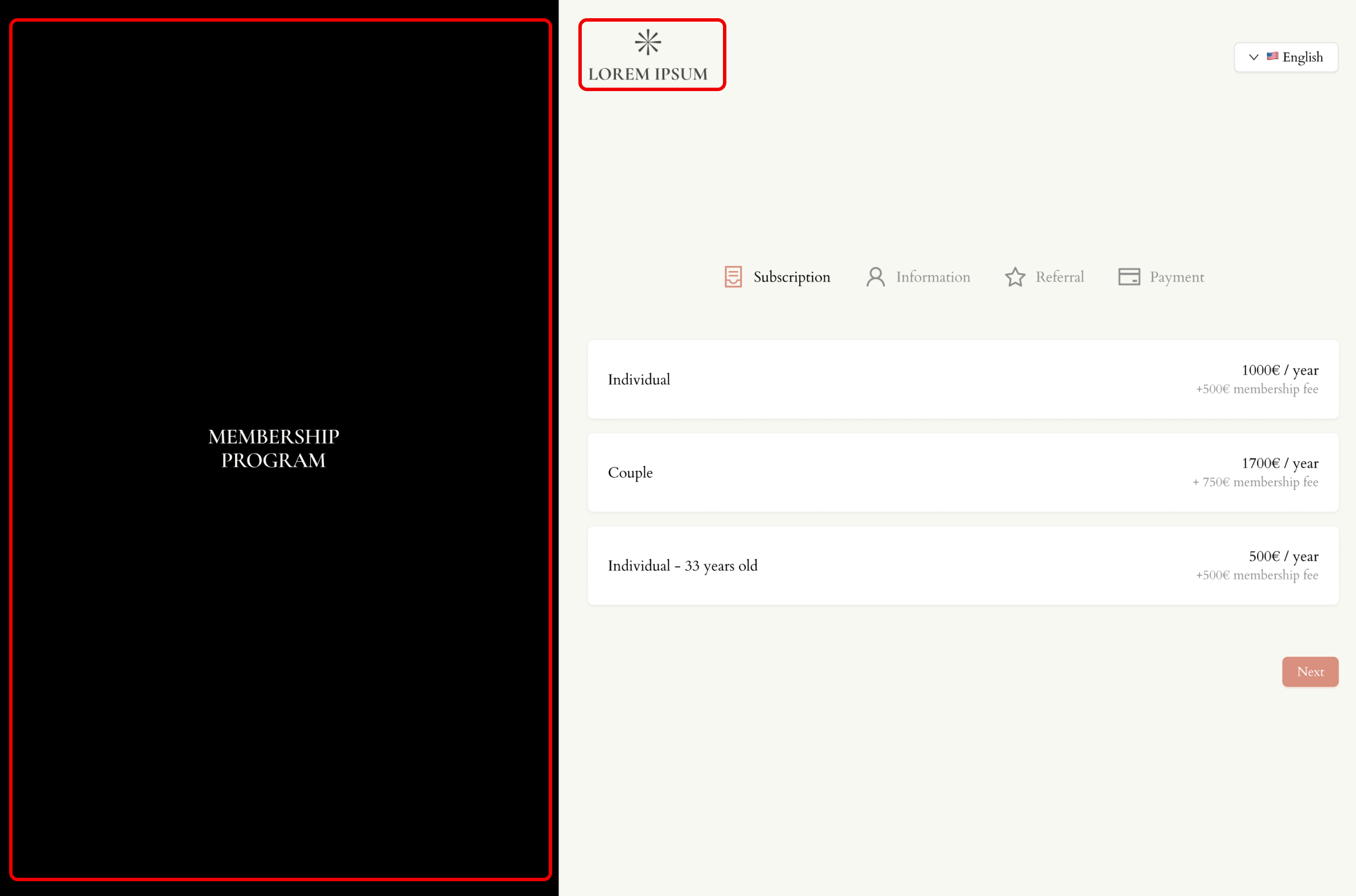
The onboarding form is the form that potential members fill out when they apply for membership. The Pléthore team configures the structure of this form, including:
Form steps
Layout and typography
Questions asked to applicants
Overall content of the application process
3.1. Membership Page for Non-Members
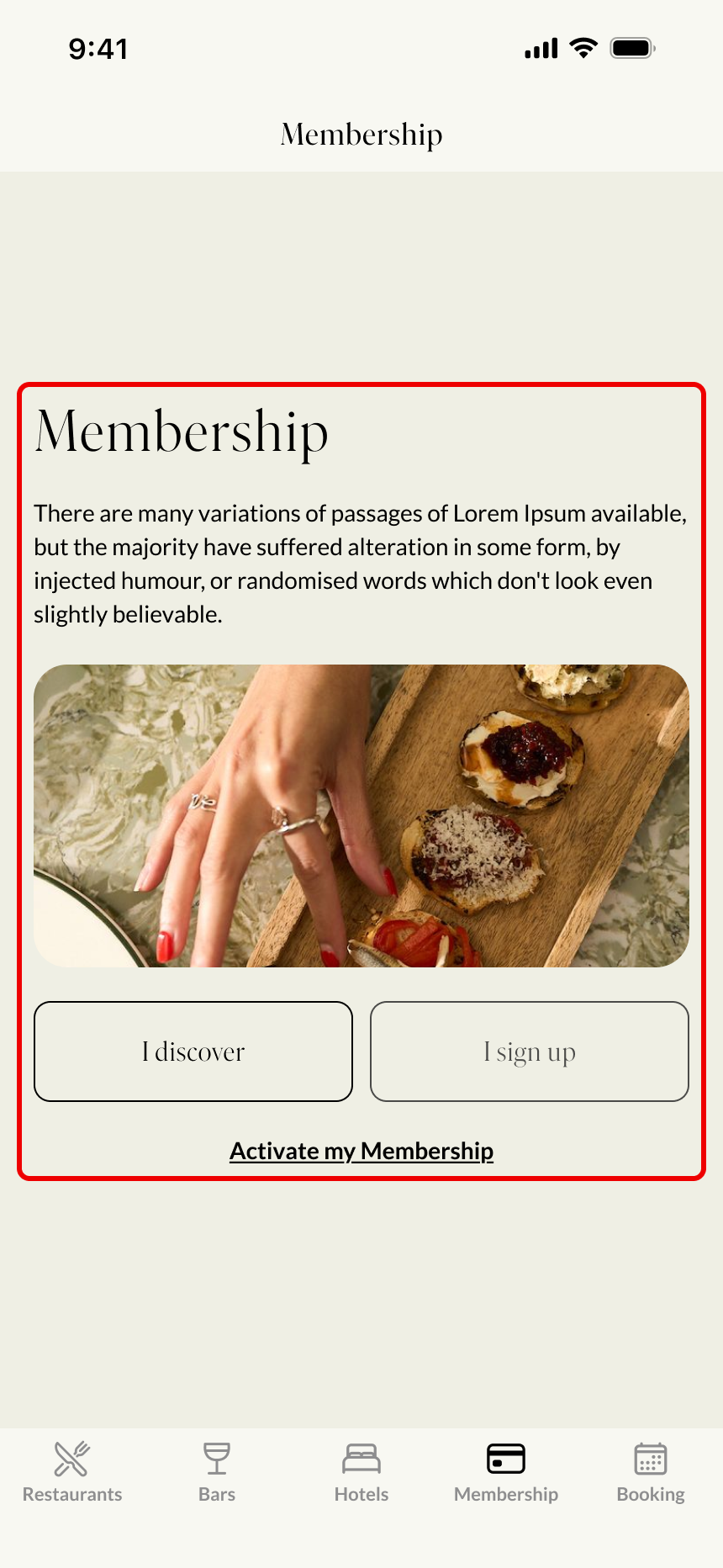
When a user who does not yet have a membership opens the Membership section in the mobile application, they will see a presentation page introducing the membership program.
The content and design of this page are managed by the Pléthore team. The page may include the following elements:
Title
Introductory text
Illustration image
The button labels and links
3.2. Membership Program Name
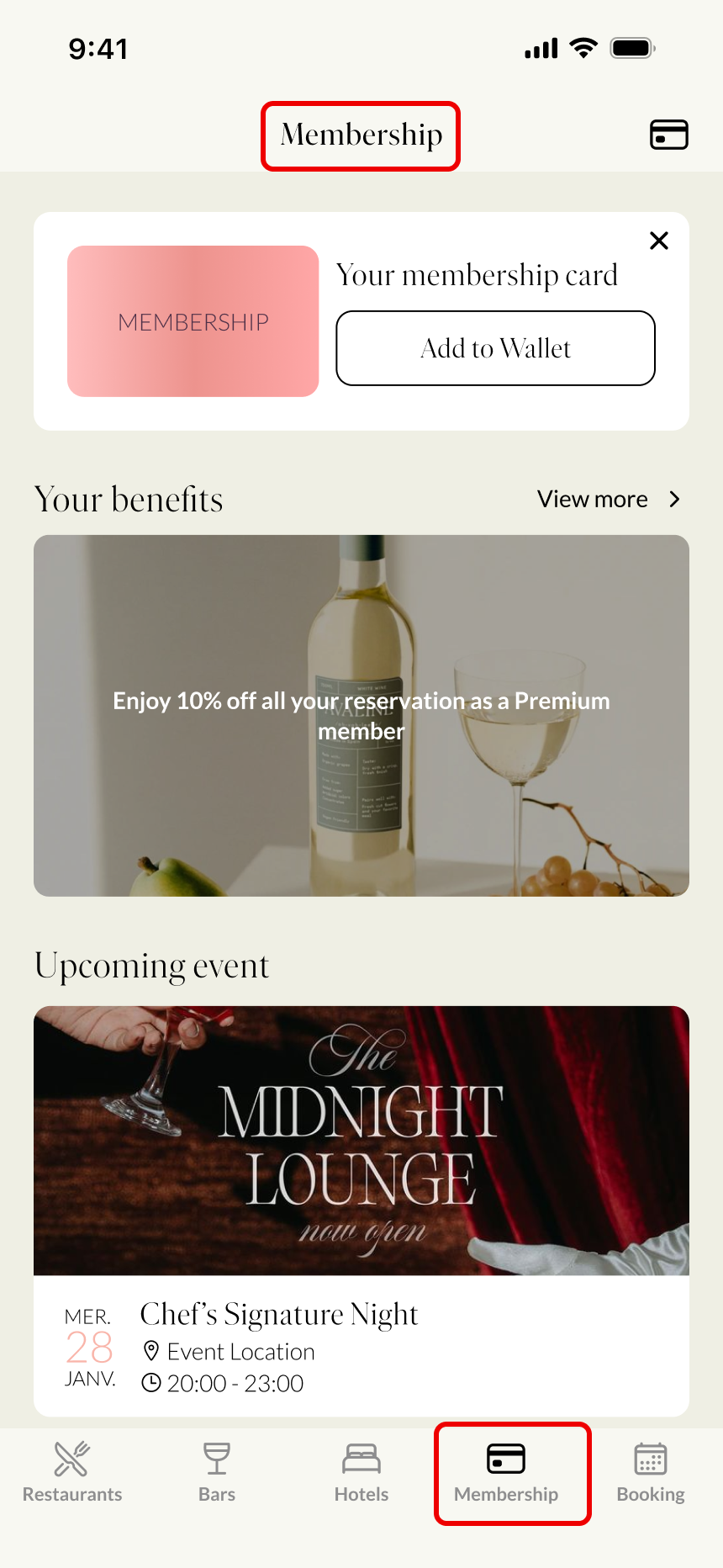
The membership program name in the navigation bar and at the top of the membership page is configured by the Pléthore team.
These texts can be different from each other and do not have to be identical.
The navigation bar title supports a maximum of 11 characters.
3.3. Membership Card Design
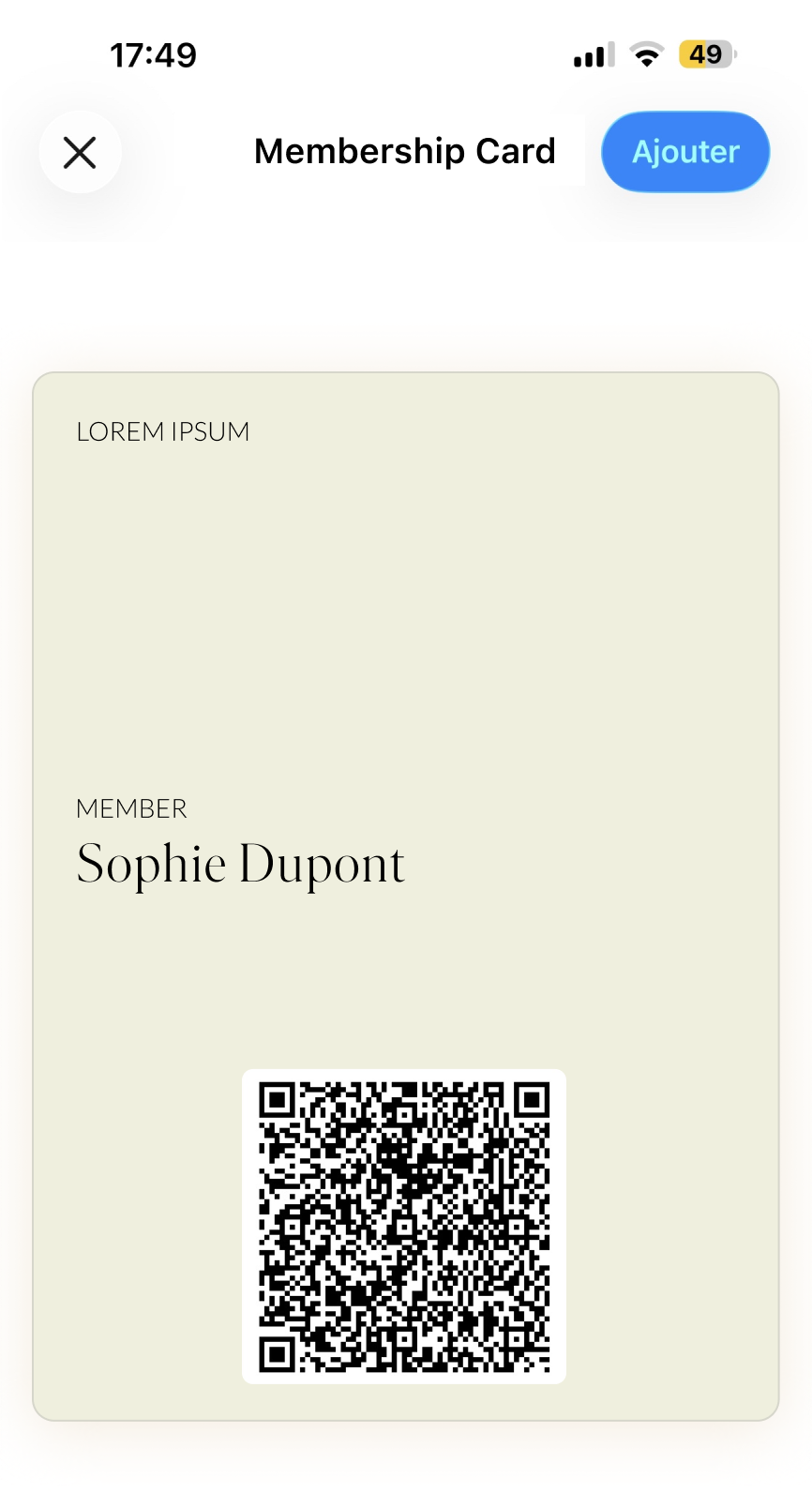
Each member receives a digital membership card in the application. This card can be customized with:
Your logo
Your brand colors
If you have specific design requirements for the membership card, you can discuss them with the Pléthore team.
3.4. Custom Sections in the Application
Other sections can also be customized in the application depending on your needs. The client must provide the section titles and descriptions in all supported languages. Examples include:
Assistance
Advantages
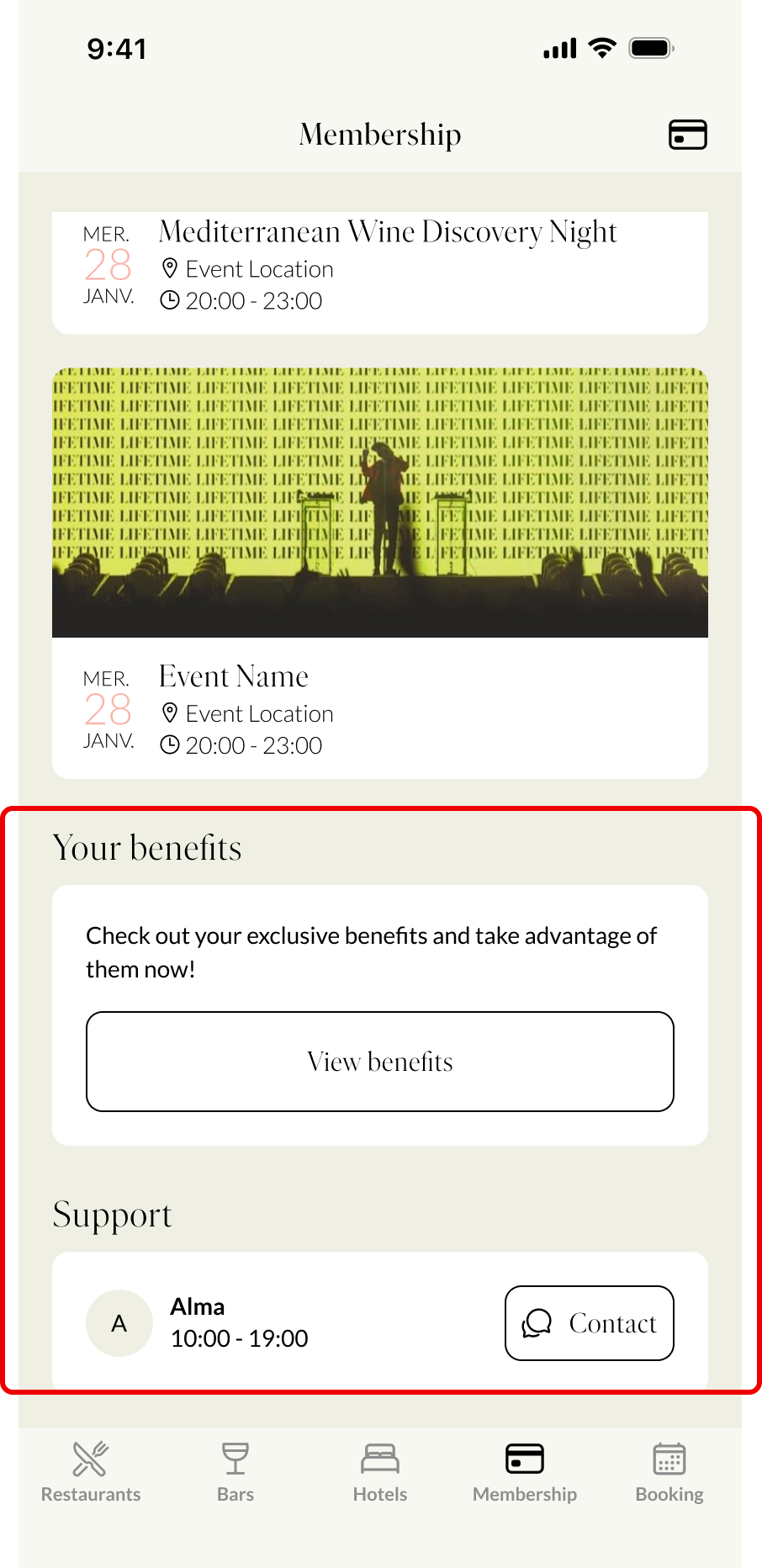
Your team can manage many elements of the membership experience directly from the Back Office dashboard. These features allow you to update content, manage members, and organize the experience shown in the application.
Some visual elements of the onboarding form can be customized directly from the dashboard, including:
Plan name
Logo displayed on the form
Introduction video
Primary color
Email notification content

If you need to modify elements related to membership plan structure, application design, or onboarding form structure, please contact the Pléthore Support Team via chat or email at support@plethore.com.
If you want to create events or perk sections, you can do so directly from the dashboard.
