From your homepage :
Click on Settings.
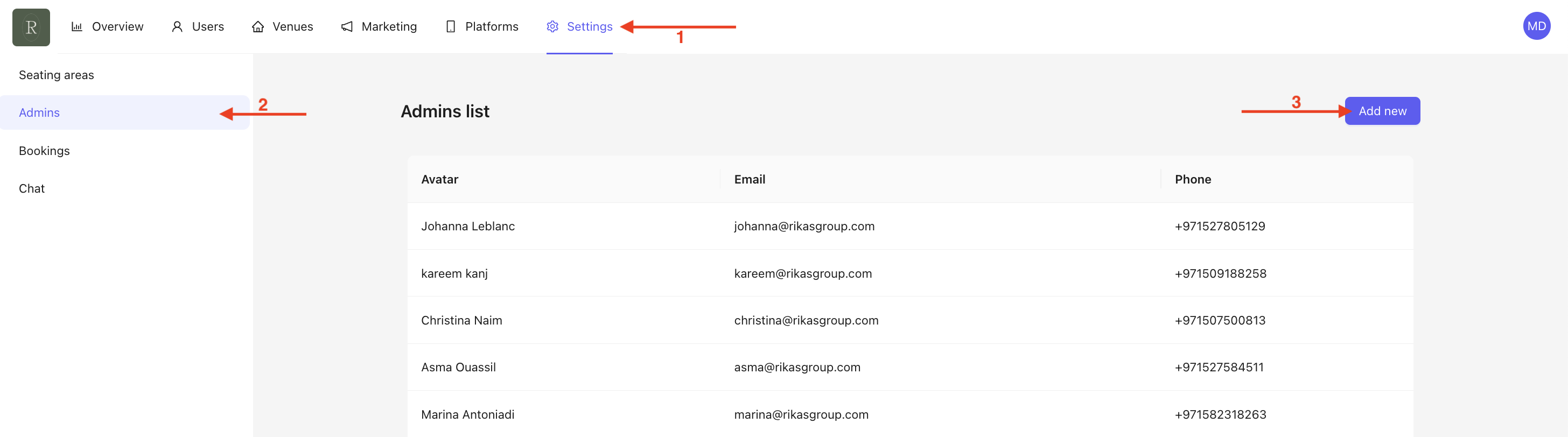
Click on Admin. You will then be redirected to the homepage displaying all administrators linked to the Back Office.
Click on Add New to create a new administrator.
A pop-up will appear :
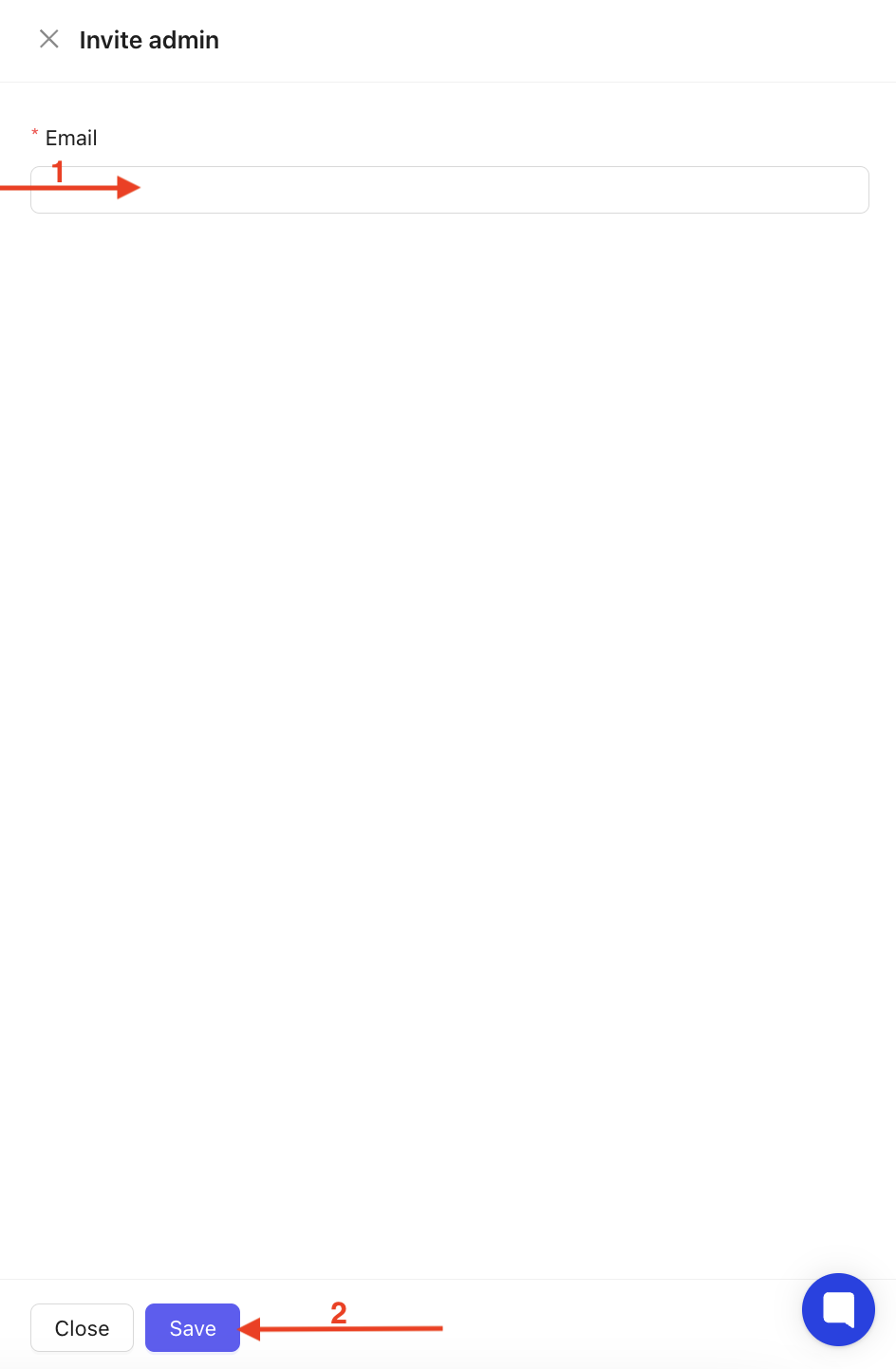
Enter the email address of the person you want to invite.
Click on Save to confirm and send the invitation.
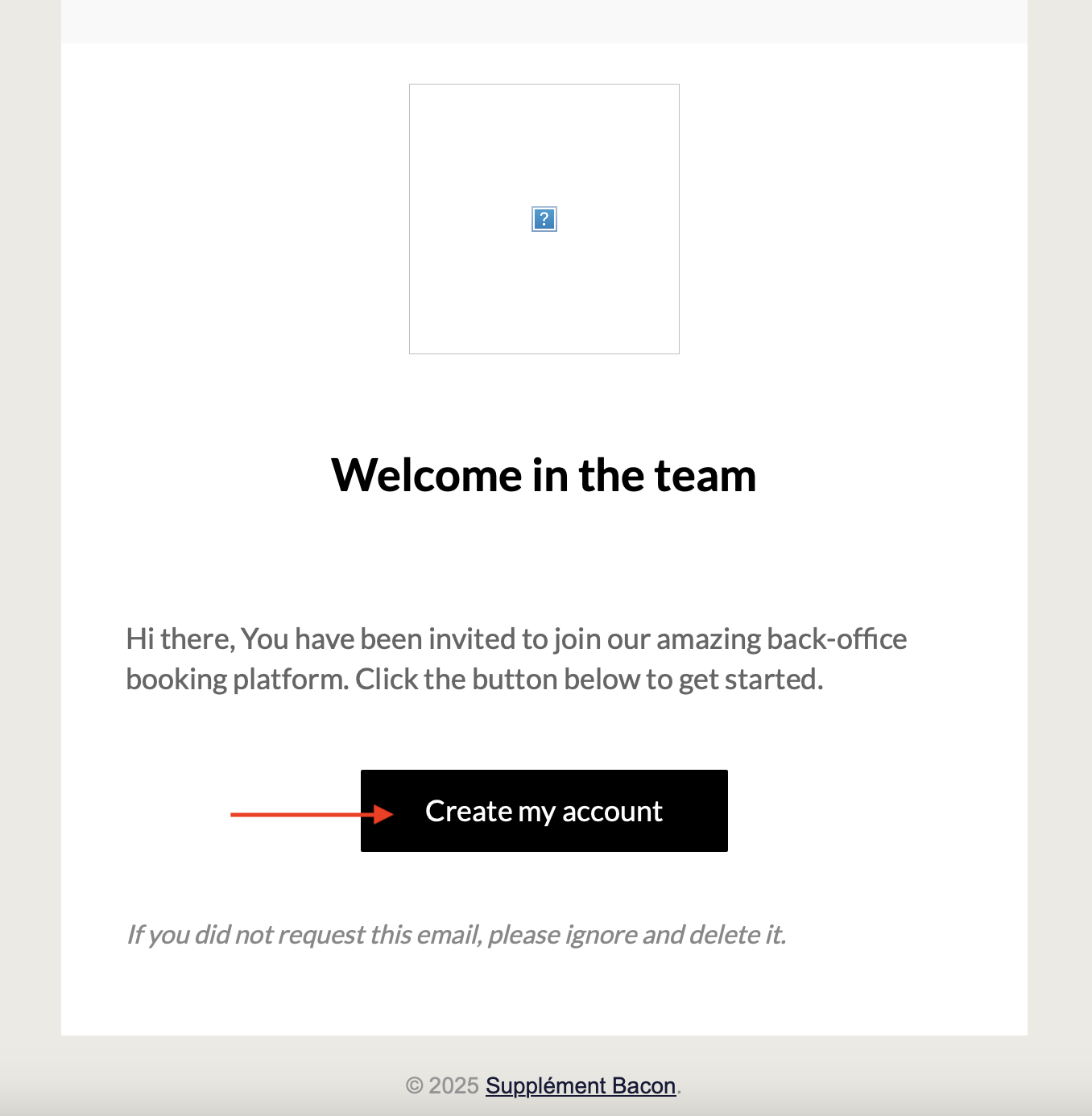
The invited person will then receive an email and simply needs to click on Create my account, as shown below.