The following roles can configure connectors:
Admin
Communication
Head of Project
Marketing
The option “Venue bookable in the app” must be enabled.
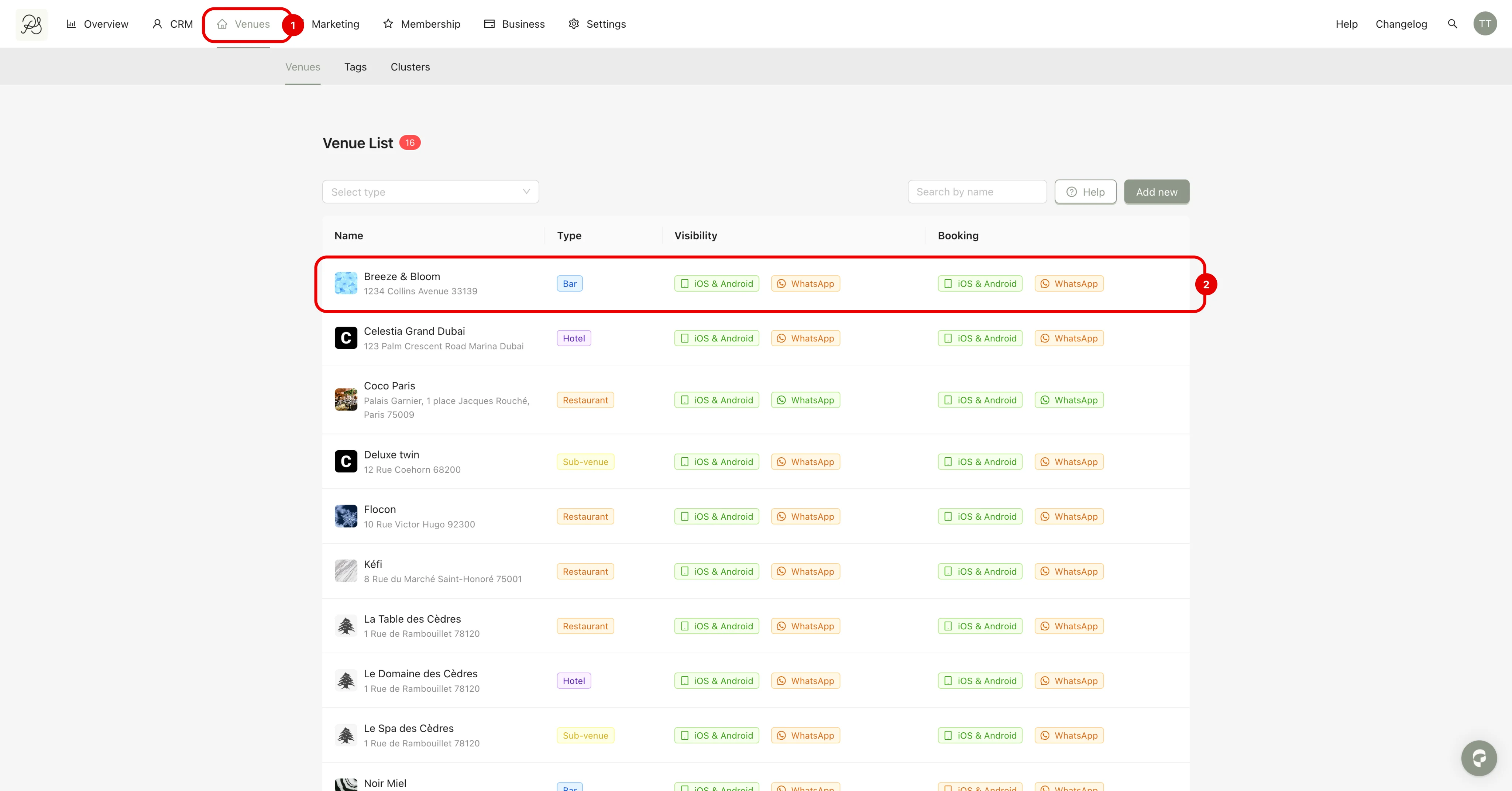
Step 1: Go to the Venues page (1) and select the venue you want to configure (2).
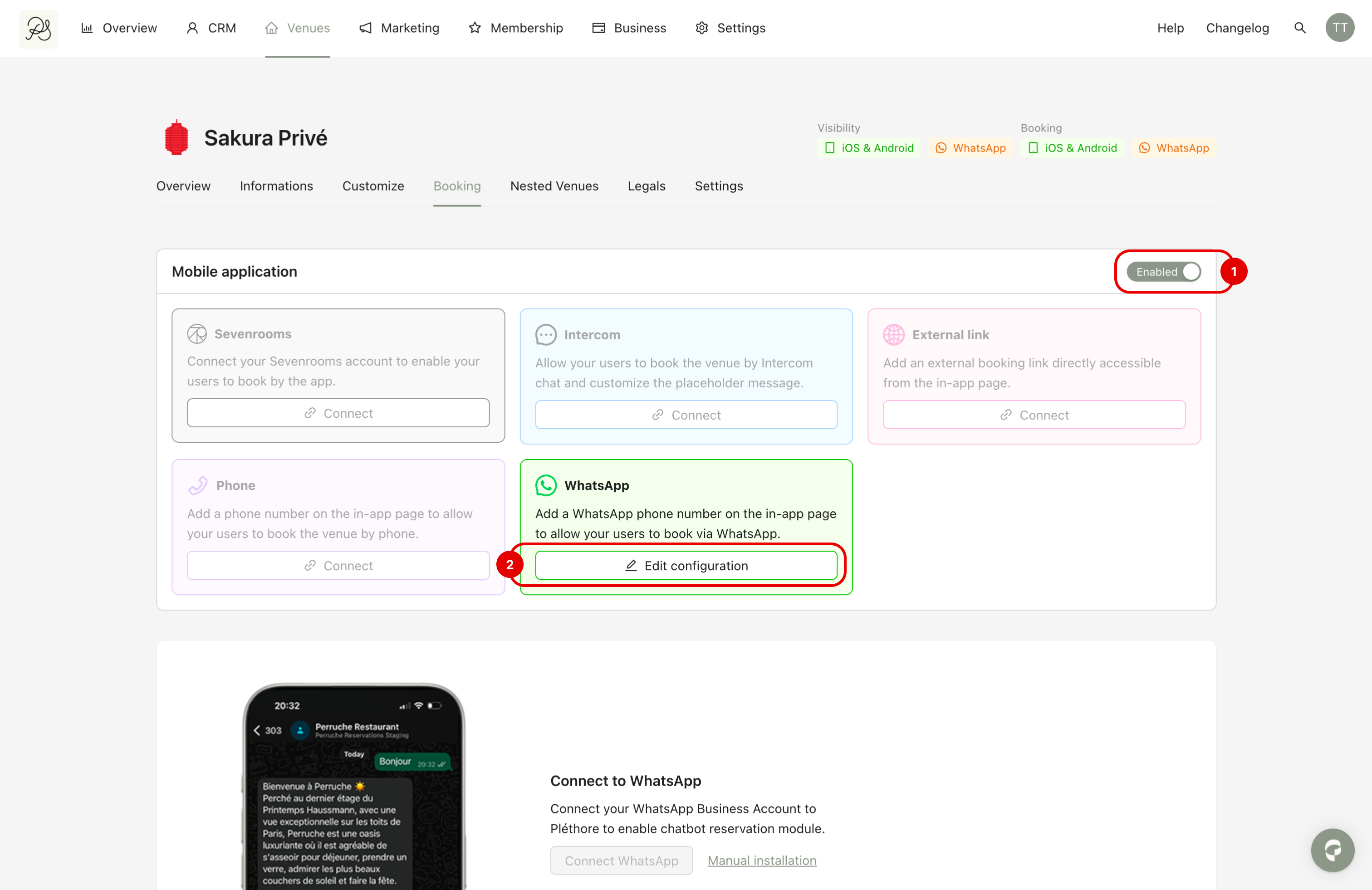
Step 2: Go to the tab Booking (1). In the Whatsapp section, click Edit configuration (2).
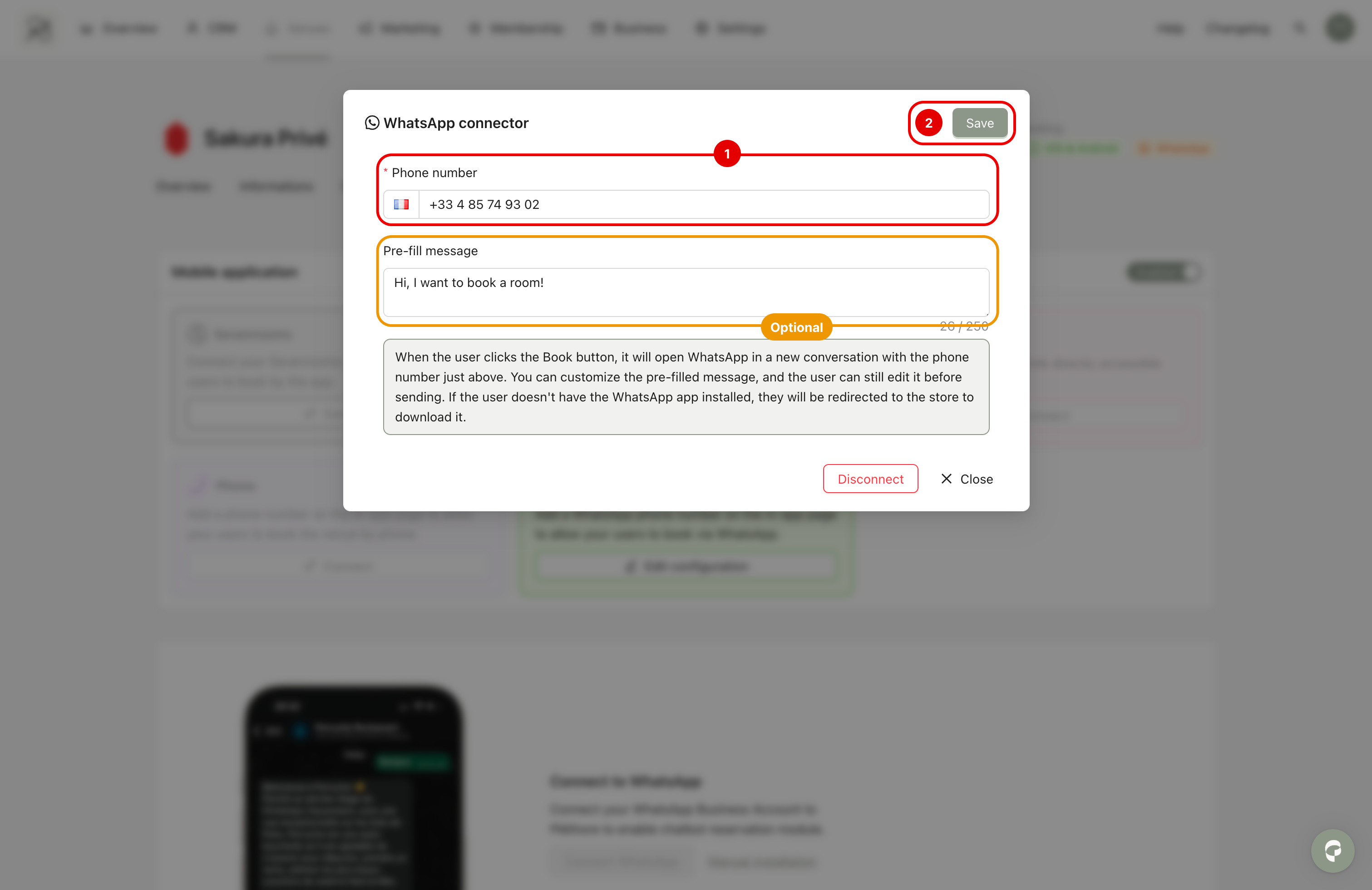
Step 3: Enter your WhatsApp phone number (1). Add a pre-filled message that will automatically appear when a client starts a chat with you on WhatsApp (Optional). Click Save (2) to apply the configuration.
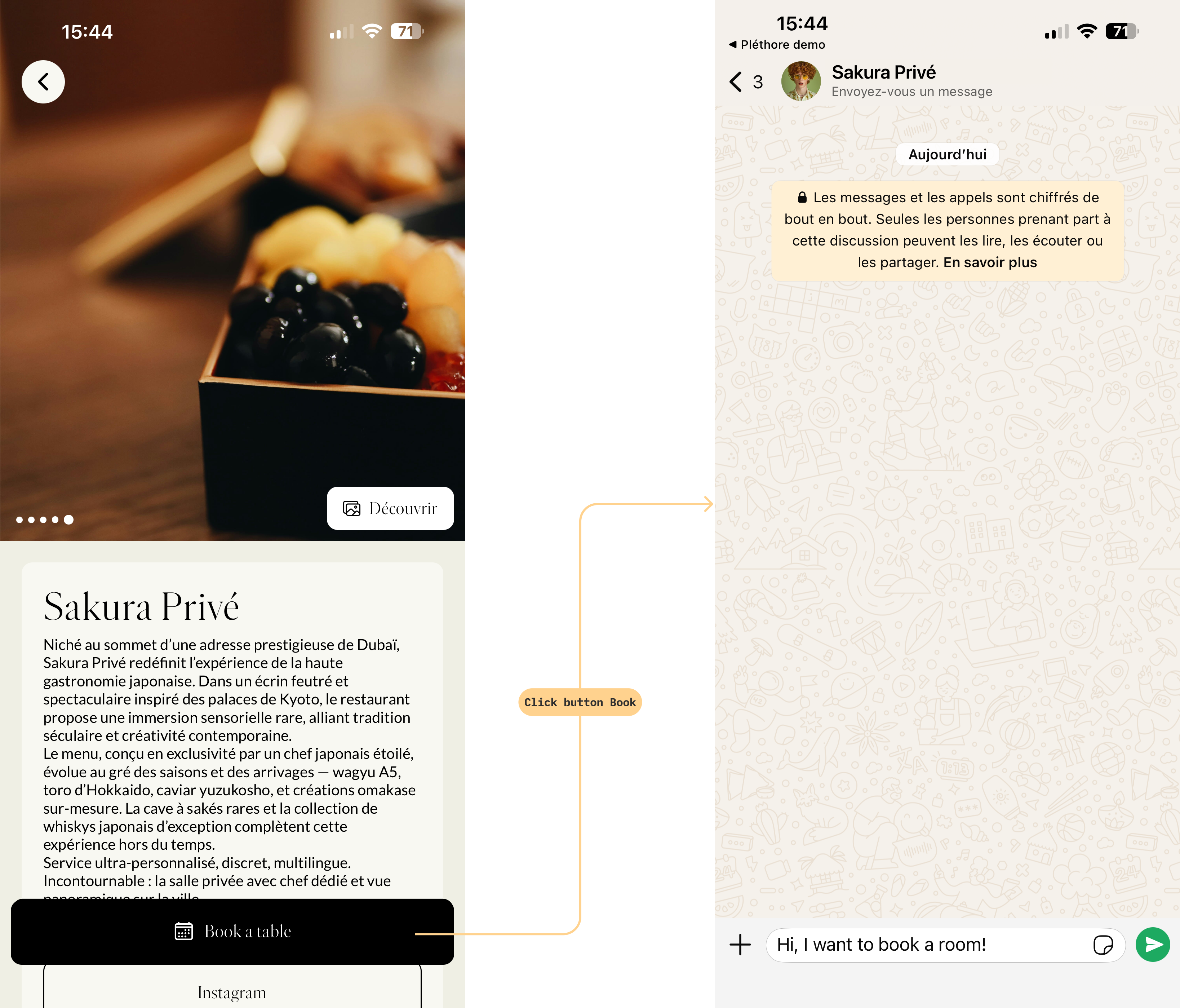
 Result in application
Once configured, the link to start a WhatsApp conversation will be integrated into the Book button in the mobile application.
When users click this button, they will be redirected to WhatsApp with the pre-filled message (if configured).