Push Notifications are a powerful tool to capture your users' attention in real-time. They allow you to send instant messages directly to their device, ensuring immediate visibility and increased engagement. Whether announcing the opening of a venue, or redirecting users to a specific page, Push Notifications are an essential tool to strengthen interaction with your audience and maximize the impact of your communications.
From your homepage, make sure you are in the Marketing section :
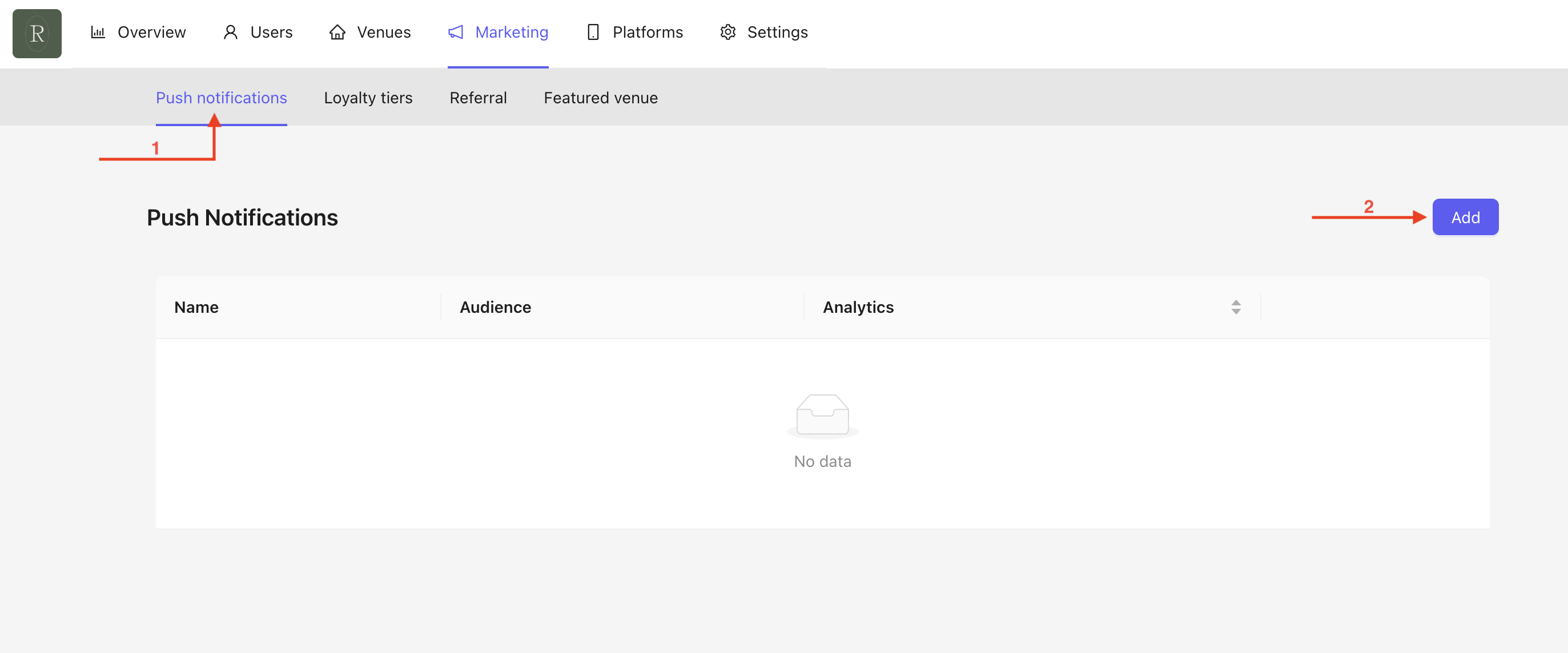
Click on Push Notifications, and you will land on your dashboard.
Click on Add to create a new Push Notification.
A pop-up will appear :
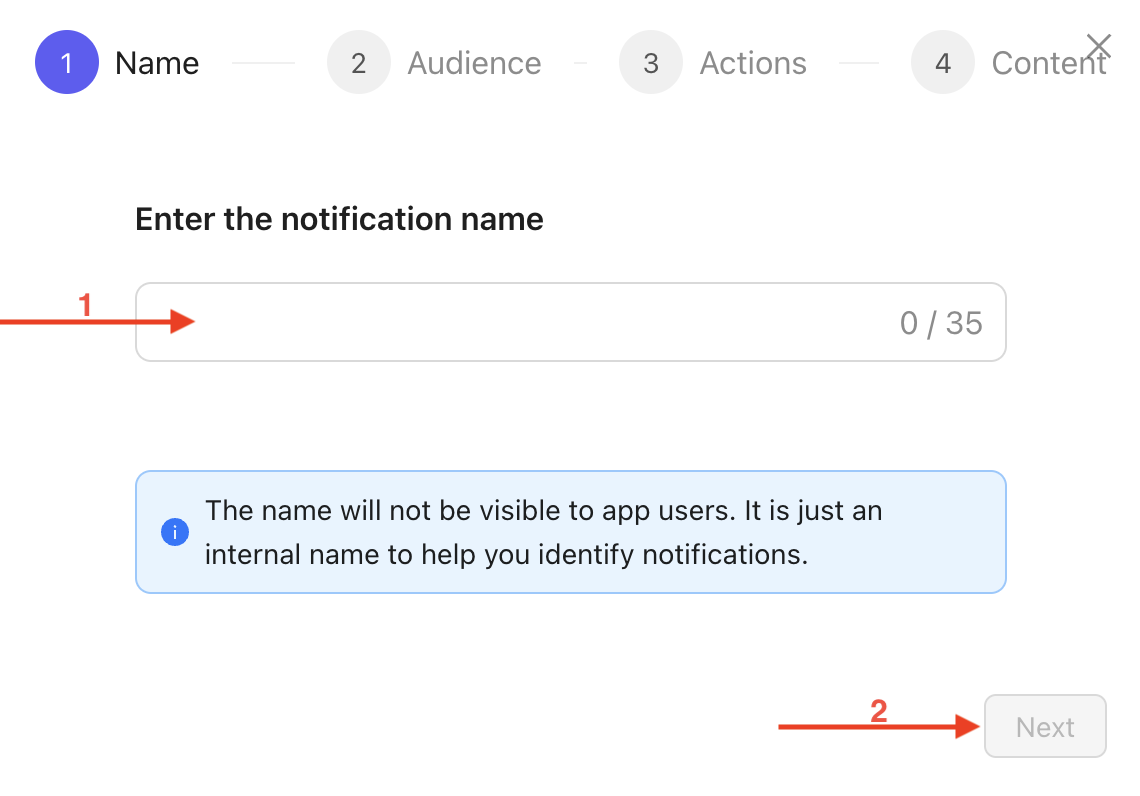
Enter the name of your Push Notification. This is an internal name and will not be visible to App users.
Click on Next.
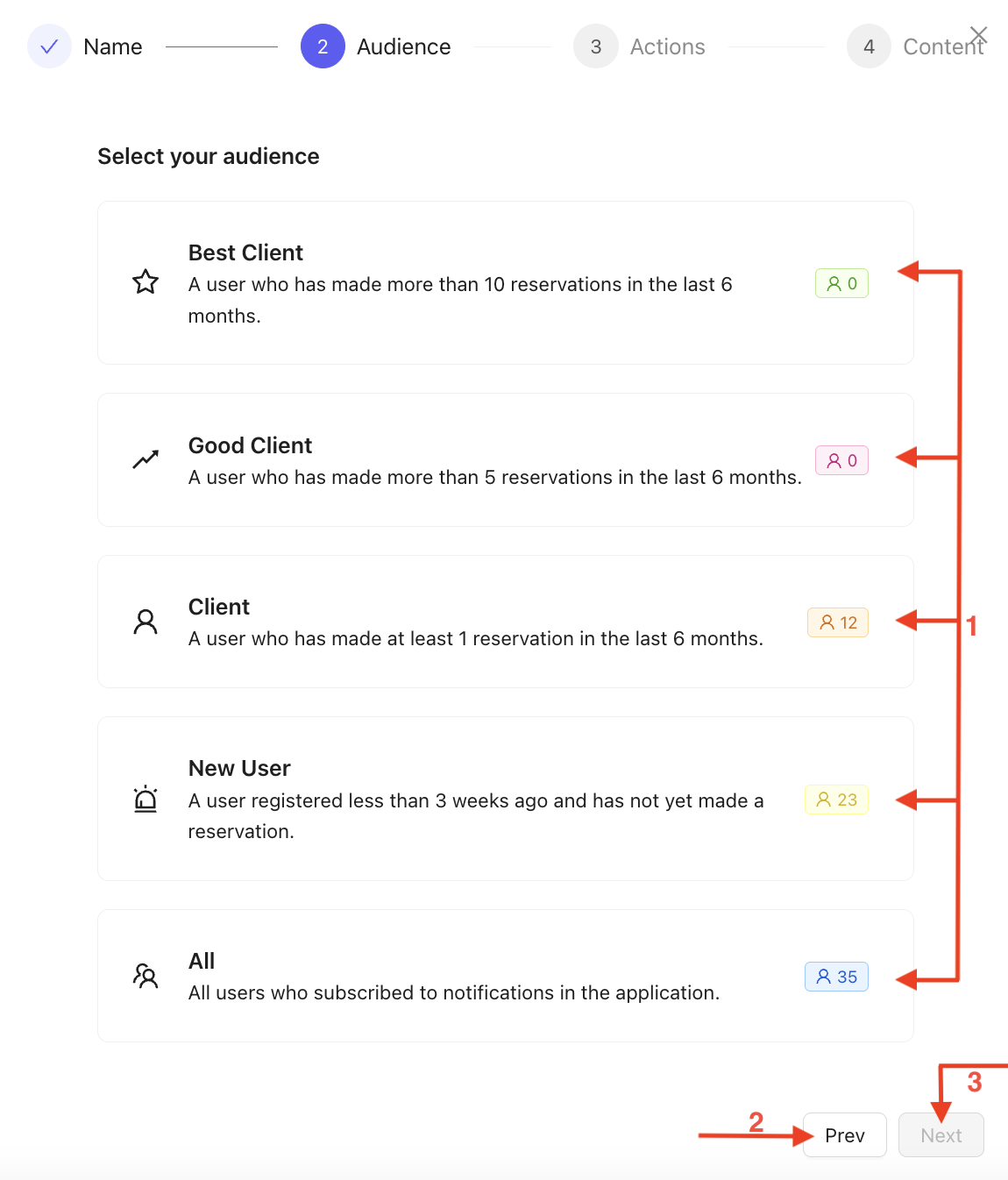
Choose the audience you want to send the notification to.

You can go back at any time by clicking on Previous.
Click on Next to proceed to the next step.
In this step, you will need to select the action linked to the Push Notification :
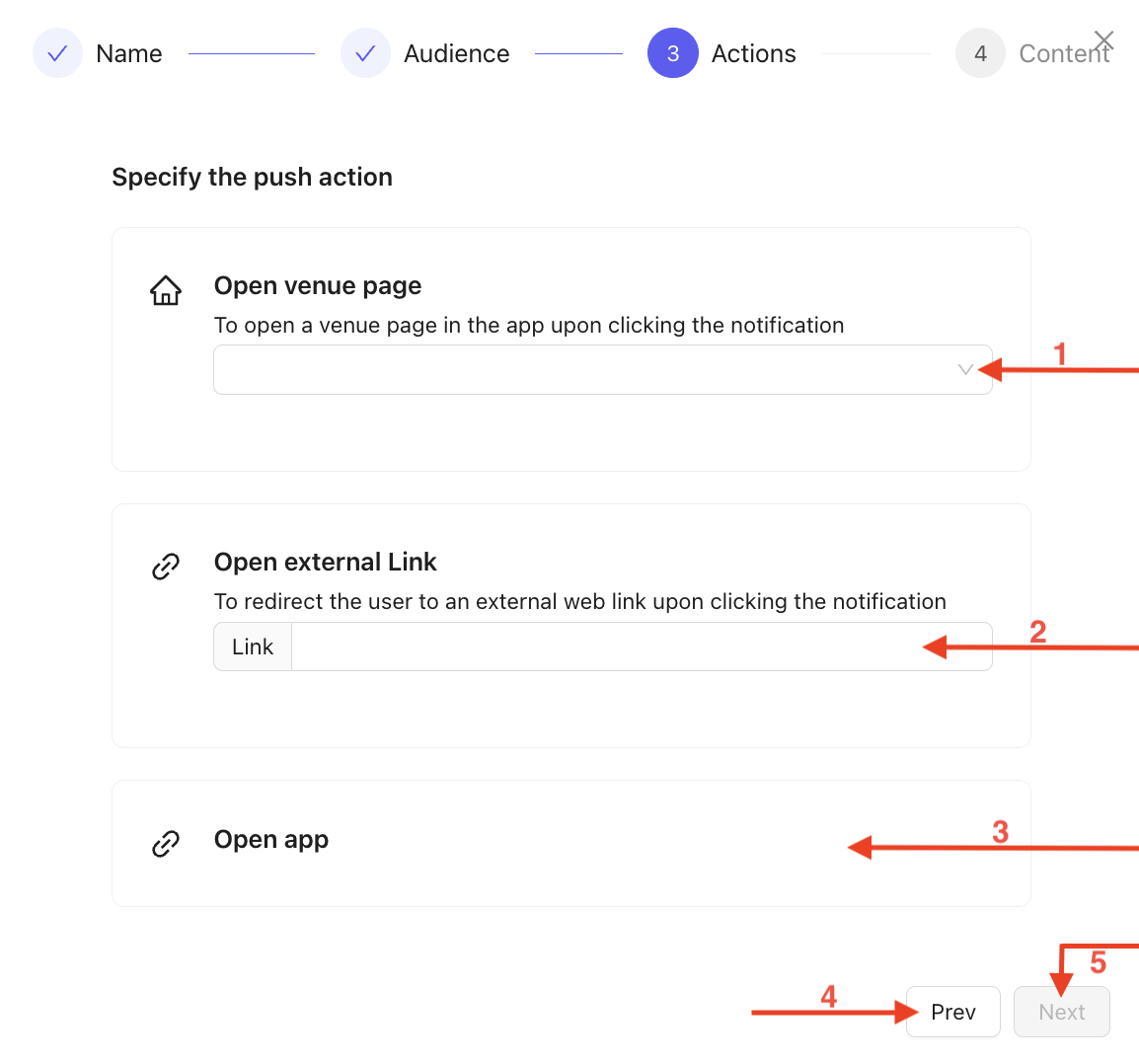
Open a specific venue, to be chosen from the dropdown menu.
Open an external link, which you must enter in the field.
Open the App on the homepage.
You can go back at any time by clicking on Previous.
Click on Next to move to the next step.
In this step, fill in the fields while having a real-time preview of the notification :
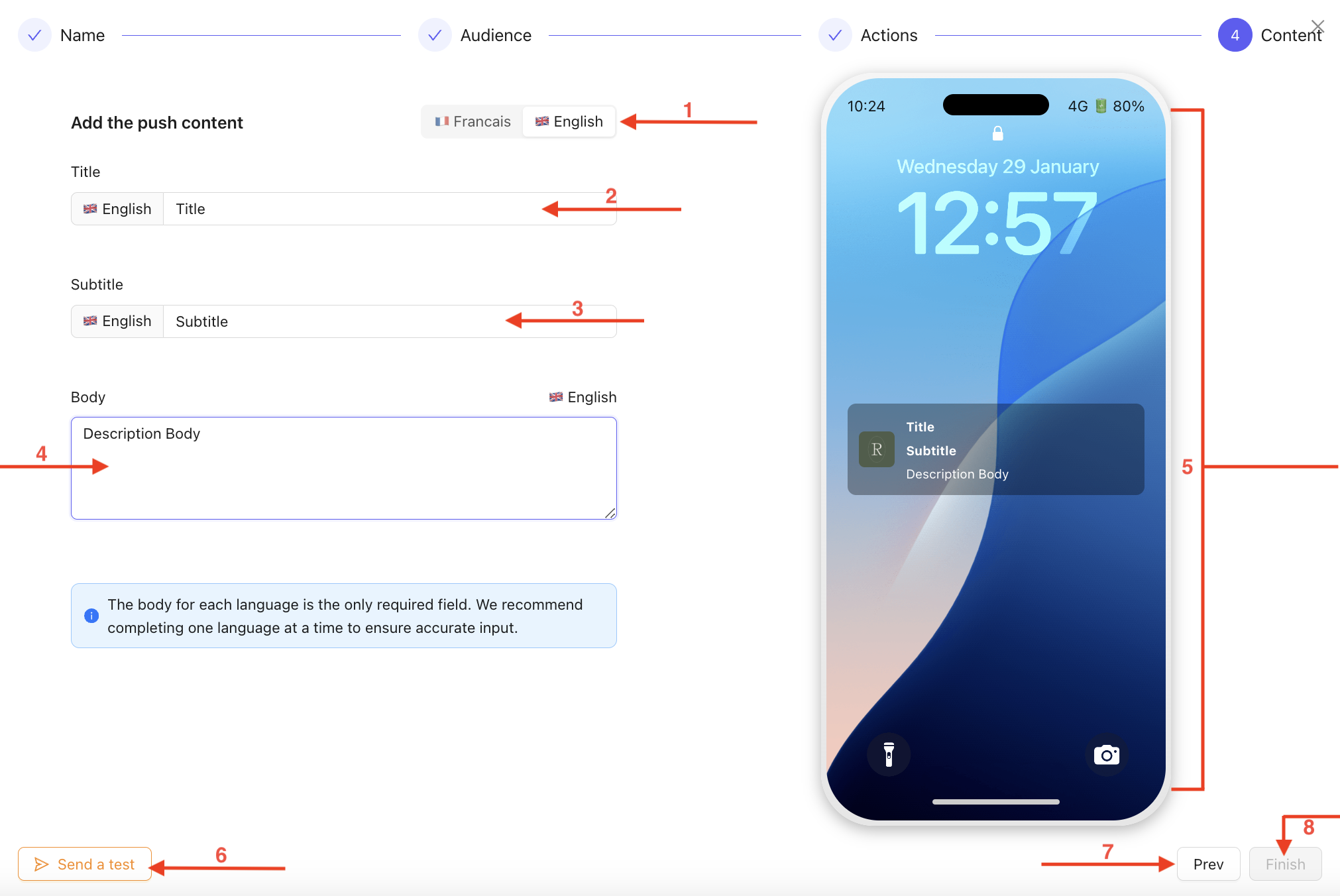
Select the language.
Fill in the Title field.
Fill in the Subtitle field.
Fill in the Body field with your chosen description.

Real-time preview of your notification.
Send a Test Notification.
You can go back at any time by clicking on Previous.
Validate the creation by clicking on Finish.

Your notification is now created, and you are back on your dashboard, where you can see the Push Notification you created :
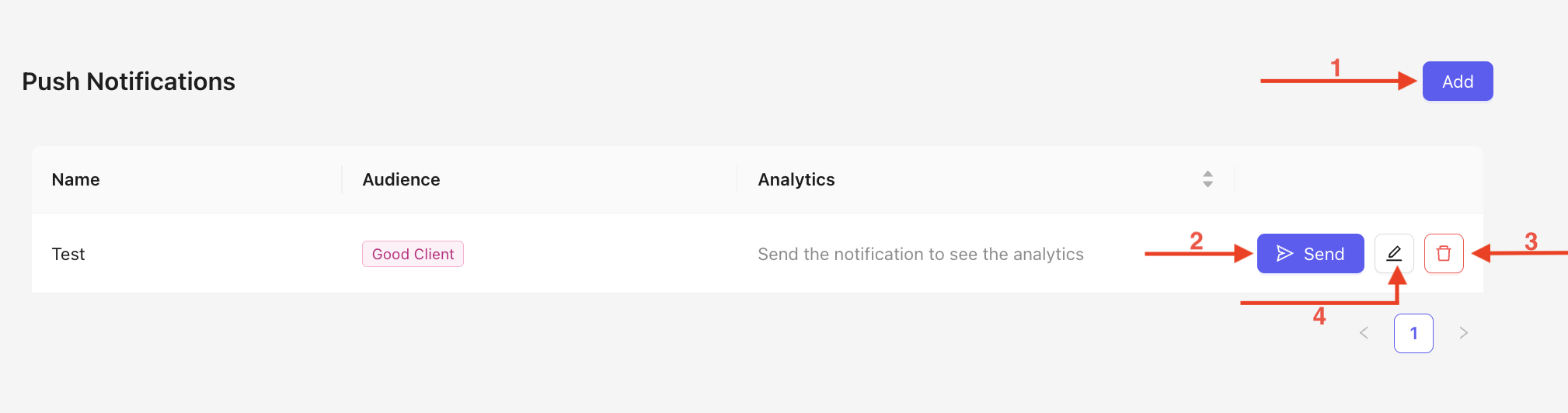
Click on Add to create a new Push Notification.
Click on Send to send the created Push Notification.
You can delete a Push Notification at any time by clicking on the trash icon.
Click to edit your notification.
With Push Notifications, you can efficiently communicate with your users and deliver relevant information at the right time. Their creation is quick and simple via your dashboard, providing you with total flexibility in managing your campaigns. By leveraging this tool, you optimize your visibility and enhance audience engagement while maintaining full control over your notifications.
