Device information helps you understand which mobile device, operating system, and application version a user is using, which is especially useful for troubleshooting and support purposes.
The following roles are allowed to view user device information:
Admin
Head of Project
Marketing
Communication
Membership
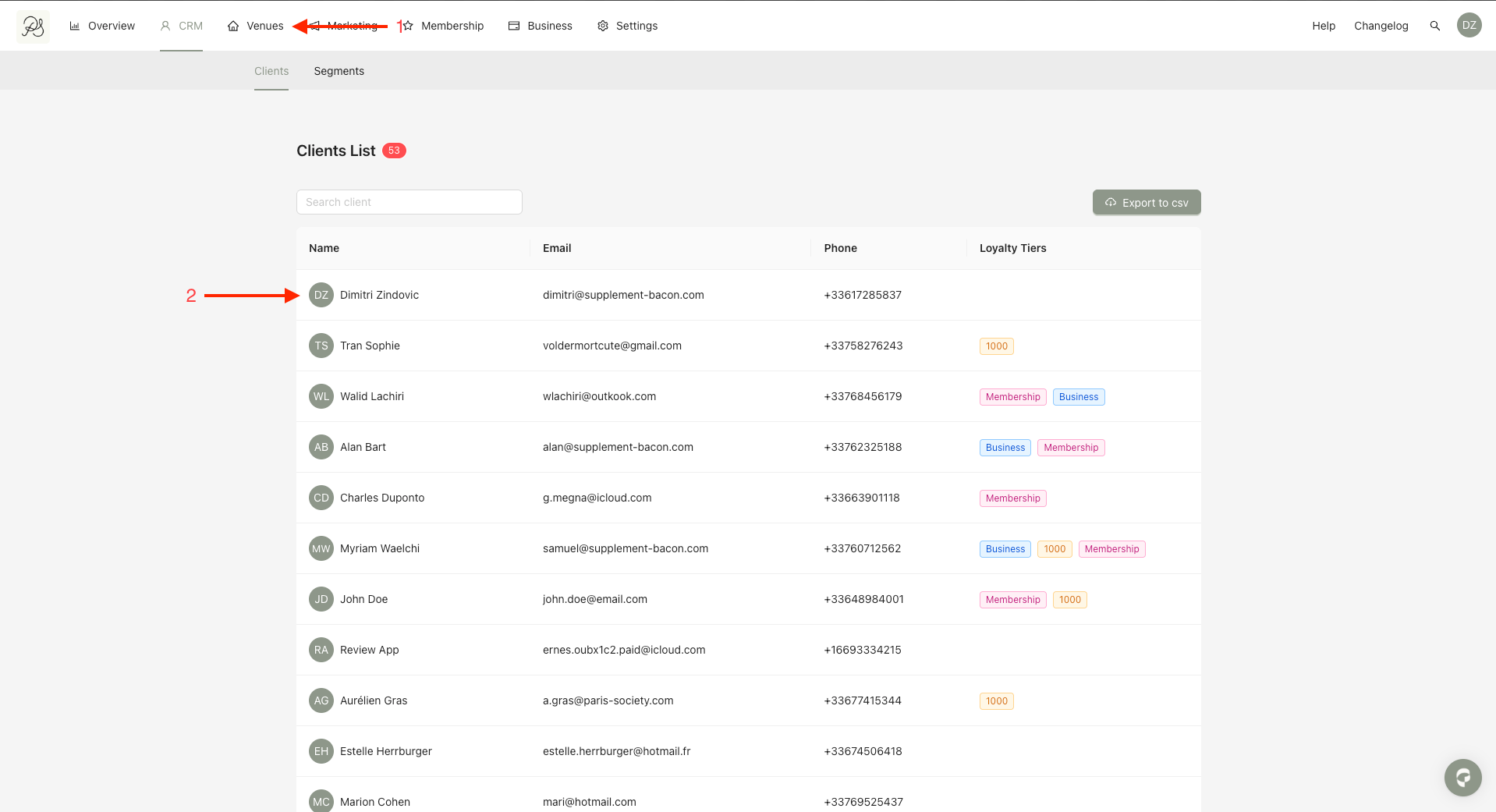
Step 1: From the homepage, click CRM (1). Select the user you want to view (2).
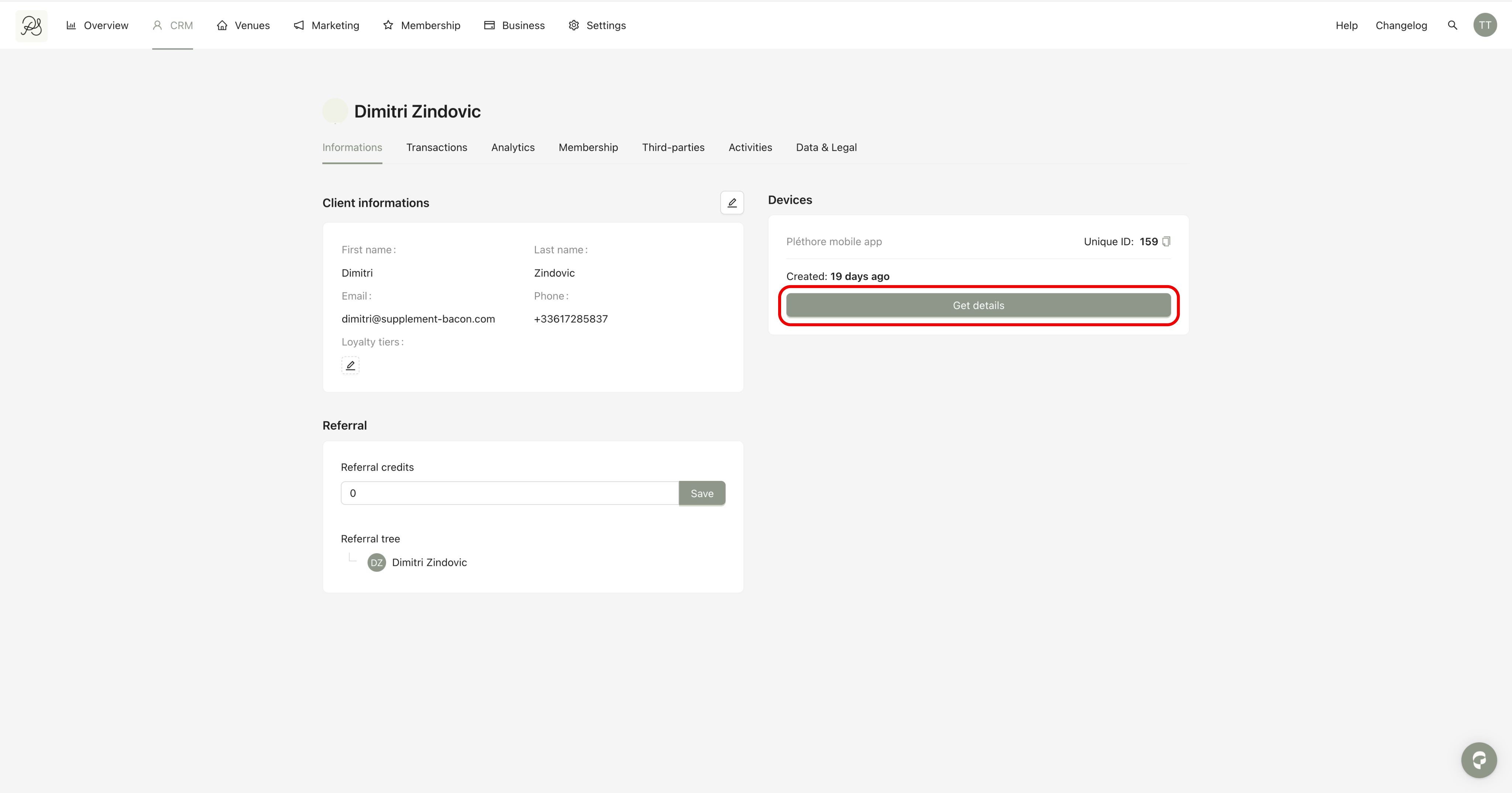
Step 2: On the user detail page, make sure you are on the Information tab. In the Device section, click Get details.
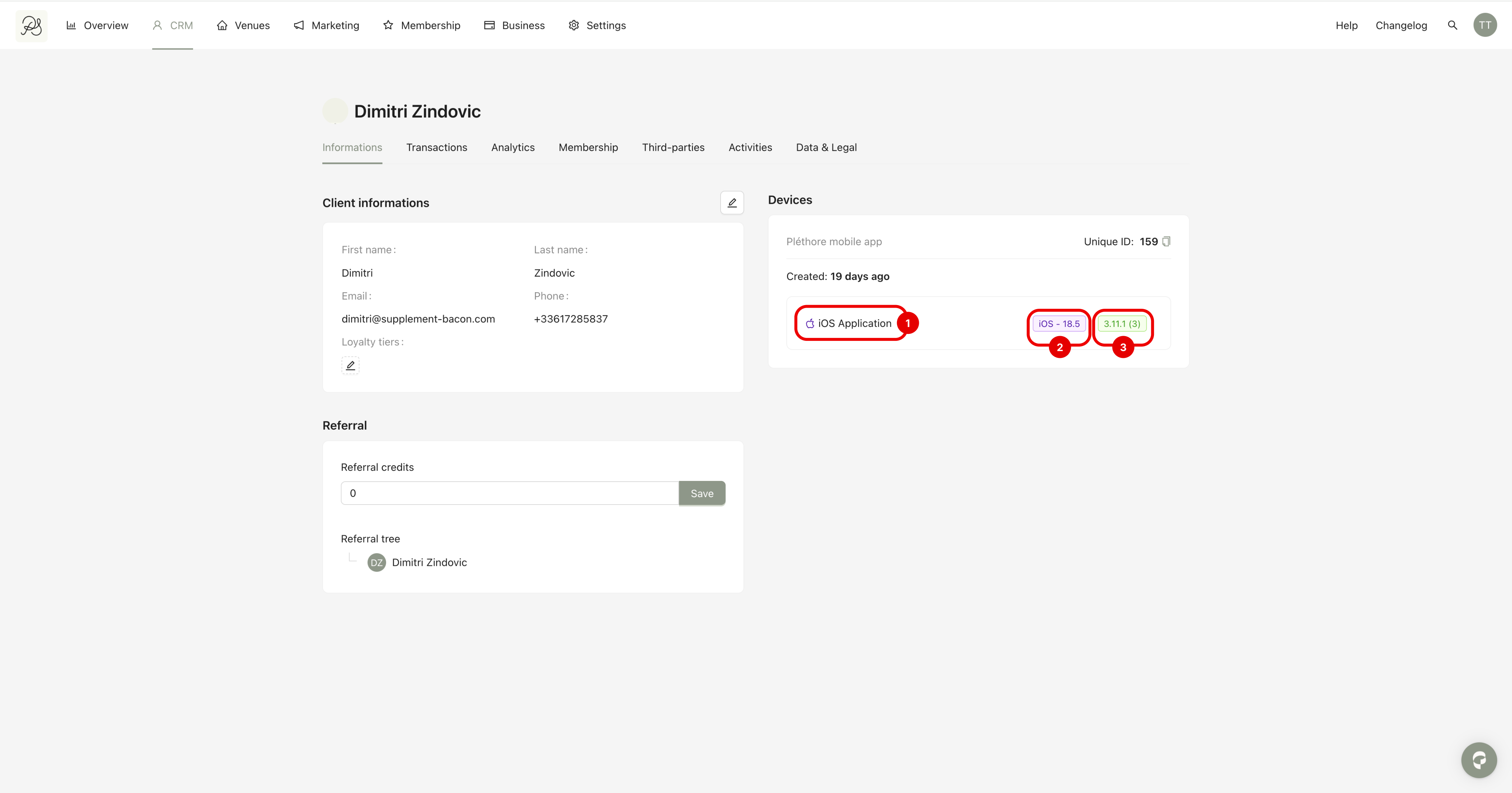
Step 3: Once the button is clicked, the user’s device information is displayed, including:
The mobile operating system used by the user (e.g. iOS or Android).
The operating system version installed on the user’s device.
The application version currently installed on the user’s device.
This data provides valuable context when investigating user issues related to the mobile application.
