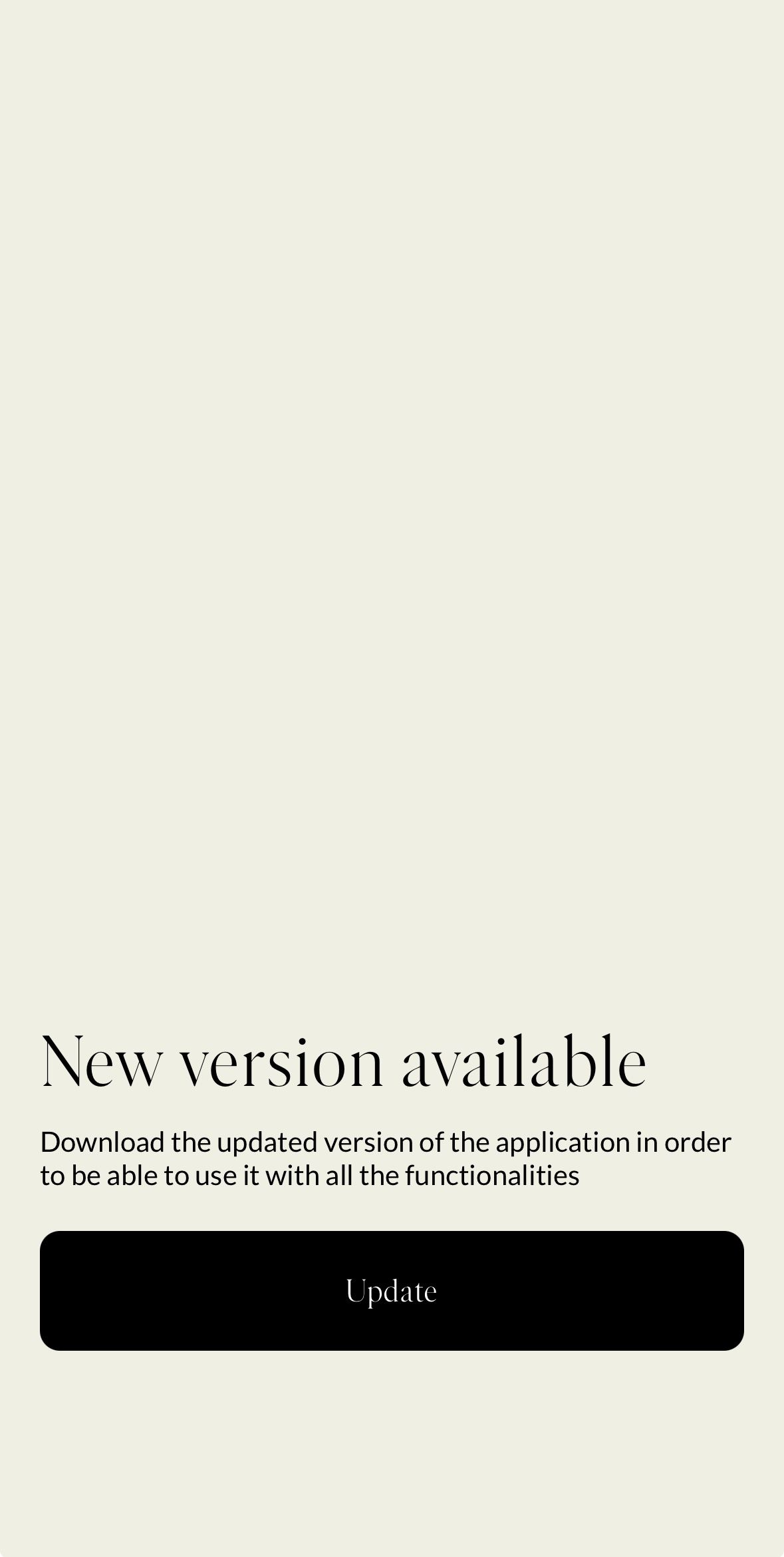
You can define the minimum required version of the mobile application. Users running an older version will see a blocking update pop-up when opening the app, forcing them to update via a button that redirects to the app store.
Role: Admin or Head of Project
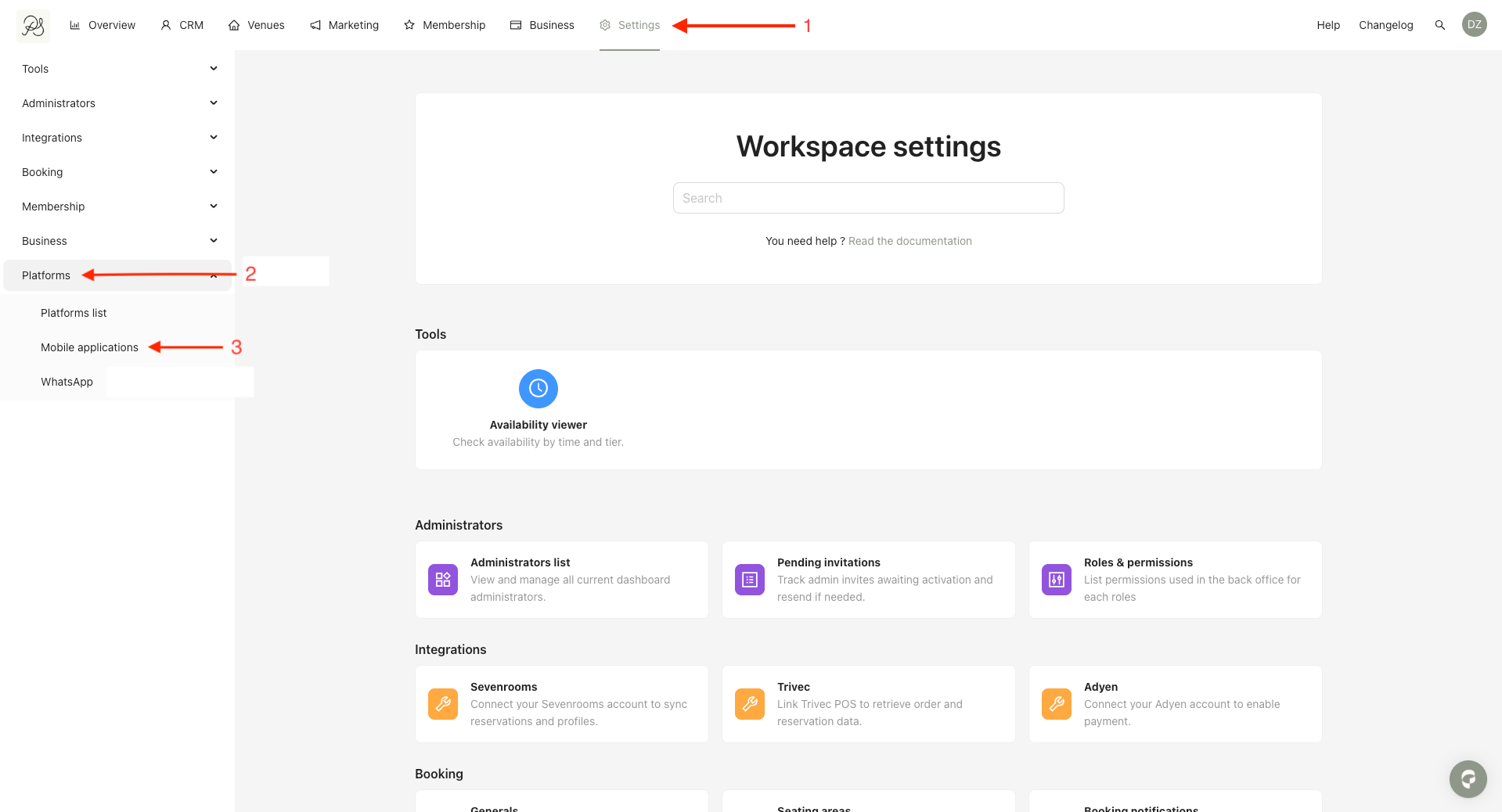
Step 1: From the homepage, click Settings (1). Go to Platform (2), then click Mobile Applications (3).
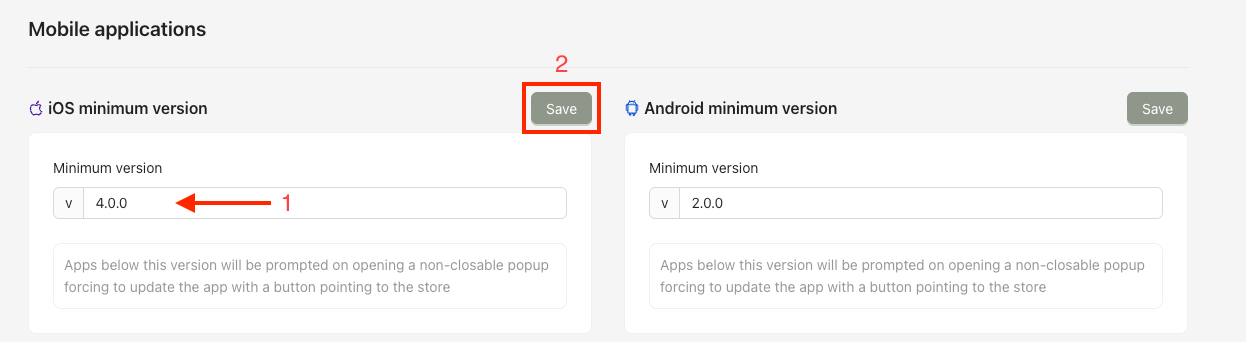
Step 2: Enter the minimum app version (1) using the format x.x.x. This version determines from which point users are required to update the app. Click Save (2) to apply the changes.

 Result in the mobile application
Users whose app version is lower than the defined minimum will see a blocking update screen when opening the app. They will be required to update the application via the App Store or Play Store before continuing.