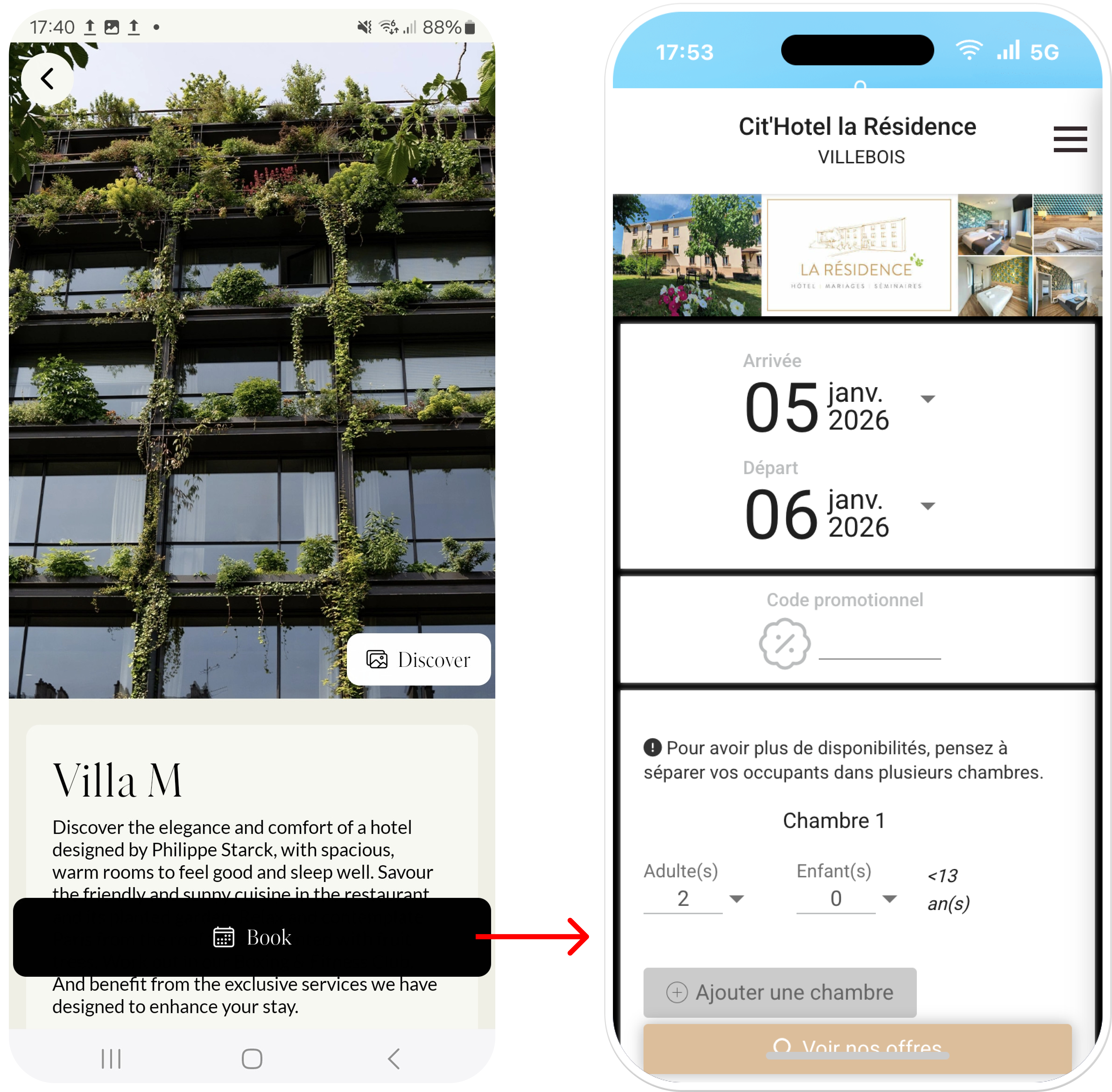
Roles: Admin, Marketing, Communication, Head of Project
Venue bookable in the app must be enabled
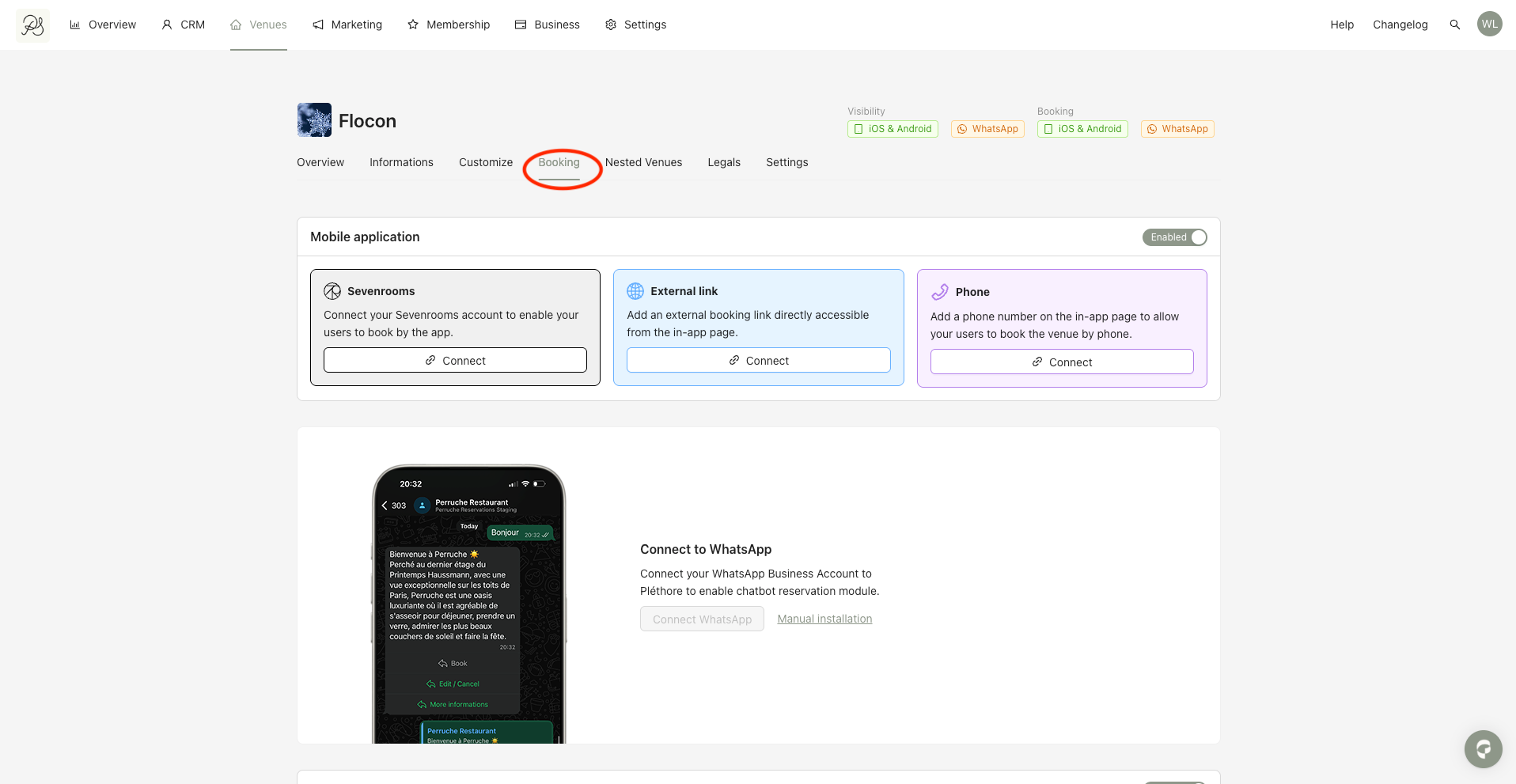
Step 1: Go to Venues, select the venue you want to configure, then open the Booking tab.
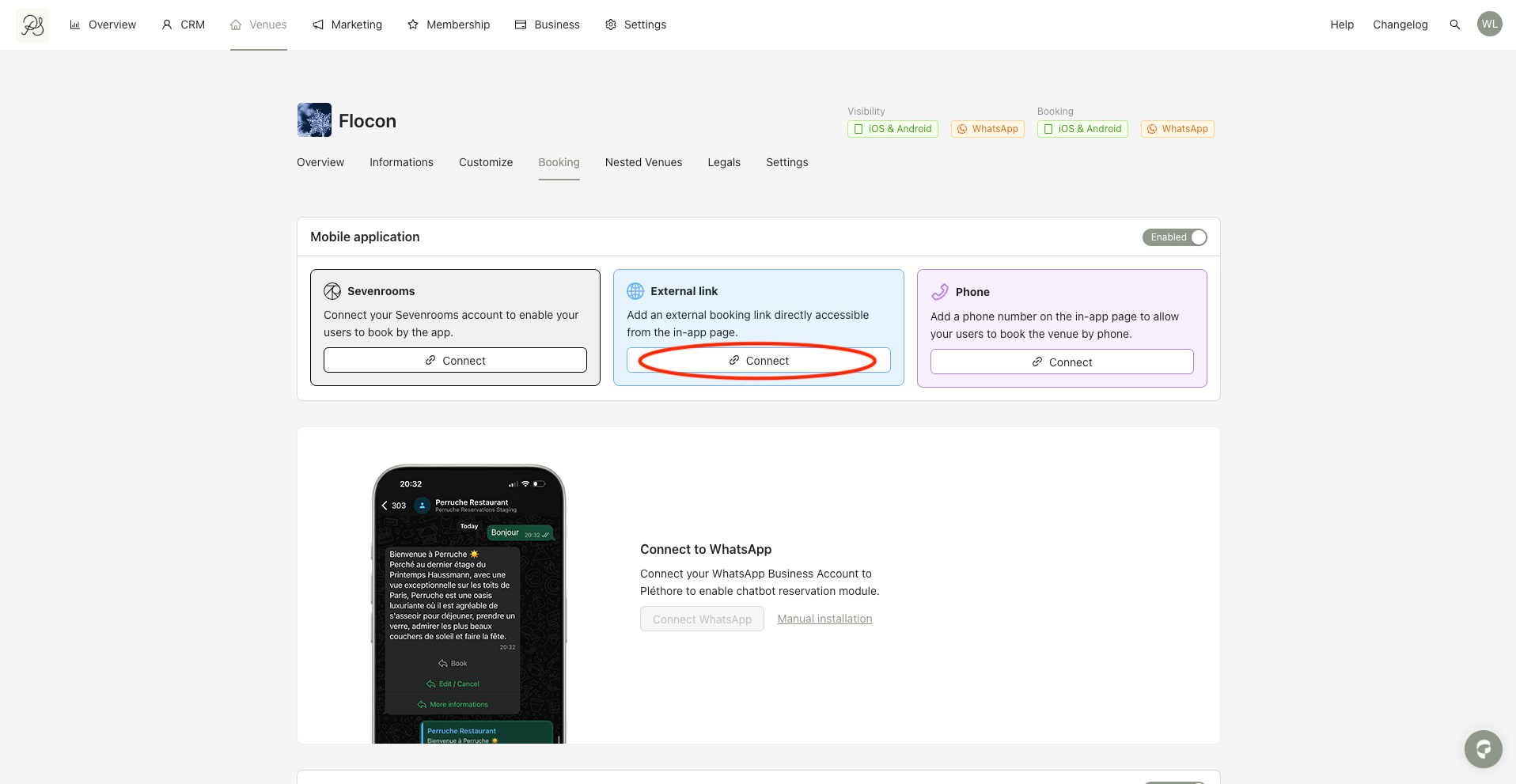
Step 2: In the External link section, click Connect.
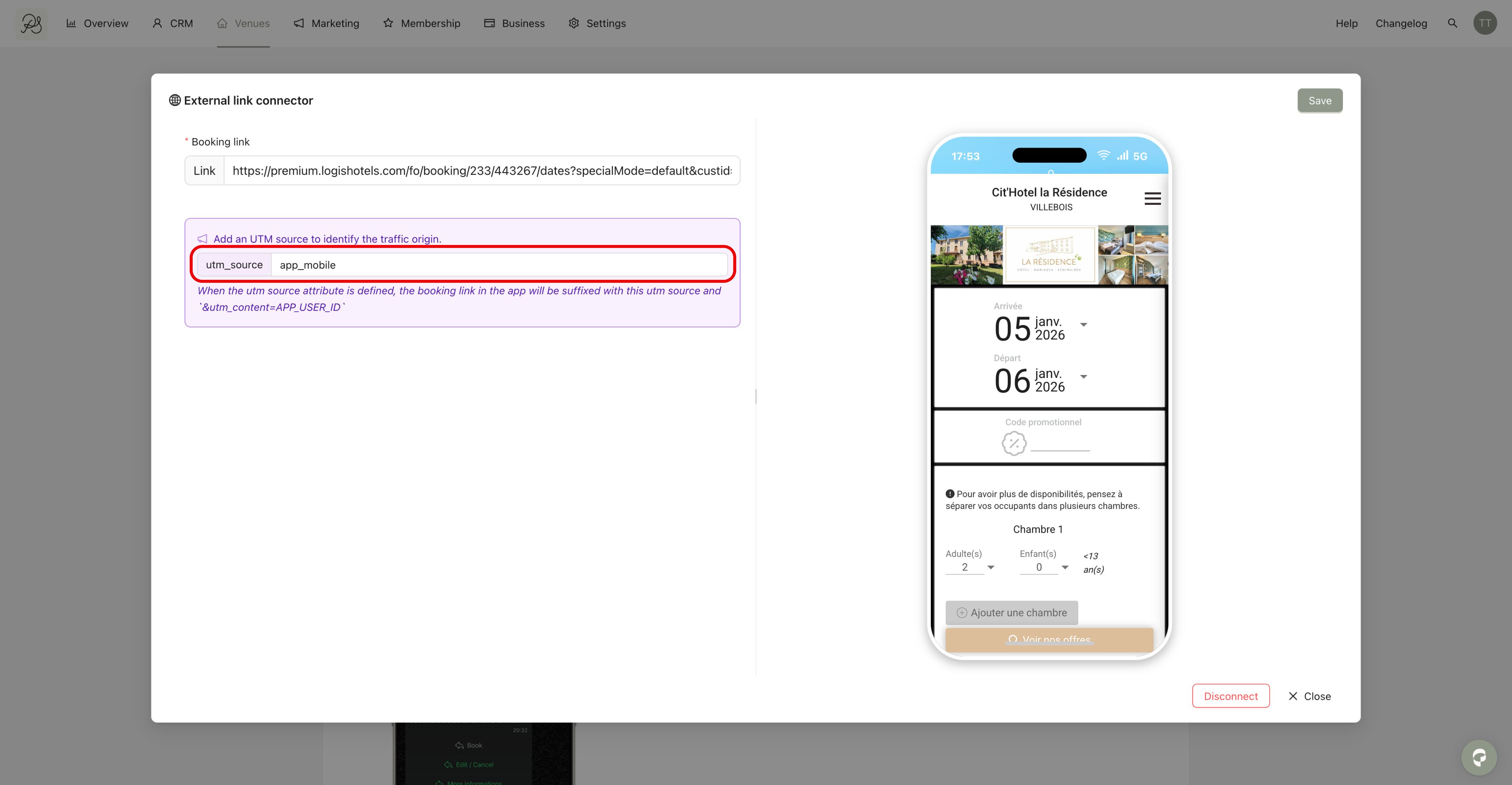
Step 3: Enter the URL of the external website you want users to be redirected to. On the right side, you will see a mobile preview of the linked page.
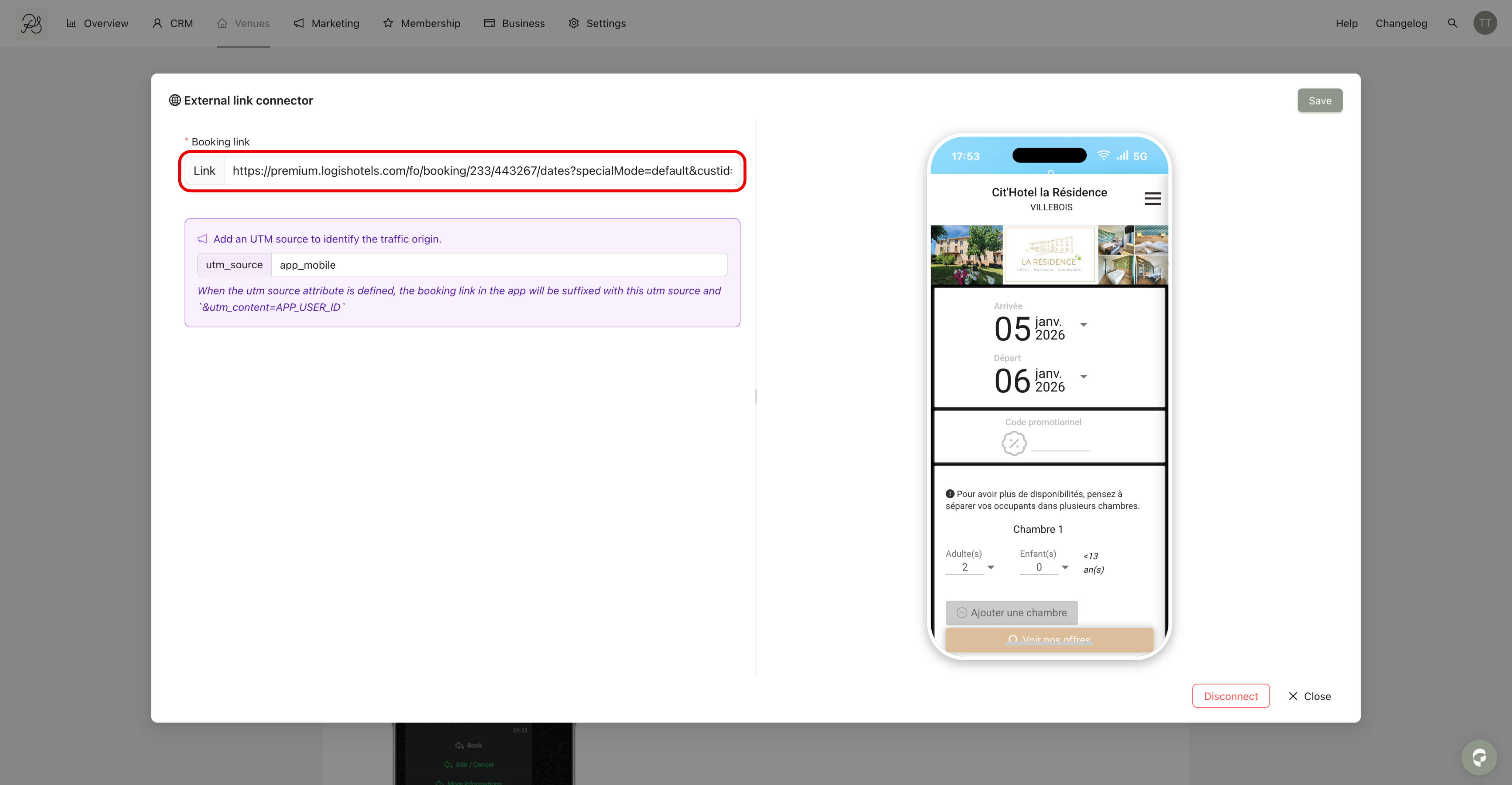
Step 4 (optional): You can add a UTM Source to track traffic coming from the mobile application.
If a UTM Source is provided, a UTM Content parameter will automatically be added, containing the user ID from the app.
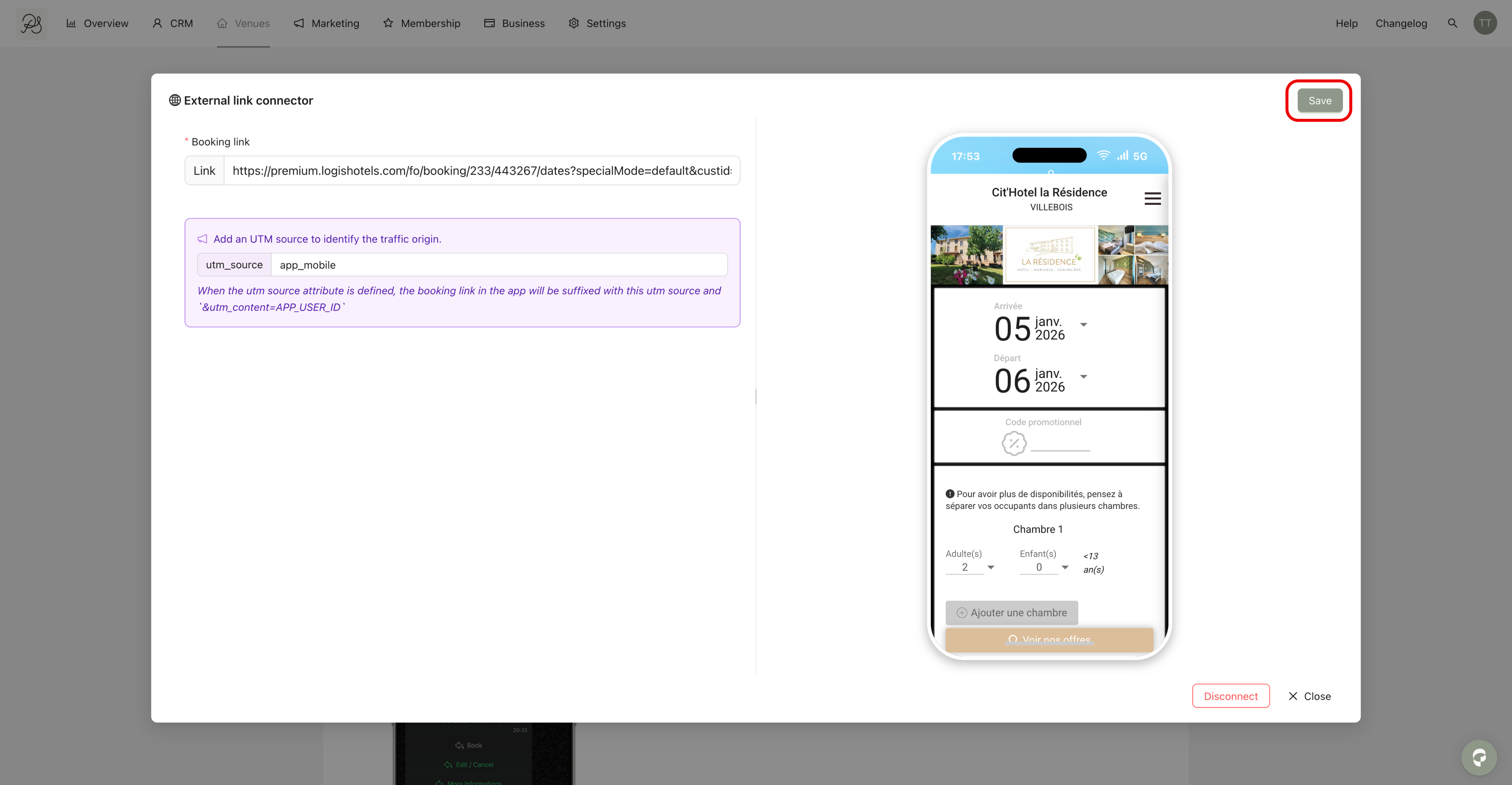
Step 5: Once the URL (and optional UTM Source) is configured, click Save in the top-right corner.
When users tap the Book button in the mobile application, the external page you configured will open directly within the app.