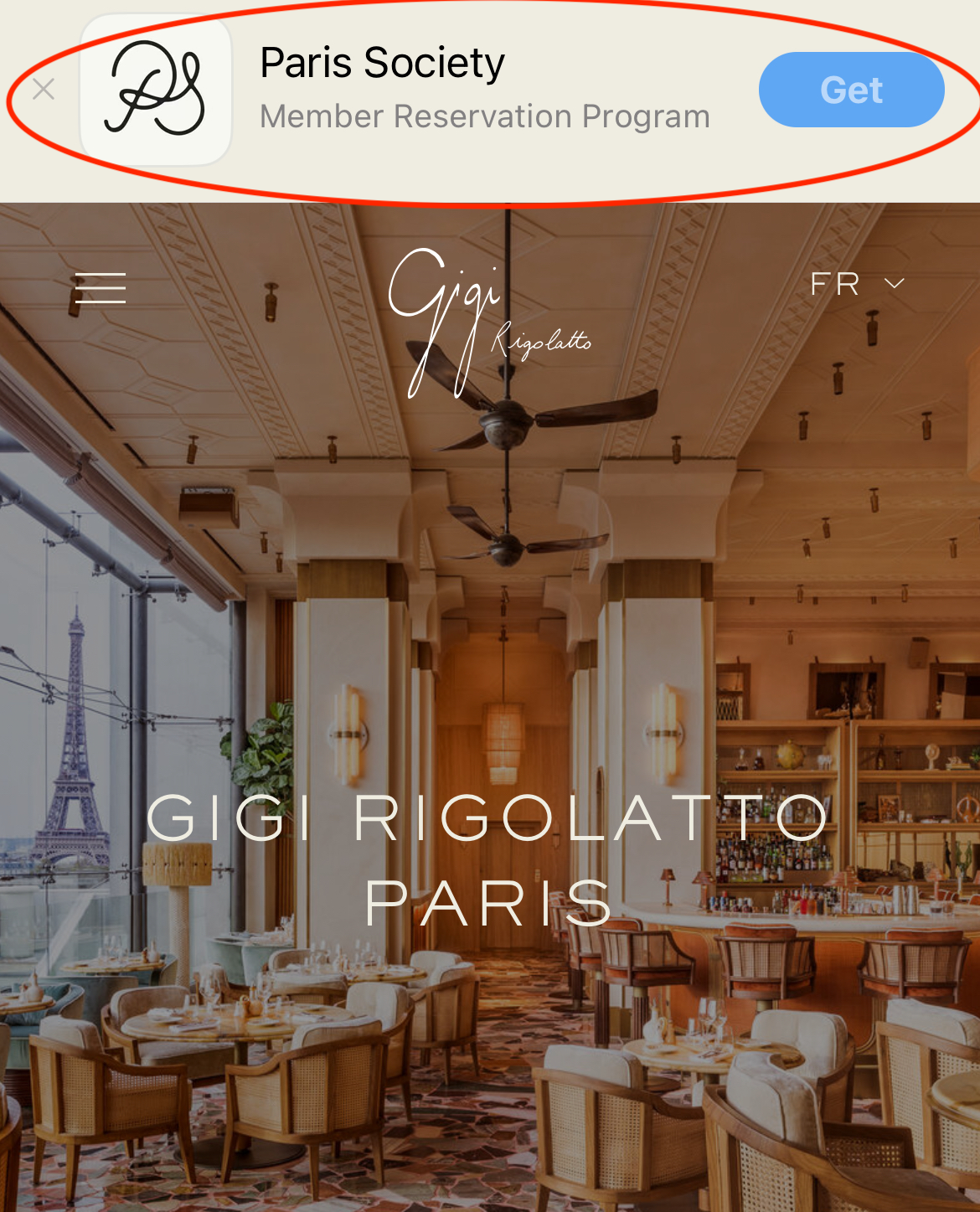
The Banner plugin allows you to display a smart app banner with a QR code and app download link.
All the roles can access this page.
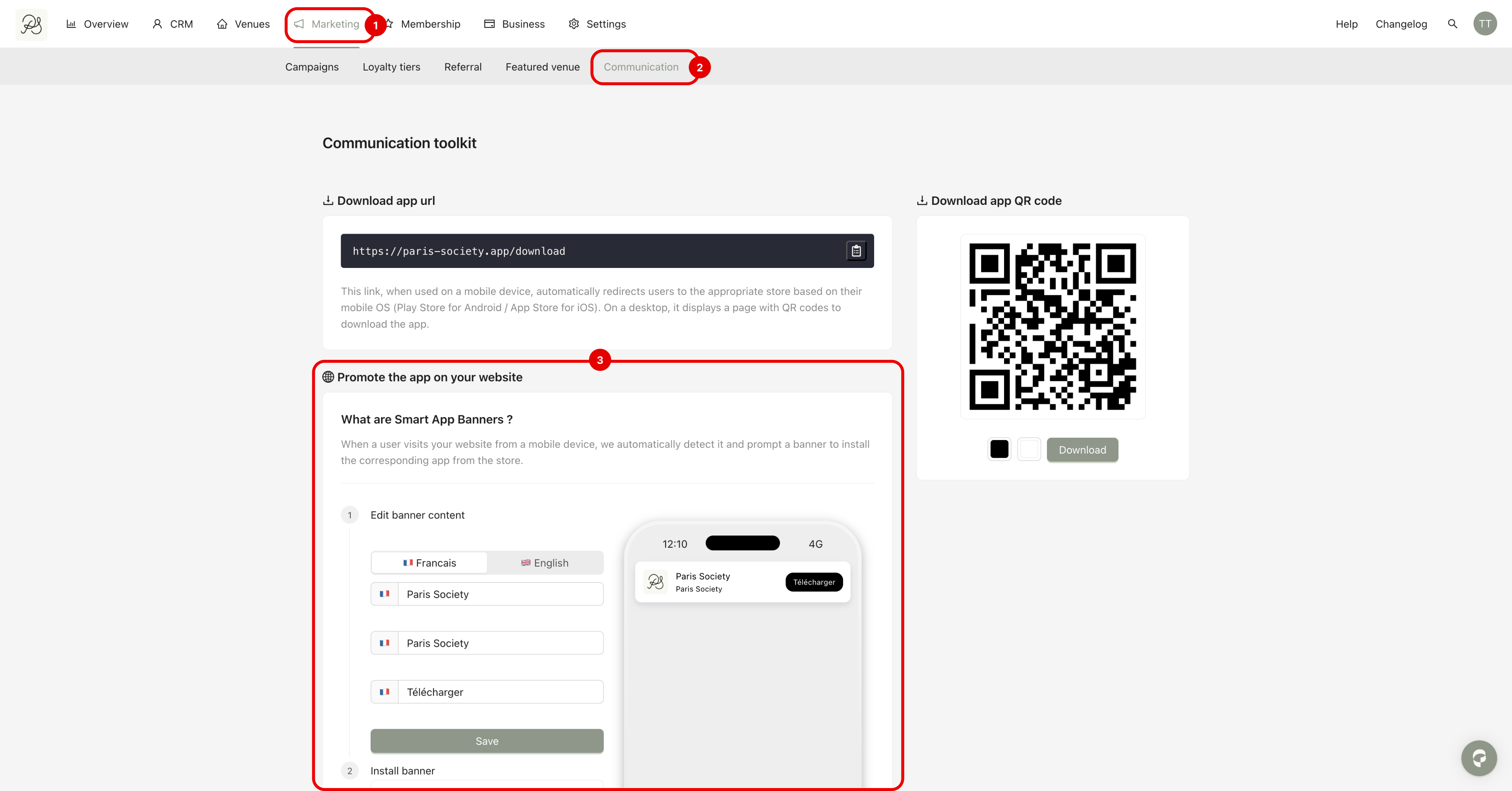
Step 1: Go to Marketing (1), then Communication (2). In this section, you will find Smart App Banners (3), where you can configure and install the banner.
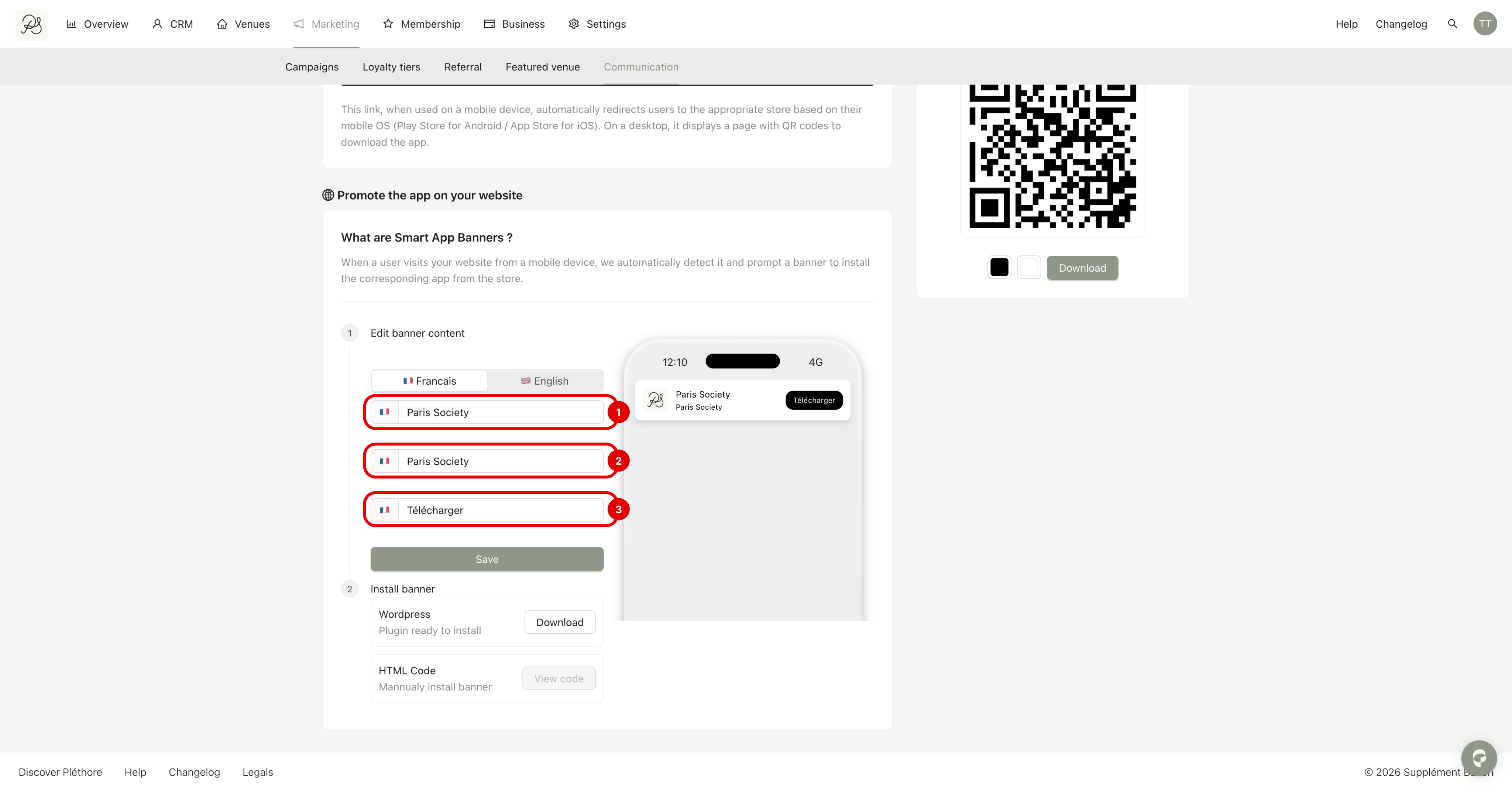
Step 2: You can modify the content of your banner here:
The name of your application (1)
The description of the application (2)
The text of the button redirecting to the download link of the app (3)
Step 3: After all the modification, click Save.
Currently, the app supports converting smart banners into Wordpress Plugin so you can install them in the WordPress backend.
Step 1: Click Download to retrieve the plugin ZIP file.
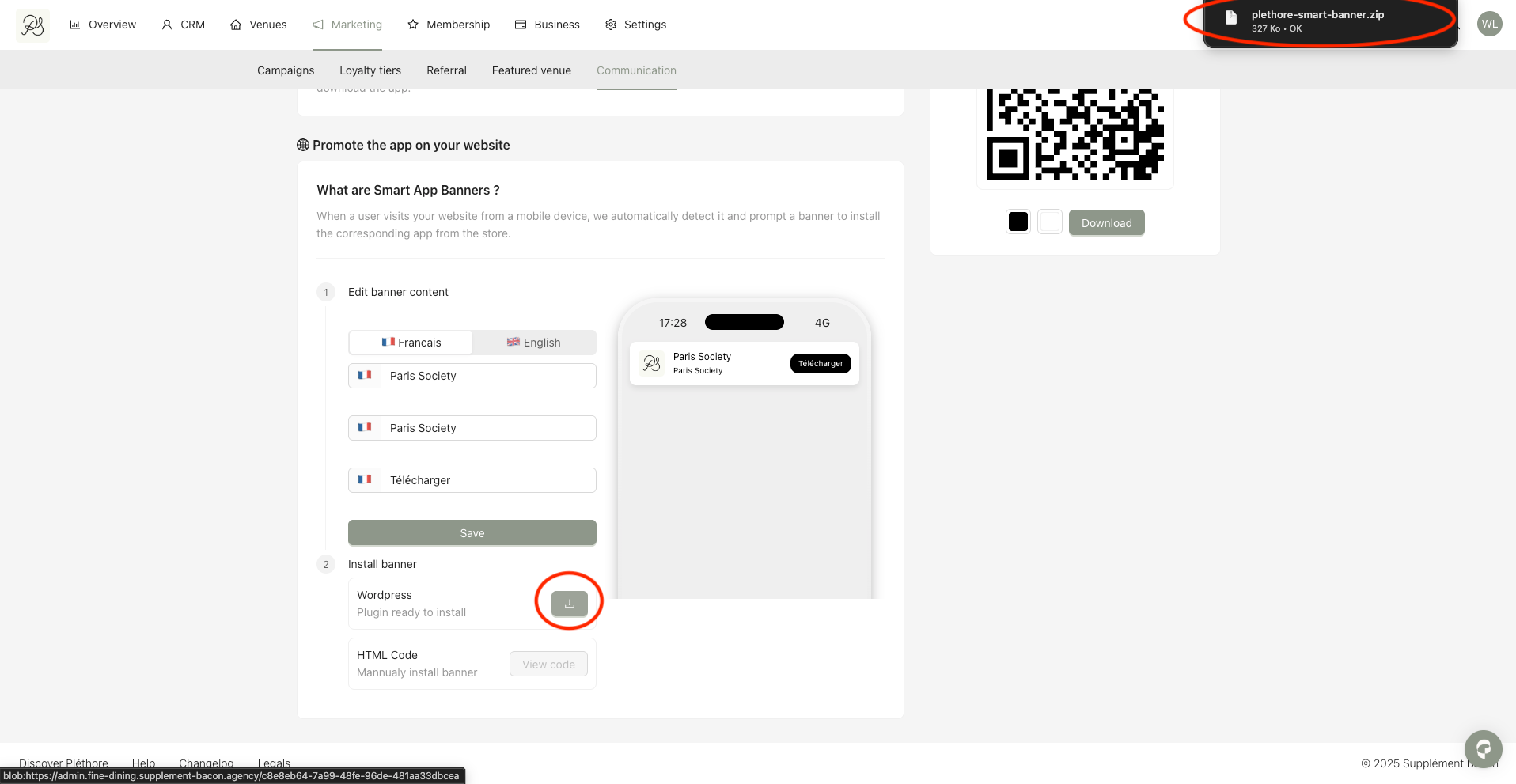
Step 2: In your WordPress dashboard, go to Plugins.
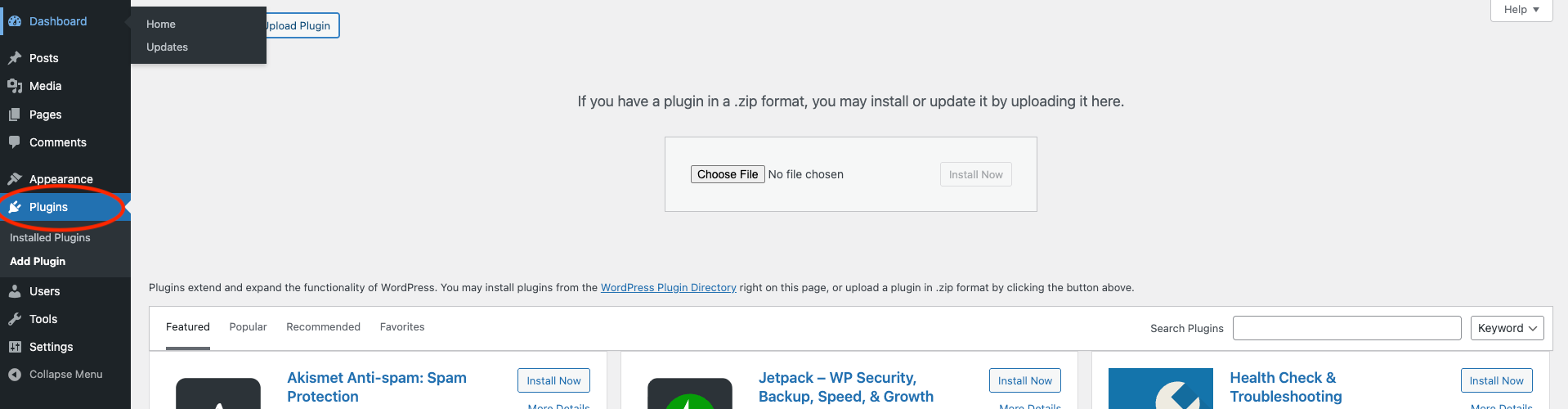
Step 3: Click Upload Plugin
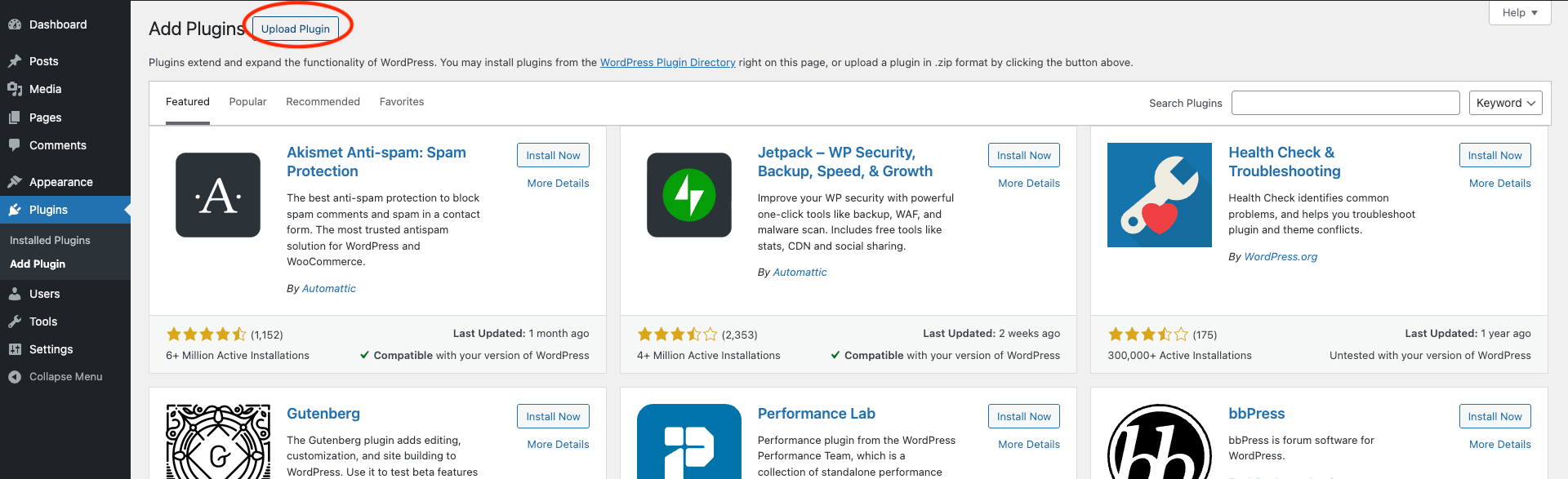
Step 4: Select the ZIP file downloaded in Step 1, then click Install Now.
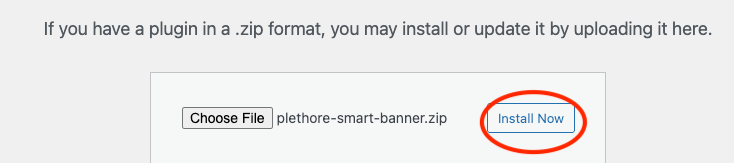

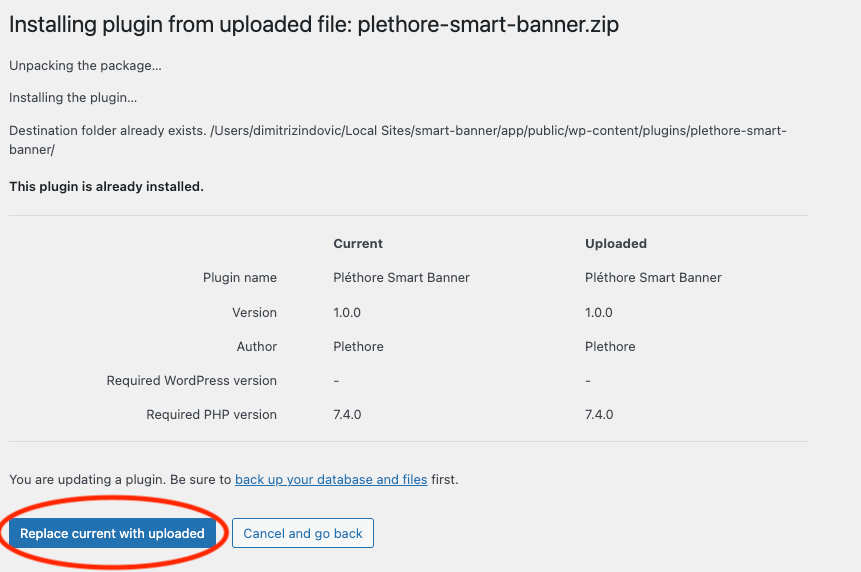
Step 5: Once the installation is complete, click Activate to enable the plugin.
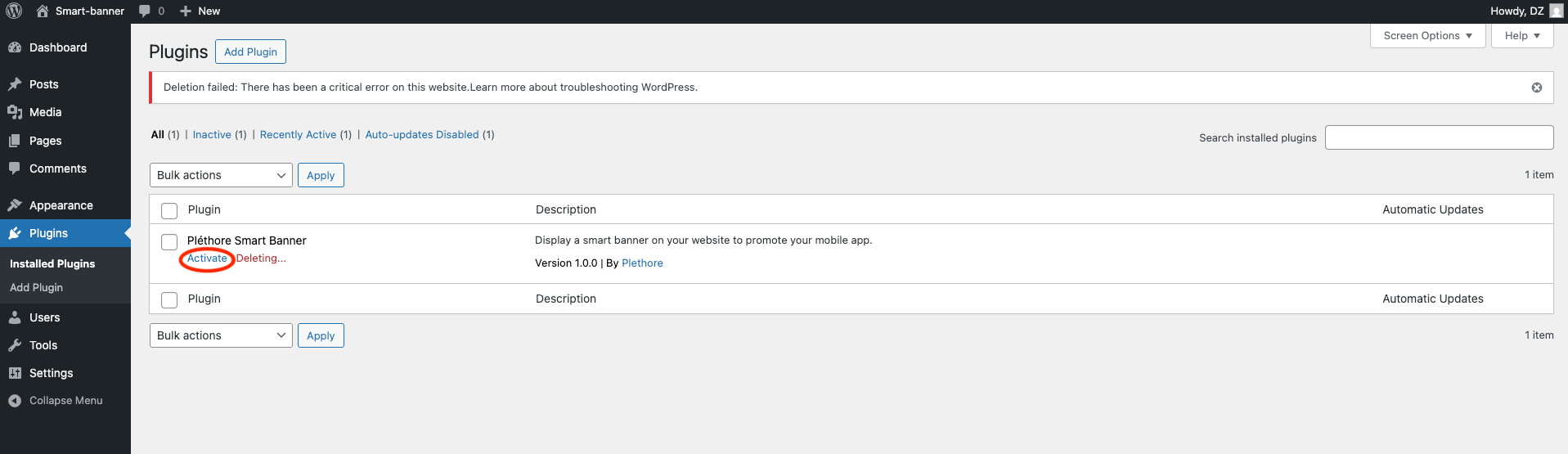
After the plugin is installed and activated, the Smart App Banner configured earlier will be displayed on your website, redirecting visitors to download the mobile application.