Roles with access to this section:
Admin
Head of Project
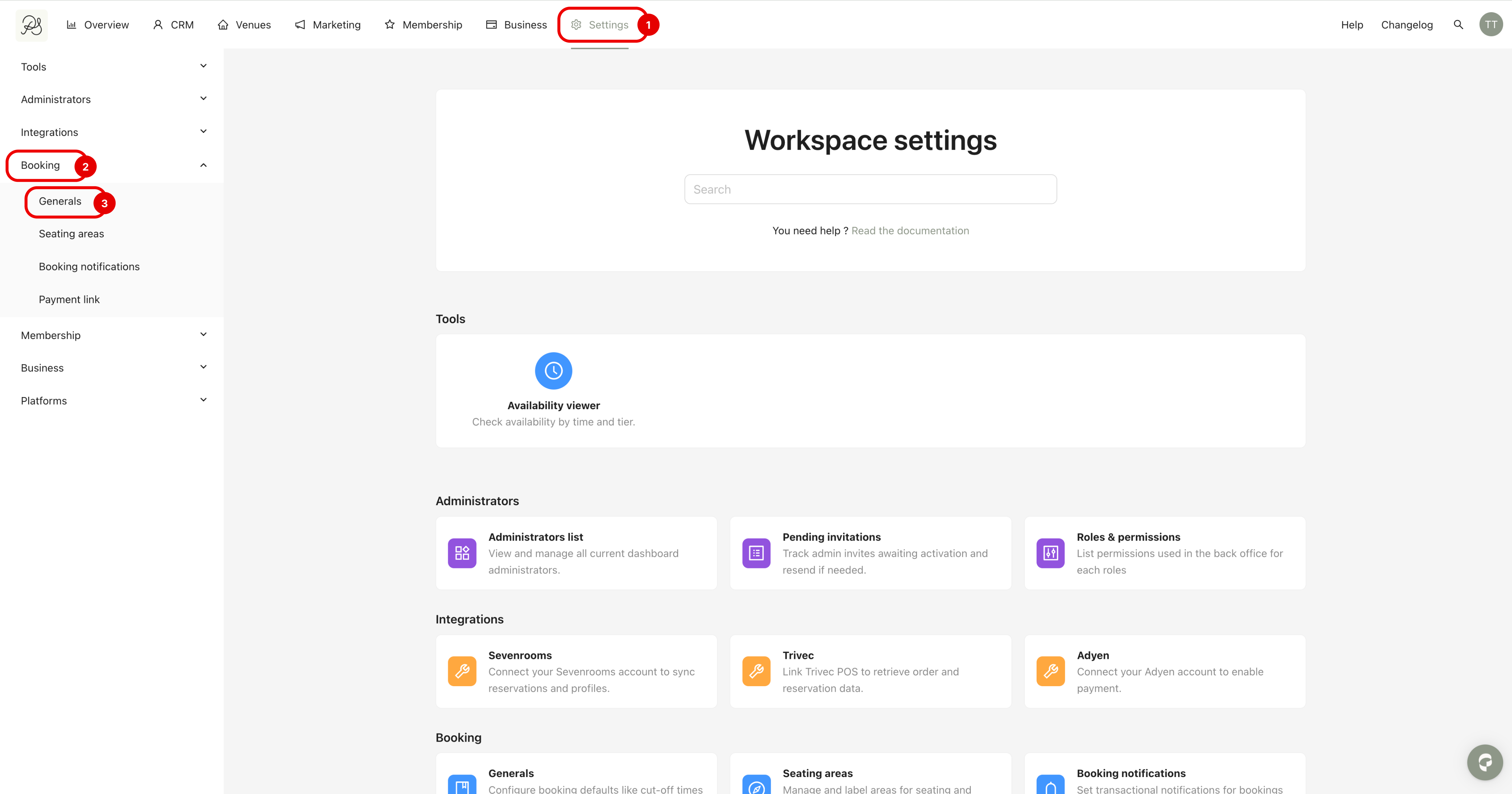
Step 1: Go to Settings (1), then click Booking (2) in the left sidebar, and select Generals (3).
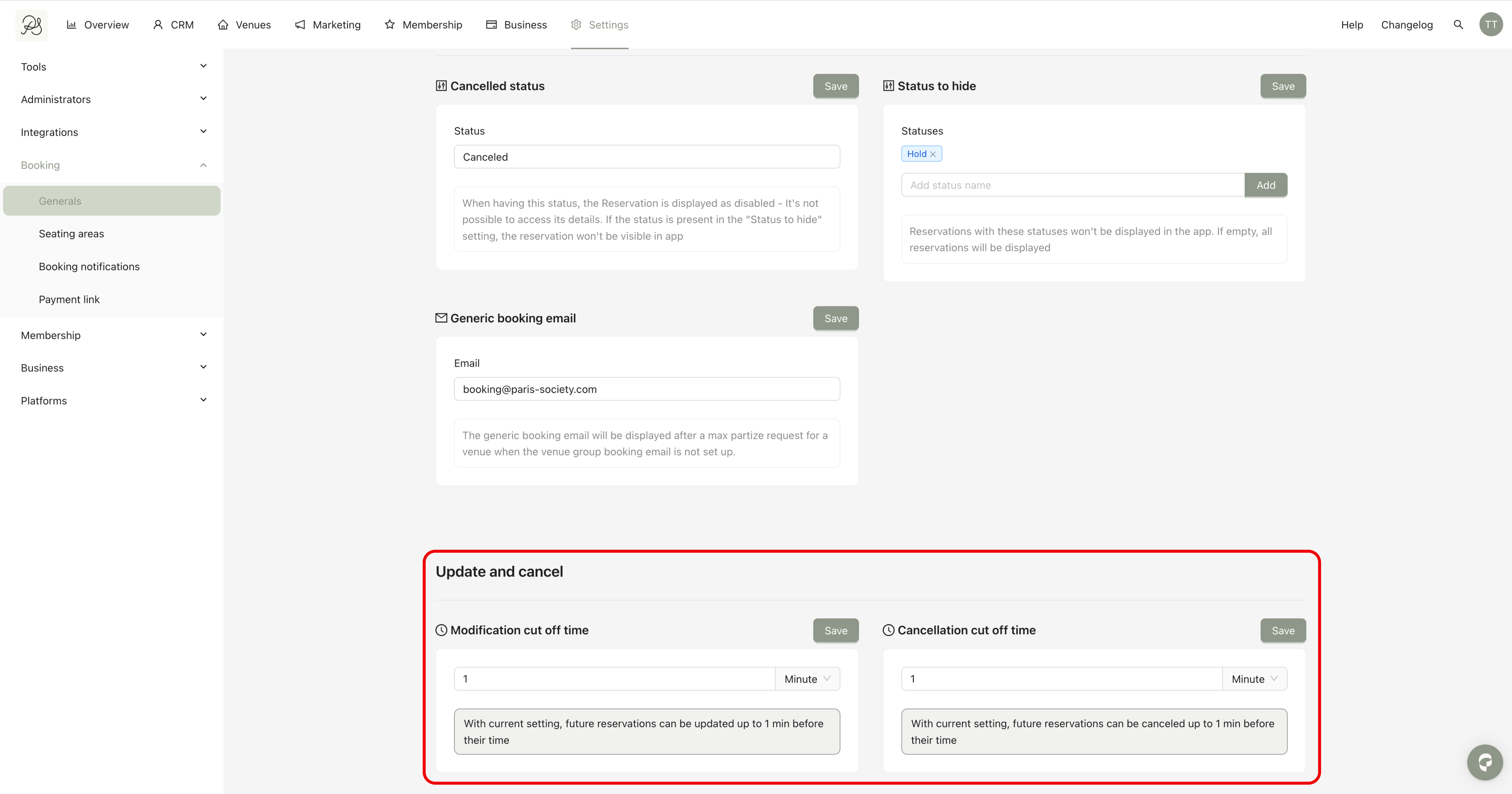
Step 2: Scroll to the bottom of the page to find the Update and Cancel section.
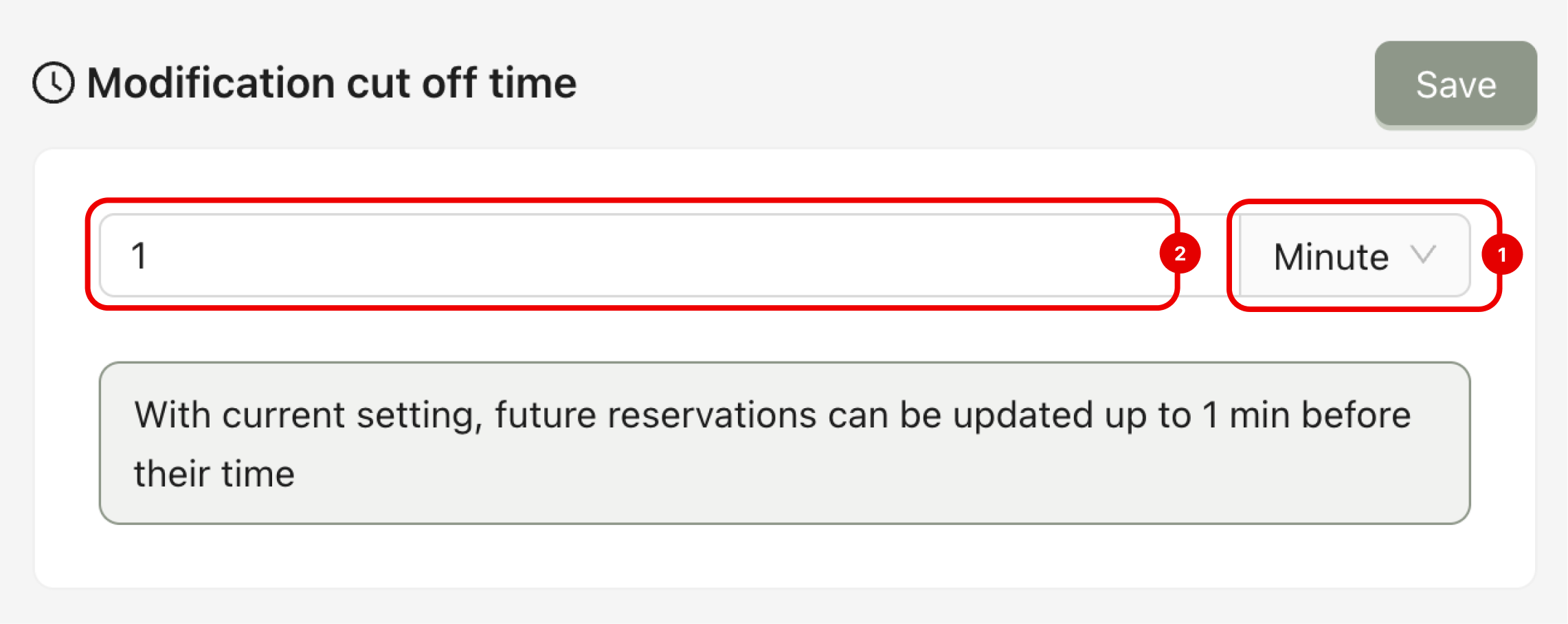
This setting defines the maximum time window during which a reservation can be modified. Once this deadline has passed, the reservation can no longer be updated (time, number of guests, notes, etc.).
To modify it, you must:
Select the time unit: minutes, hours, or days (1)
Enter the desired value in the input field (2)
Click Save to apply your changes
For example, a configuration of 1 hour means that the reservation can be modified up to 60 minutes before the booking start time. After this deadline, no changes can be made to the reservation.
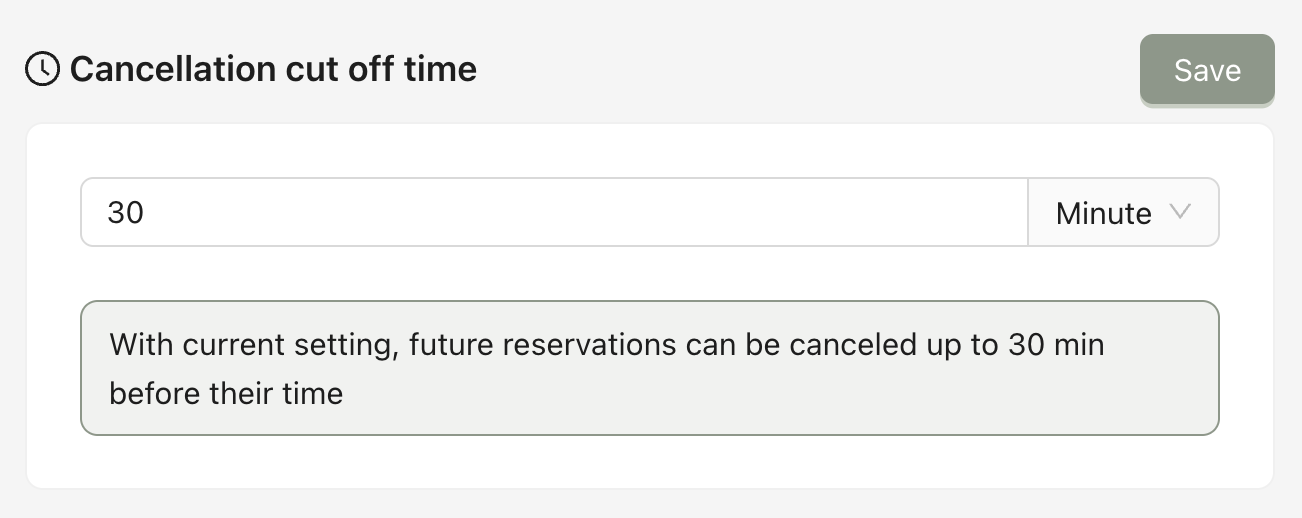
This setting defines the maximum time window during which a reservation can be canceled. Once this deadline has passed, cancellation is no longer possible.
The time input works the same way as the Update deadline.
For example, a configuration of 30 minutes means that the reservation can be canceled up to 30 minutes before the booking start time. After this deadline, the reservation can no longer be canceled.