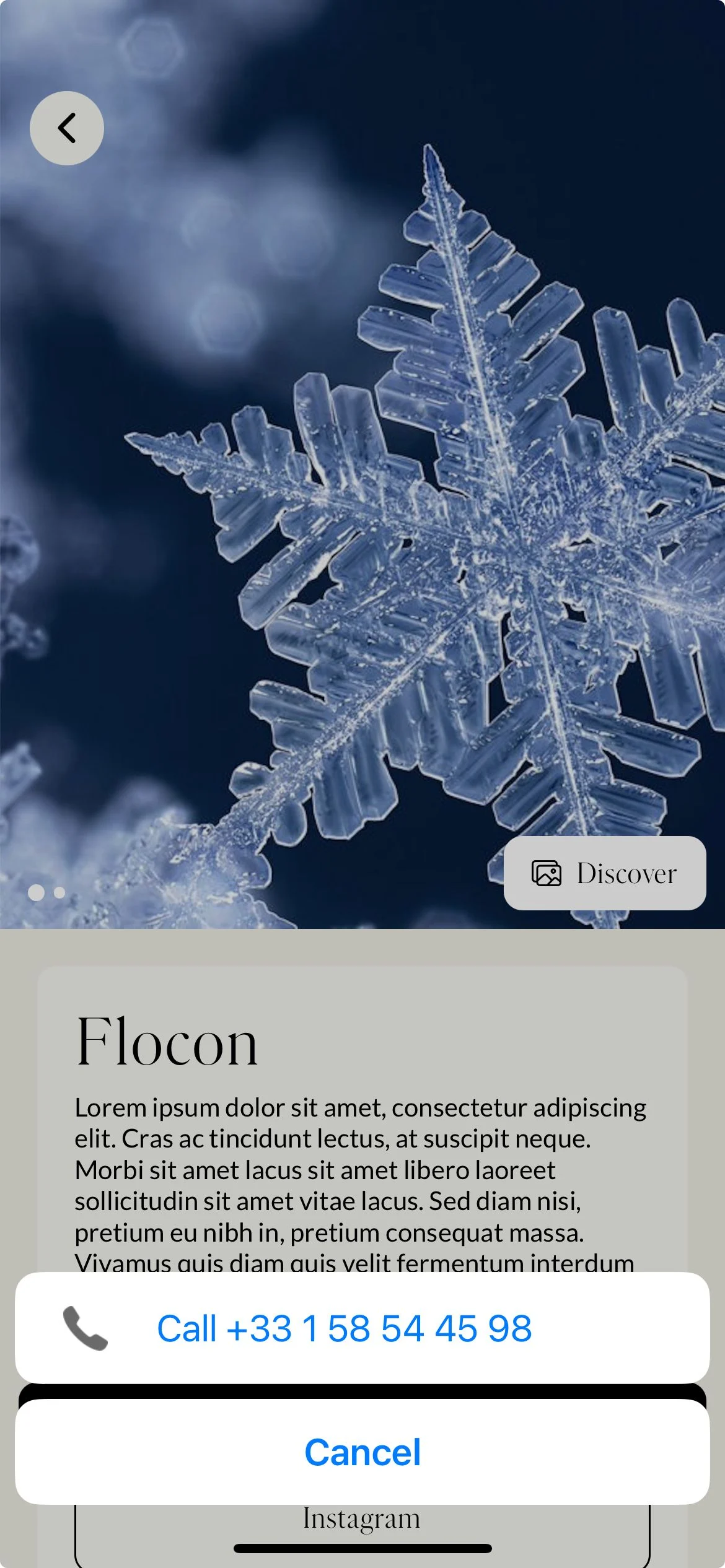
The Phone connector allows a phone number to be displayed in the mobile application when a user wants to make a reservation.
The following roles can configure connectors:
Admin
Communication
Head of Project
Marketing
The option “Venue bookable in the app” must be enabled.
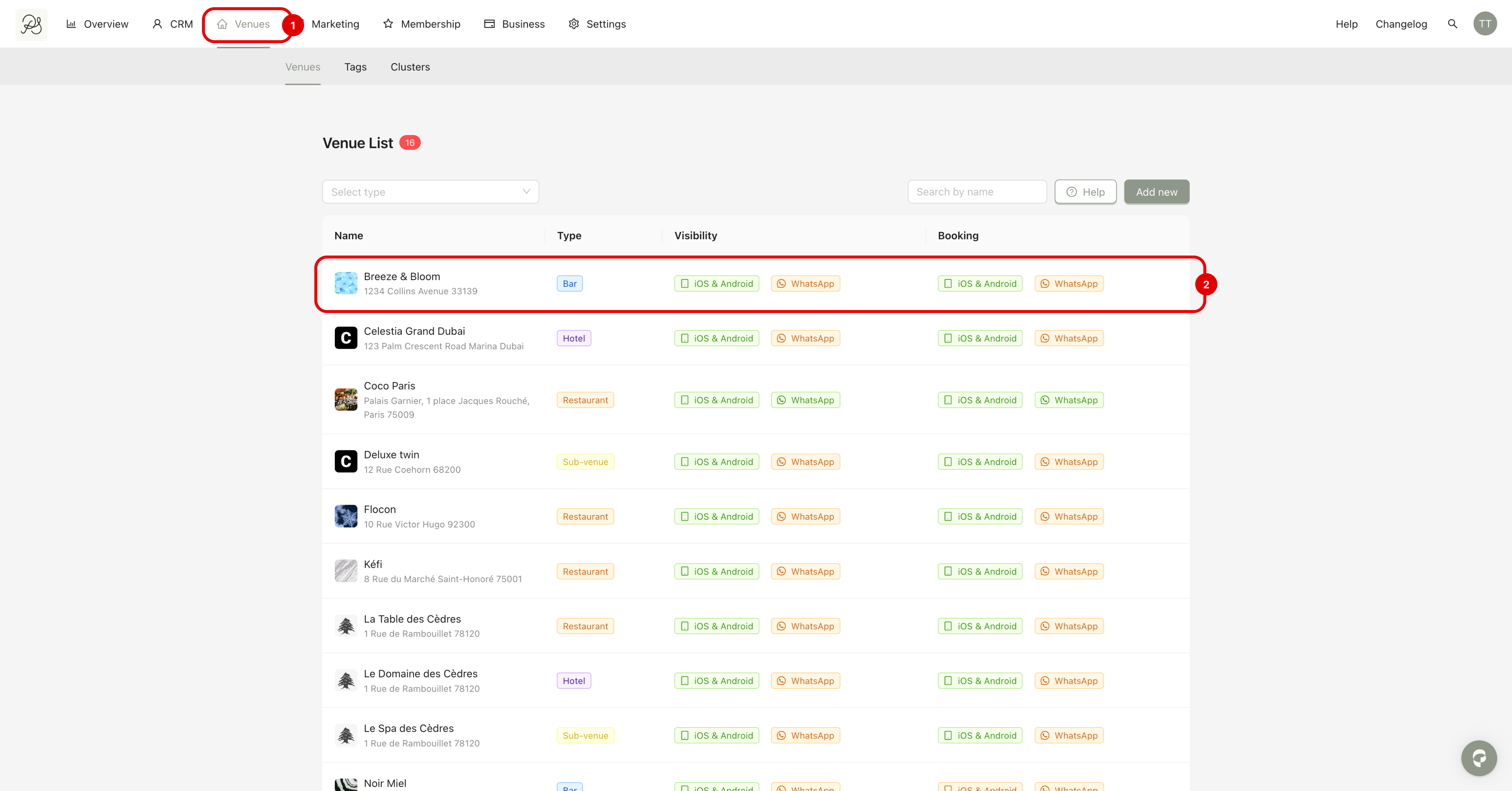
Step 1: Go to the Venues page (1) and select the venue you want to configure (2).
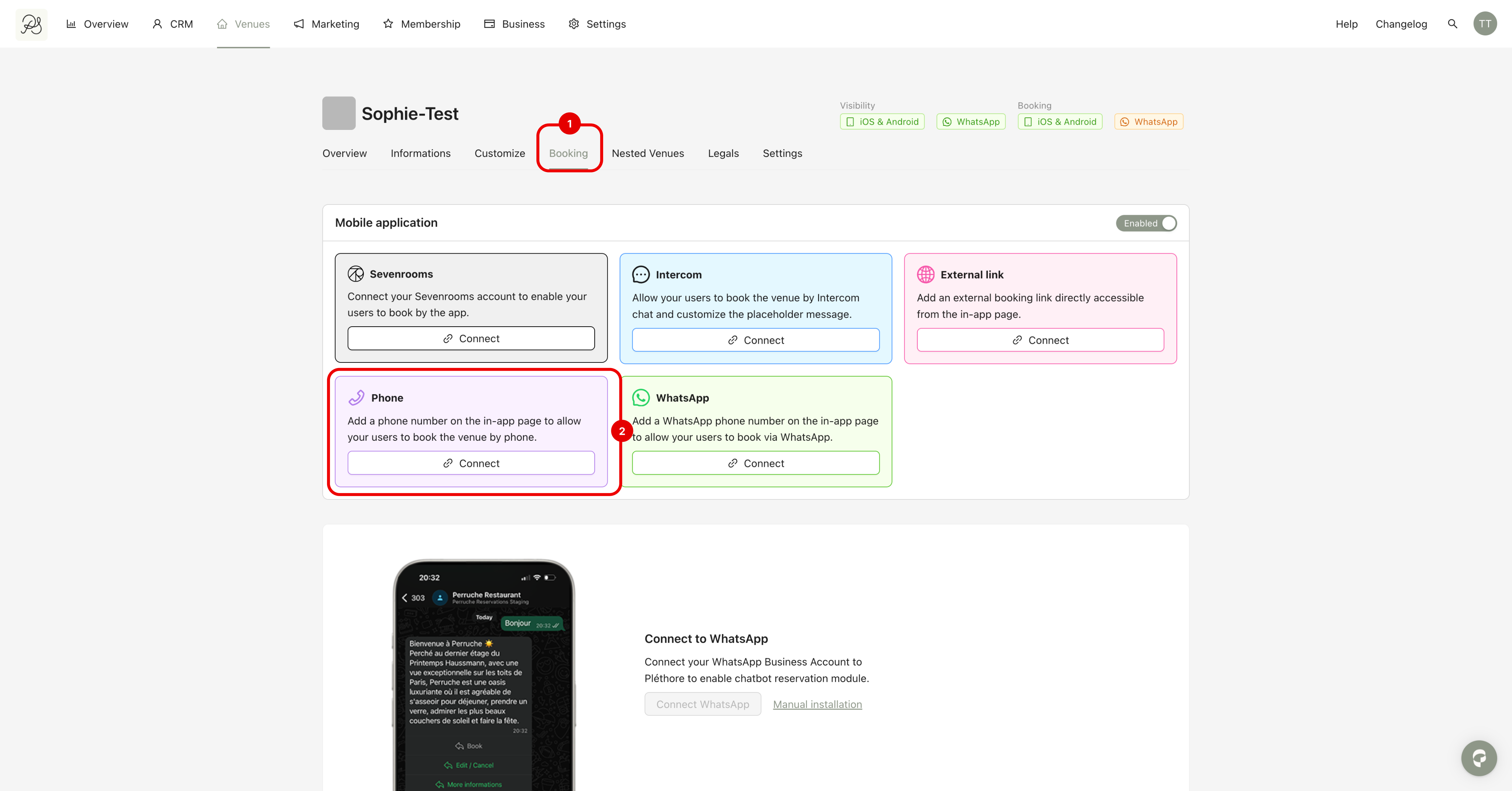
Step 2: Go to the tab Booking (1). In the Phone section, click Connect (2).
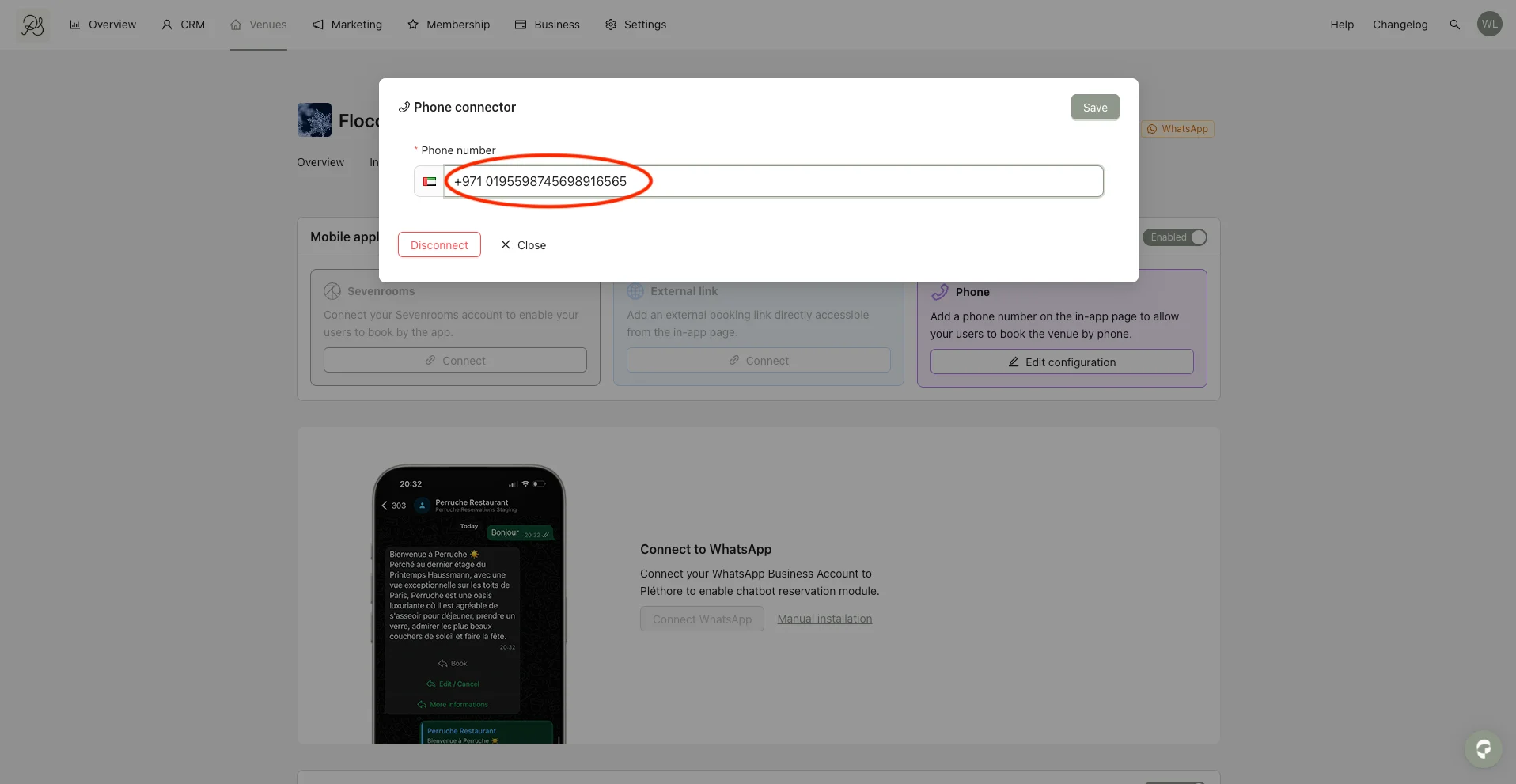
Step 3: Complete the form with the phone number details, then click Save.
 Result in the Application
Below is how the phone number is displayed in the mobile application when users attempt to make a reservation.