Configuring your SevenRooms Access Rules is essential to control who can book through your App / Bot. This guide walks you through the setup process, ensuring a seamless integration between Sevenrooms and your platform. By defining the right rules, you can manage user permissions effectively and enhance the booking experience. Follow the steps below to get started.

You can choose whether an access rule is visible through multiple distribution channels :
The App
The ChatBot
The Booking Widget : as a reminder, this is the widget provided by Sevenrooms.
The others channels provided by Sevenrooms and their partners.
To do this, make sure you are in the Additional Settings section of your access rule settings, and click on Booking Channels and Audiences :
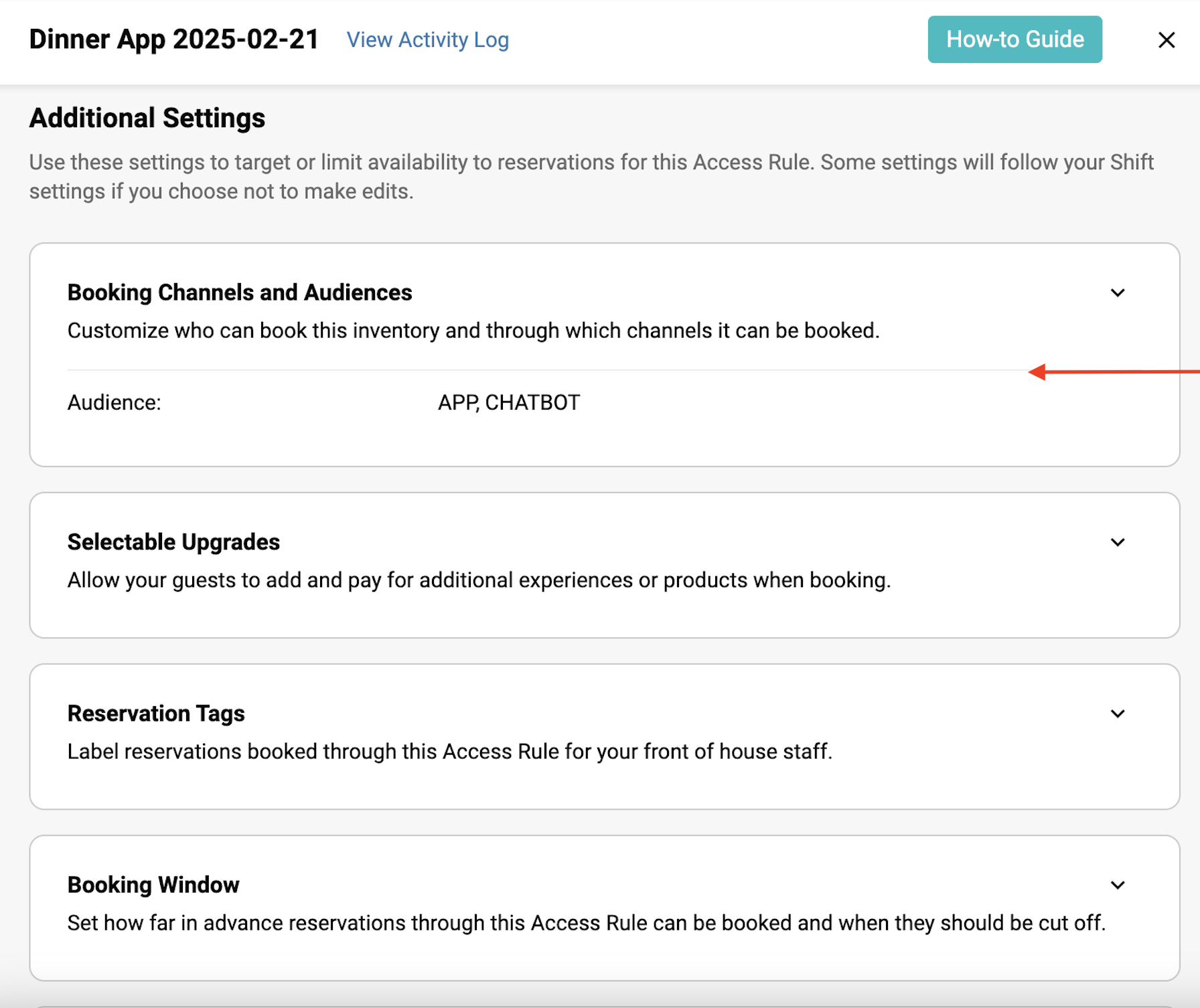
The selected channel(s) / audience(s) are displayed :
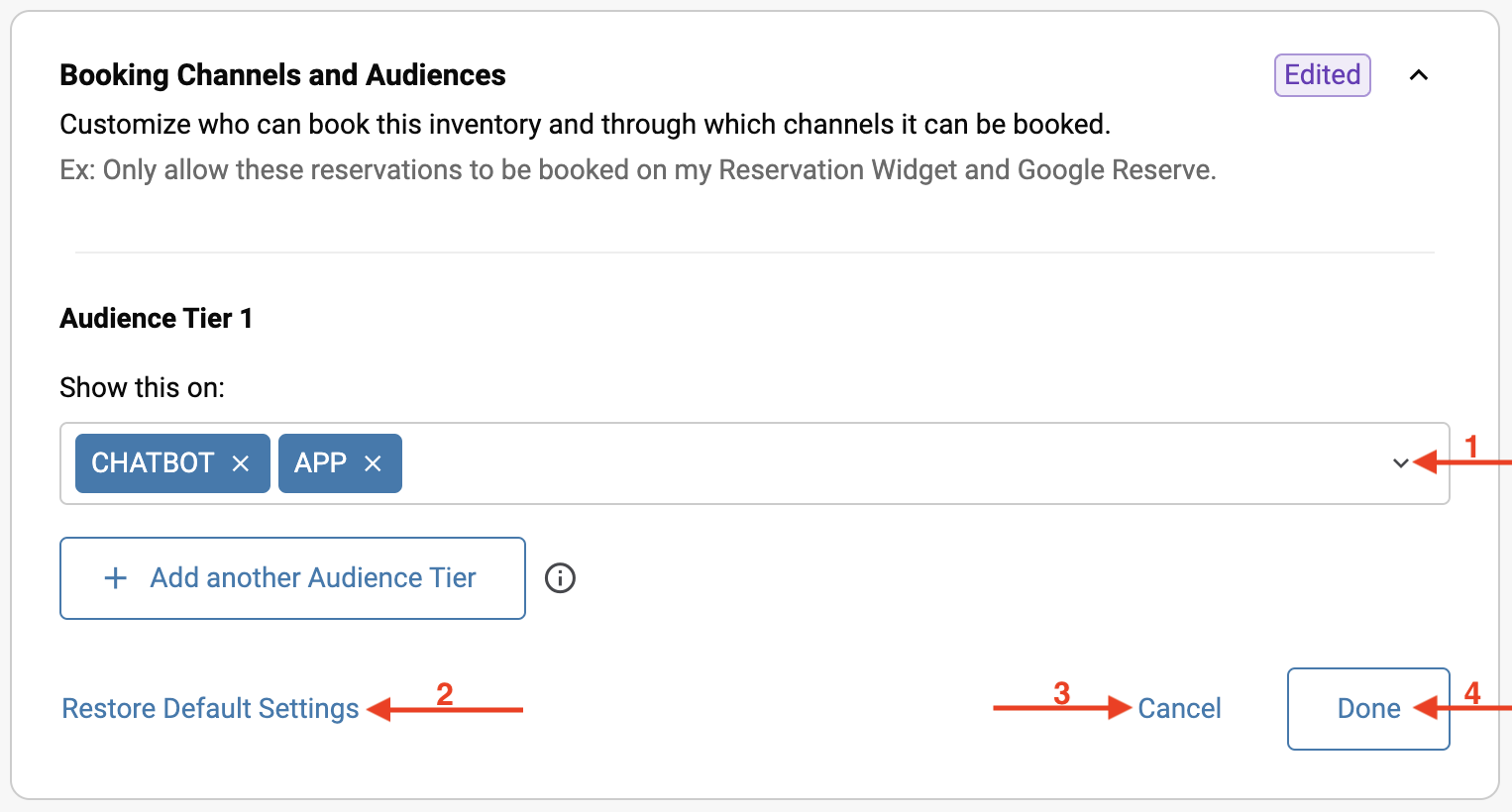
Click on the dropdown menu.
You can restore the default settings at any time.
You can cancel your modifications at any time.
Click on Done to confirm your choices.
Several options are available in the dropdown menu :
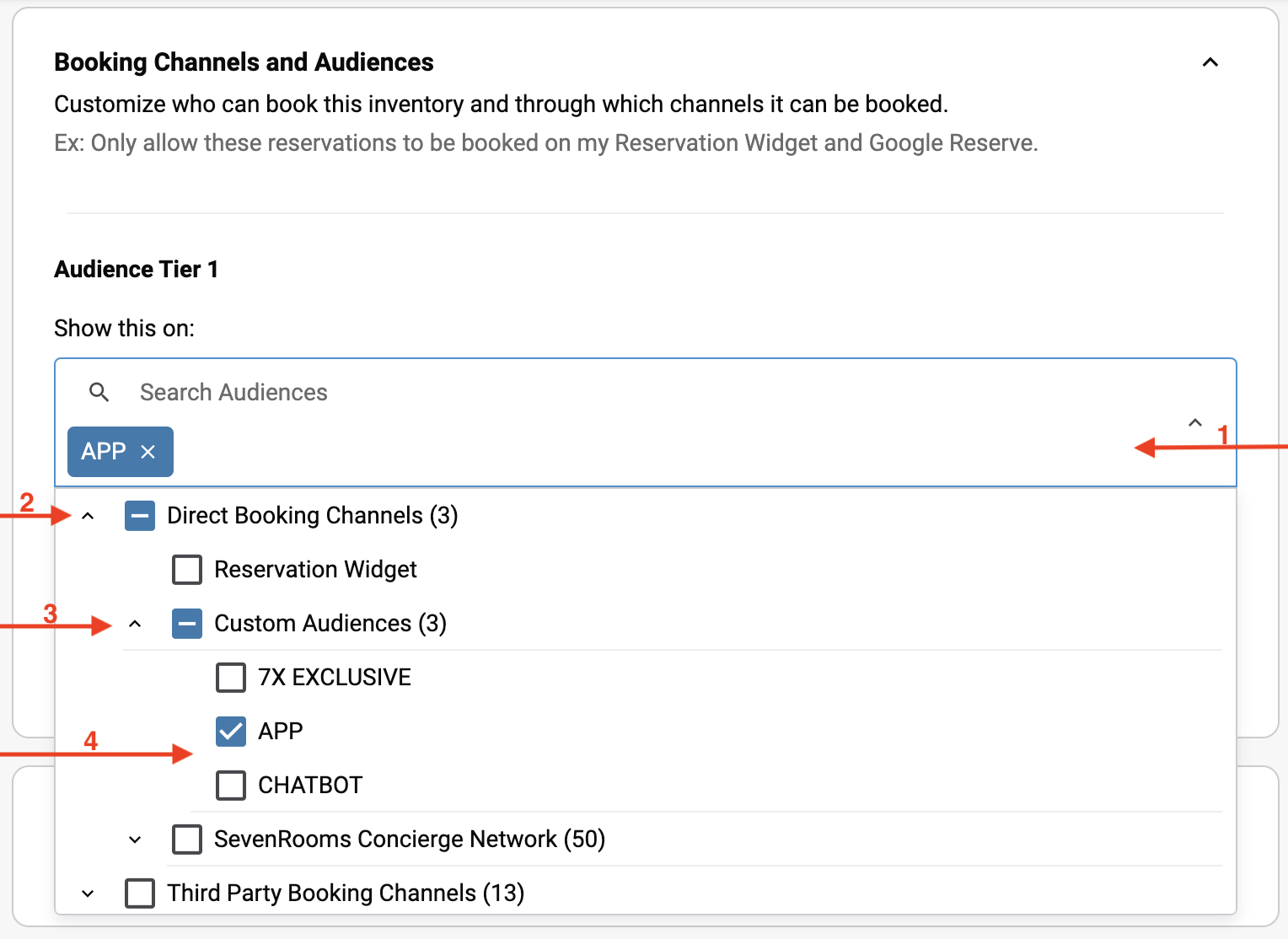
The selected channel is displayed.
Expand Direct Booking Channels to select the Booking Widget option.
Expand Custom Audience for other options.
Choose whether you want the reservation to be visible via the App, the ChatBot, or both.
In this case, the audiences will be at the same level for all available covers.
For example, if 200 covers are available, the reservations will be evenly distributed: if 150 covers are booked via the Booking Widget, 50 covers will remain available on the App and the ChatBot.
This secures a set number of covers available for reservation through these distribution channels.
For example, 200 covers will be distributed between the App and the ChatBot, meaning there will be no availability on the Booking Widget.
In this case, you will need to create a separate Access Rule to allow availability on the Booking Widget.
This secures a set number of covers available for reservation only for a Loyalty Tier.
For example, 50 covers will be distributed only for the VIP Tier at 20:00 and 20:30
In this case, you will need to create a separate Access Rule to allow availability on the Booking Widget and select the reservation tag corresponding to your loyalty tiers.

