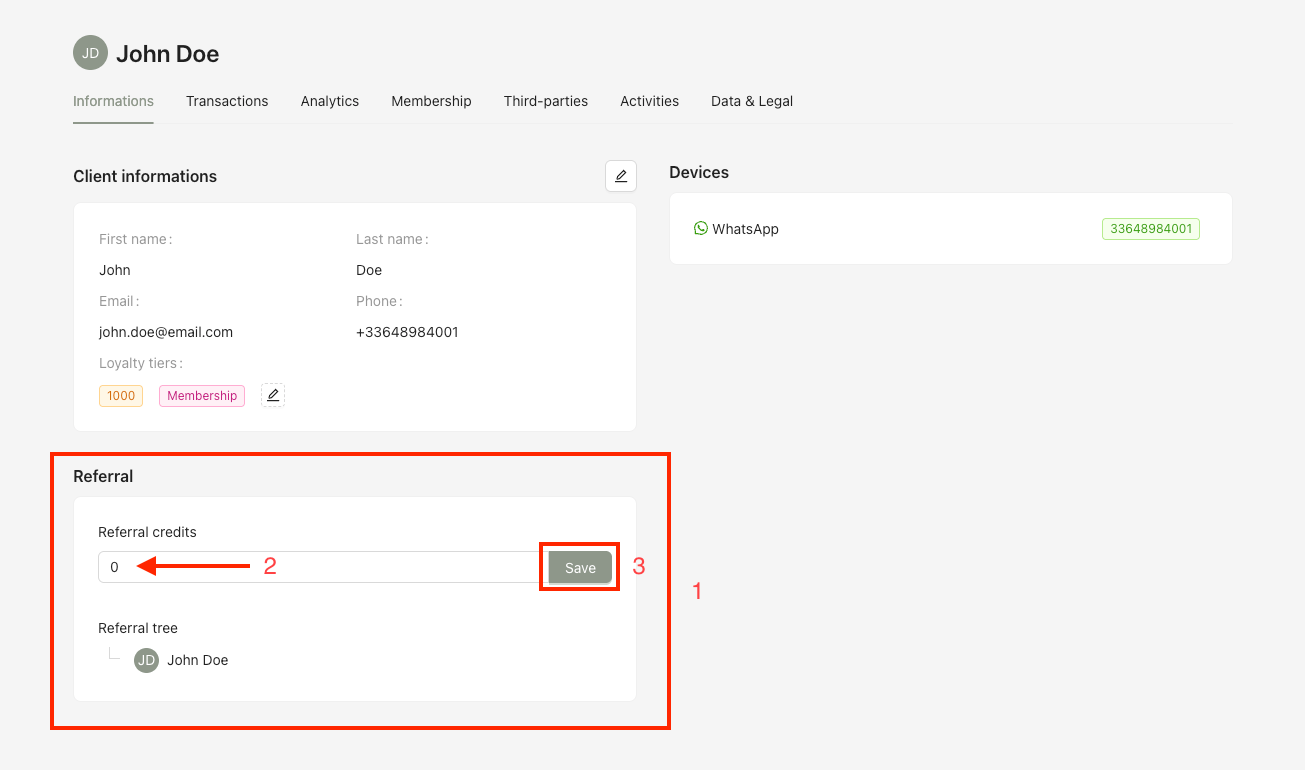
Referral credits determine the number of individuals a user is allowed to refer through the referral program. Each credit represents one successful referral opportunity.
Roles with permission to manage referral credits:
Admin
Head of Project
Marketing
Communication
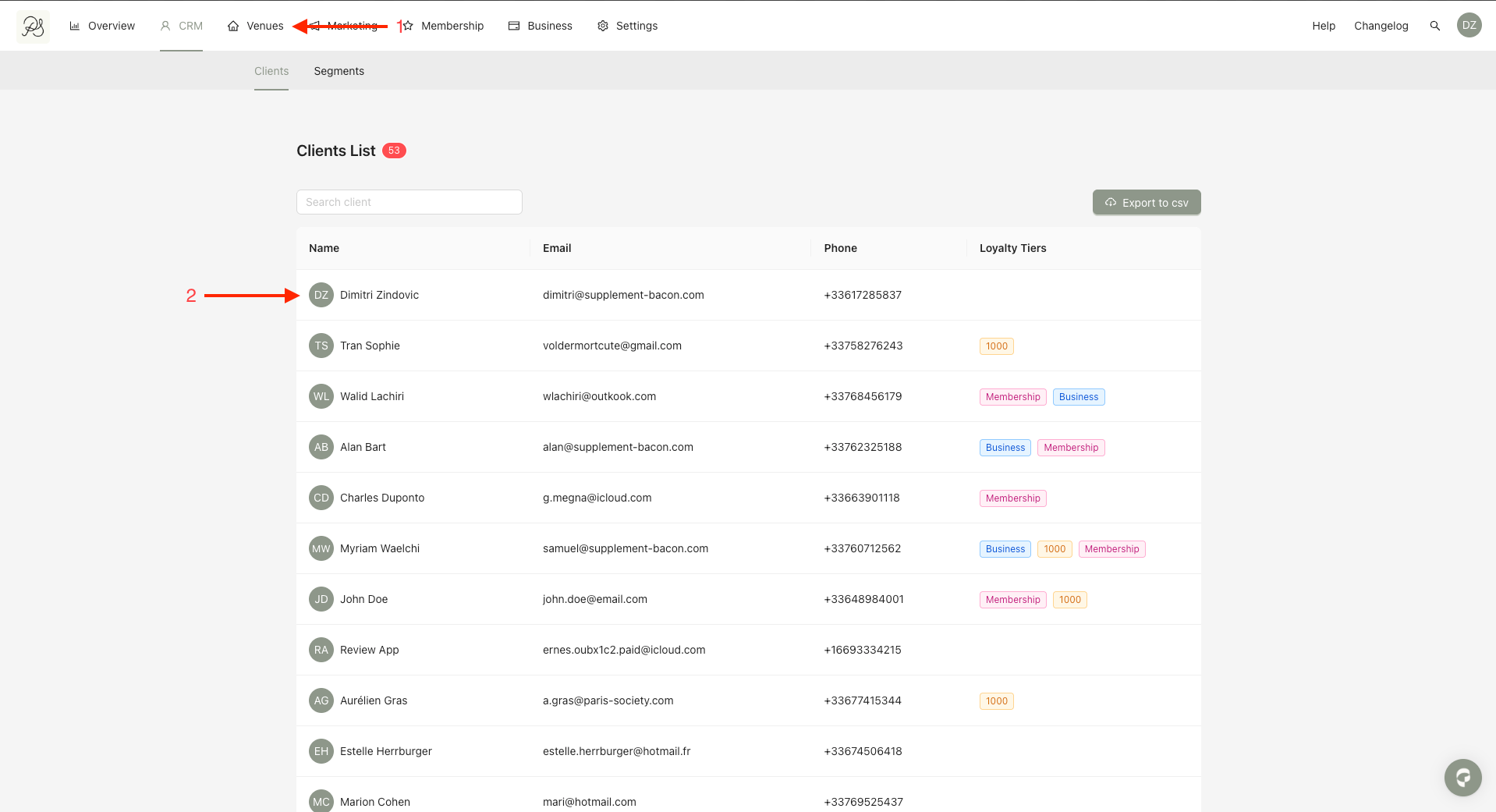
Step 1: From the homepage, click CRM (1). Select the user you want to update (2).
Step 2: On the user detail page, locate the Referral credits section (1). Enter the number of credits you want to assign to the user (2). Finally, click Save to apply the changes (3).