The following roles can edit venue settings:
Admin
Communication
Head of Project
Marketing
The WhatsApp bot section must be enabled and connected to a SevenRooms configuration.
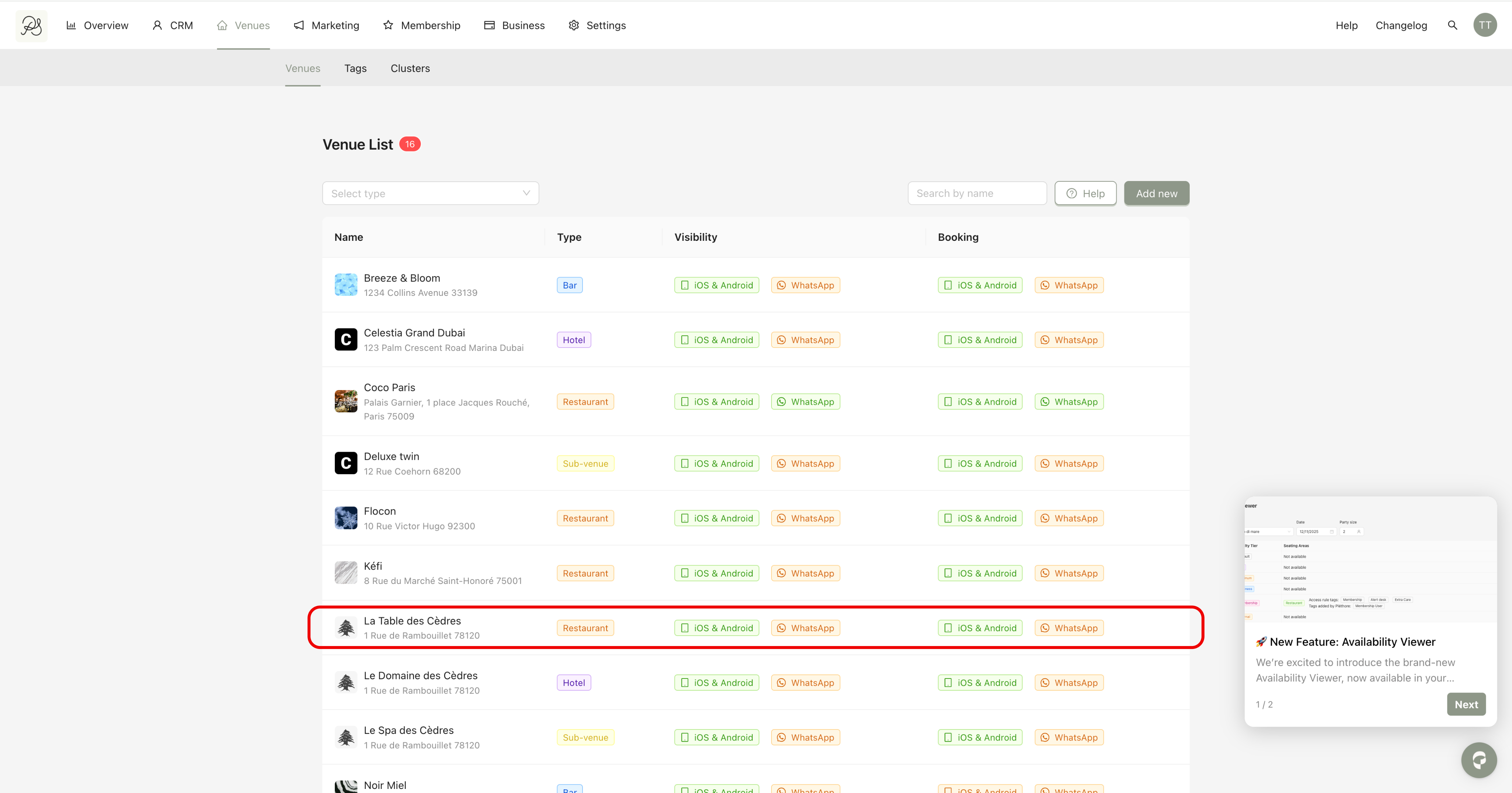
Step 1: From the Venues tab, select the venue you want to edit.
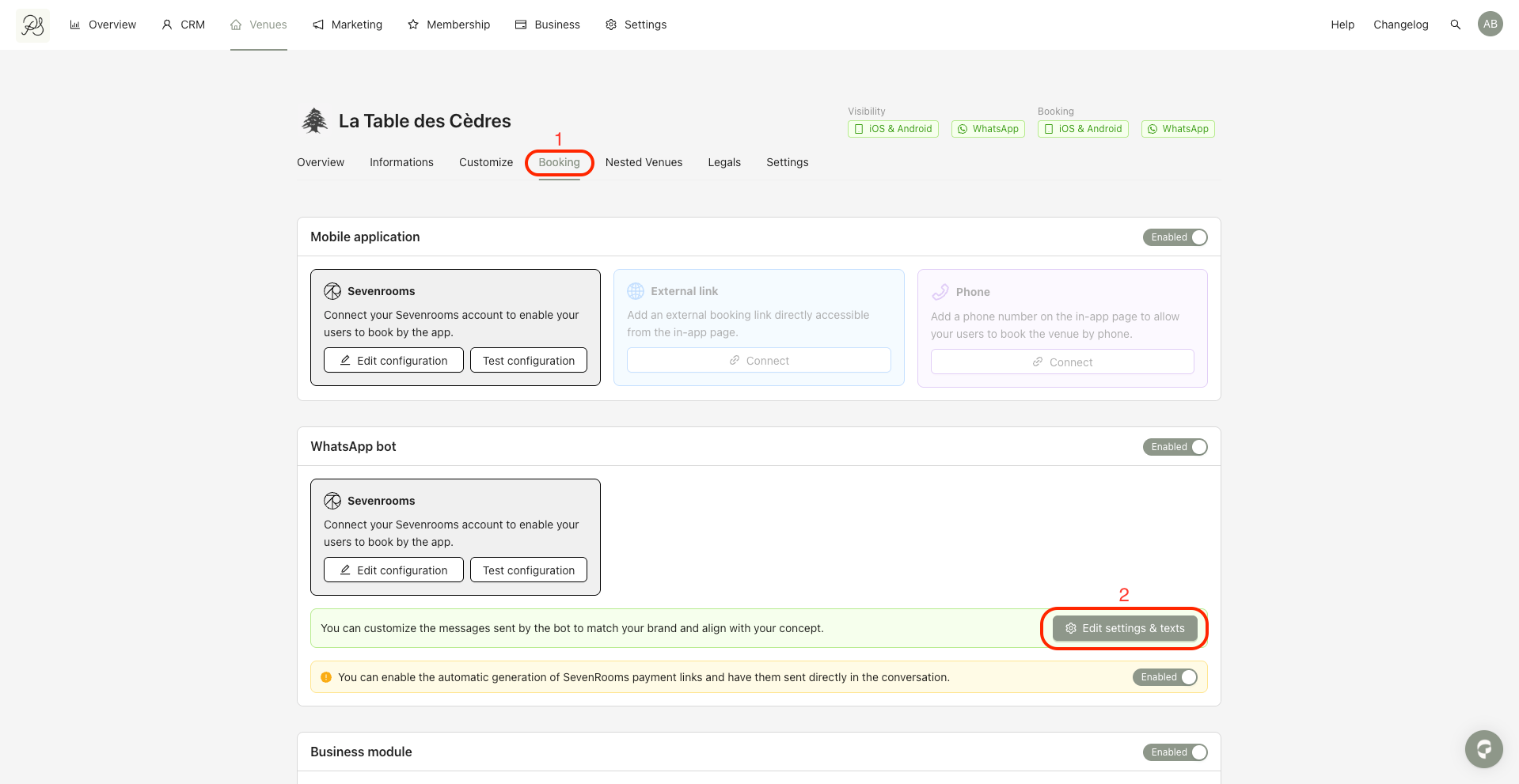
Step 2: Click the Booking tab (1), then click Edit settings & texts (2).
In this tab, you will see the following sections. Each section allows you to customize the messages displayed by the WhatsApp bot.
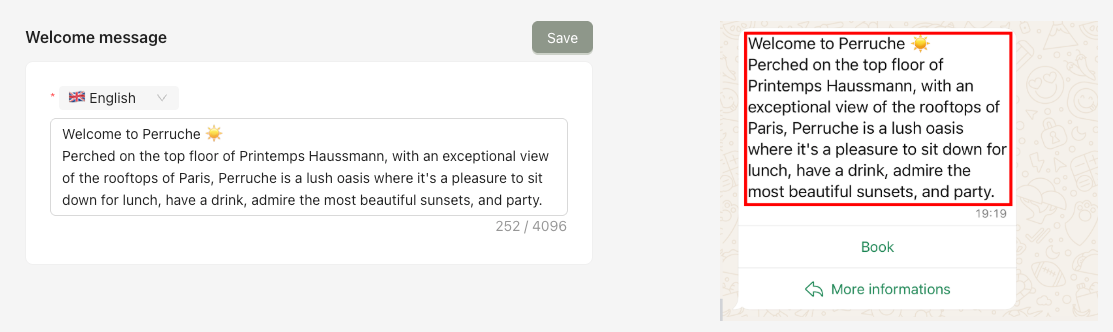
Displays a welcome message to start the conversation with the customer.
Displays additional text shown below the card during the conversation.
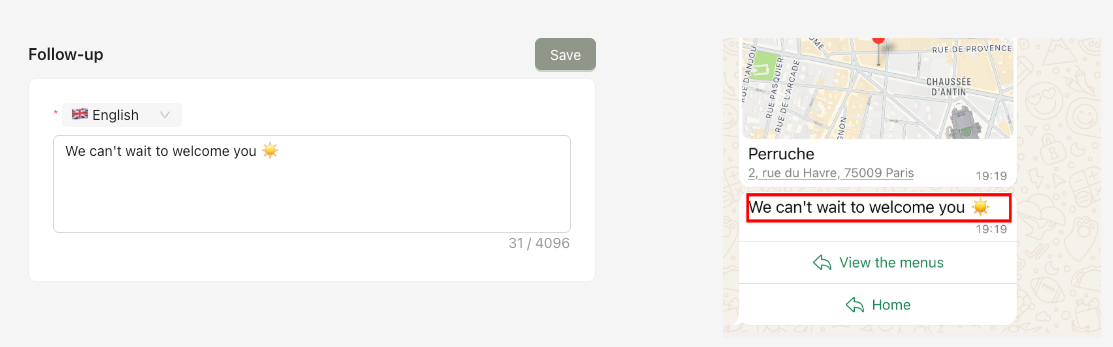
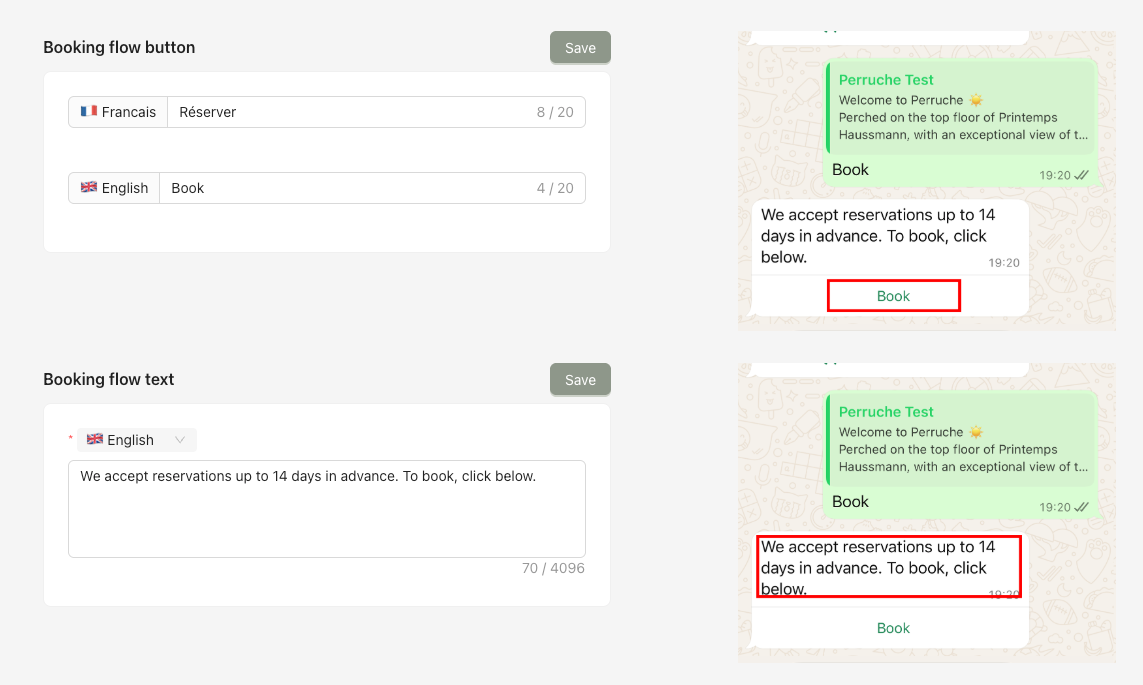
Allows you to configure the button label and text used to create a reservation.
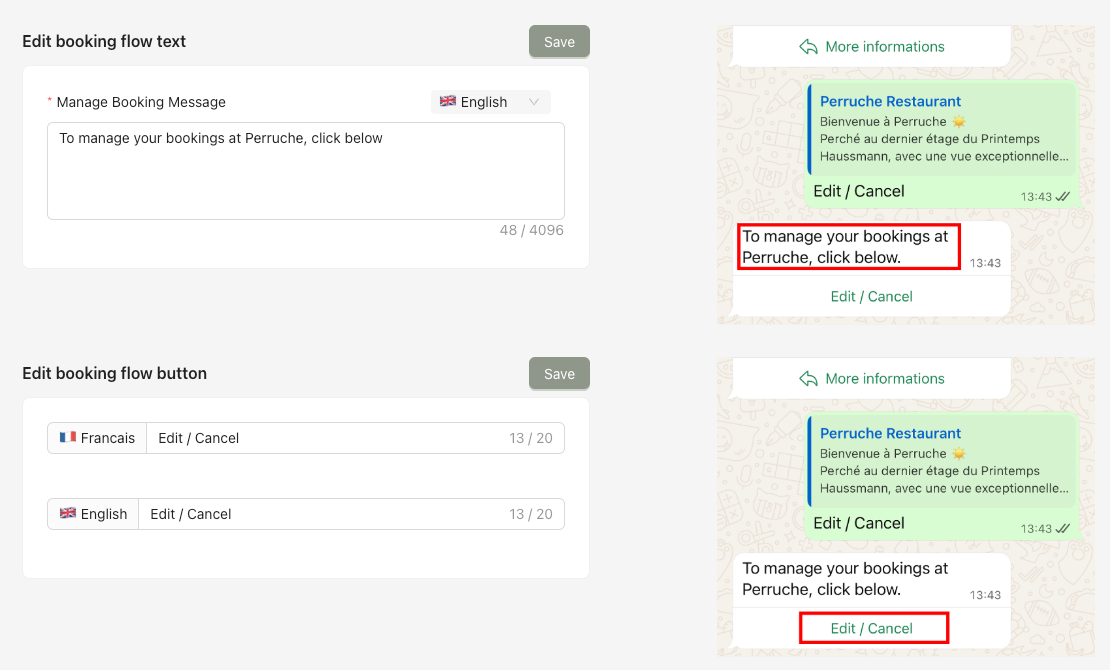
Allows you to configure the button label and text used to modify an existing reservation.
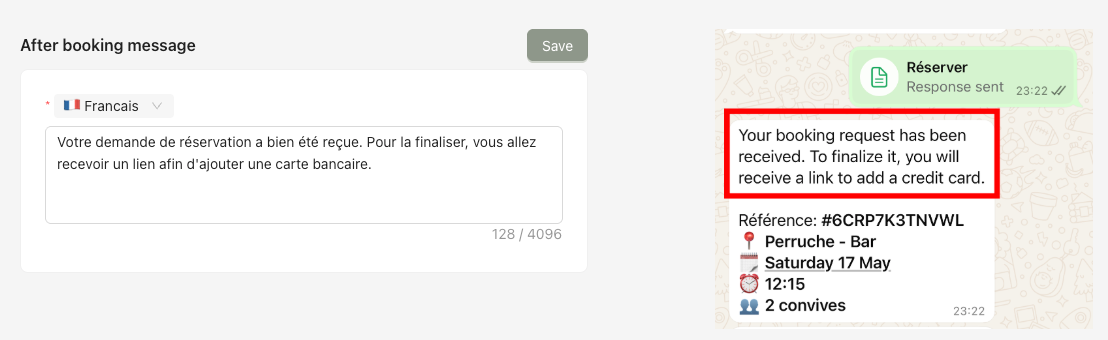
Defines the message sent after a reservation is created.
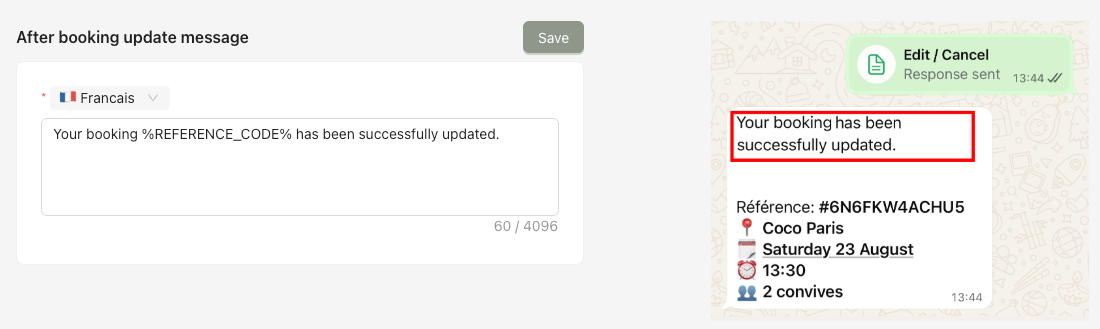
Defines the message sent after a reservation is updated.
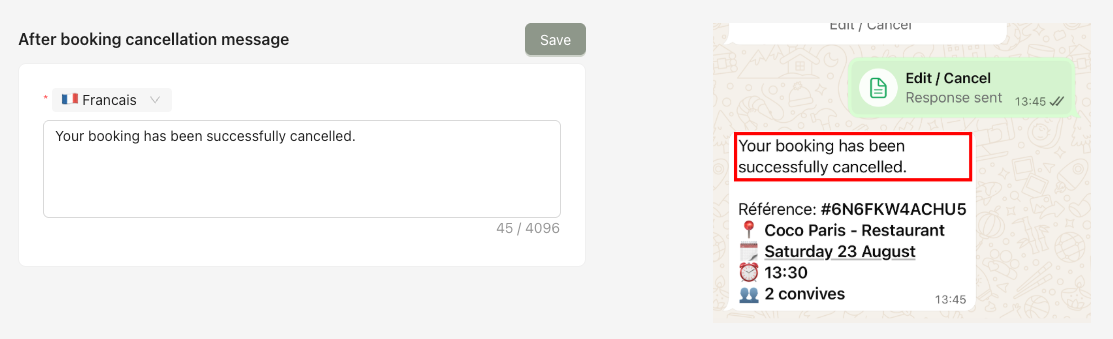
Defines the message sent after a reservation is canceled.
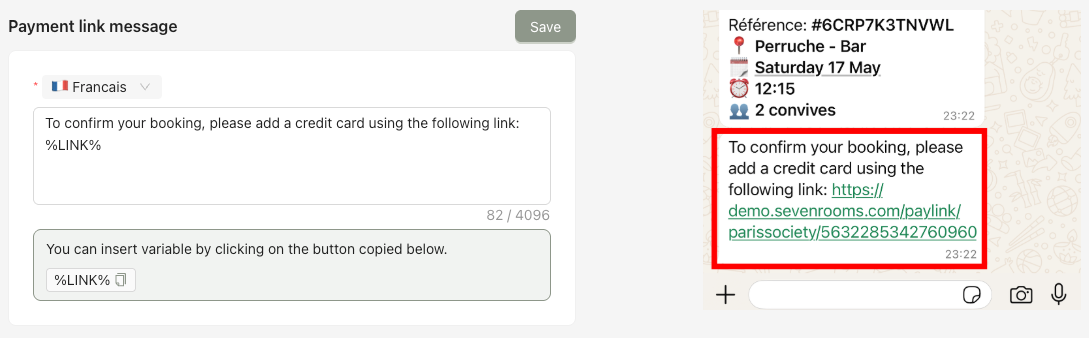
Defines the message sent after a reservation is created, including a payment link when applicable.