
Prerequisites
The following roles can edit the group booking email per venue:
Admin
Communication
Head of Project
Marketing
Detailed Instructions
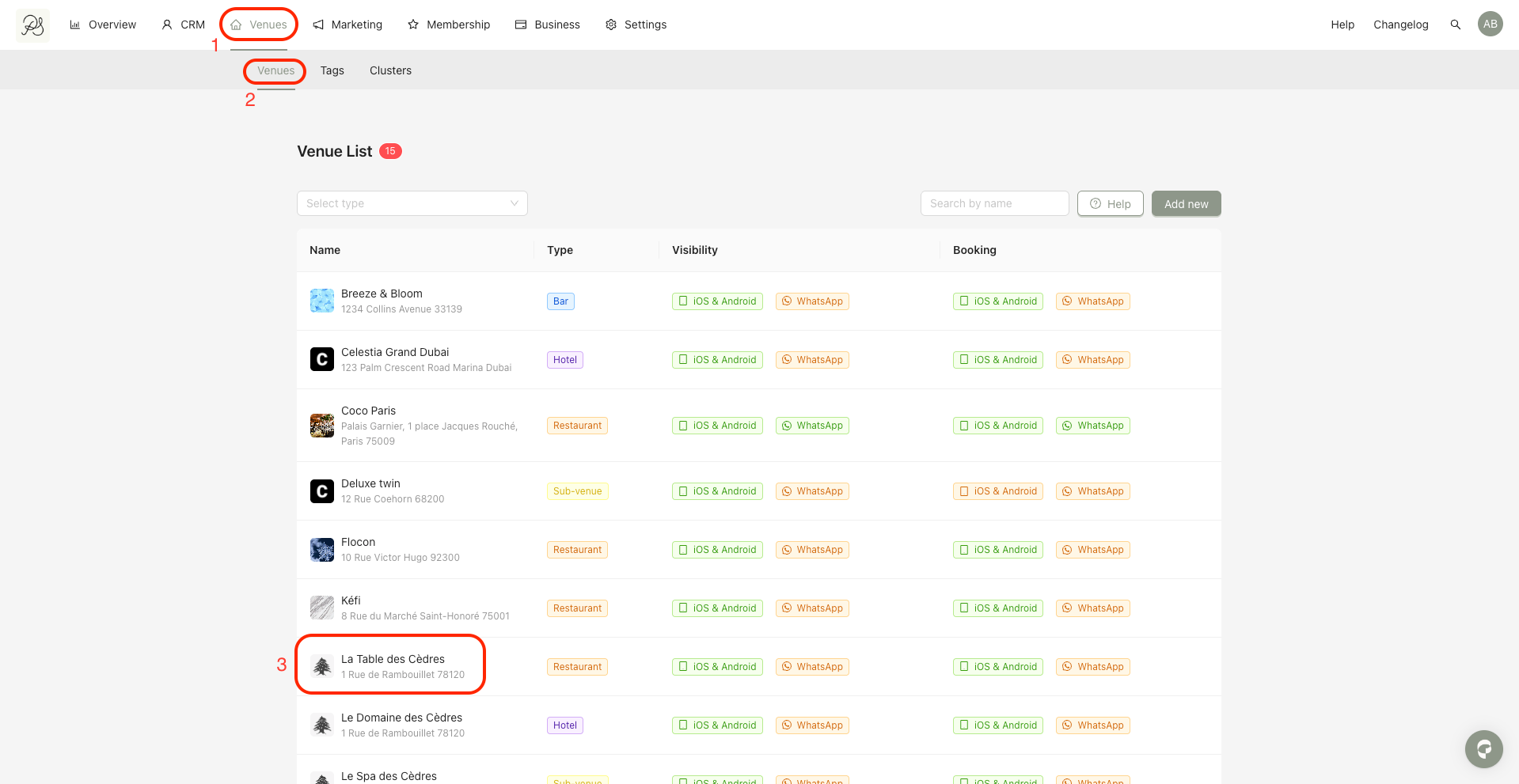
Step 1: Go to Venues (1) → Venues (2), then select the venue you want to edit. In this example, we use “La Table des Cèdres” (3).
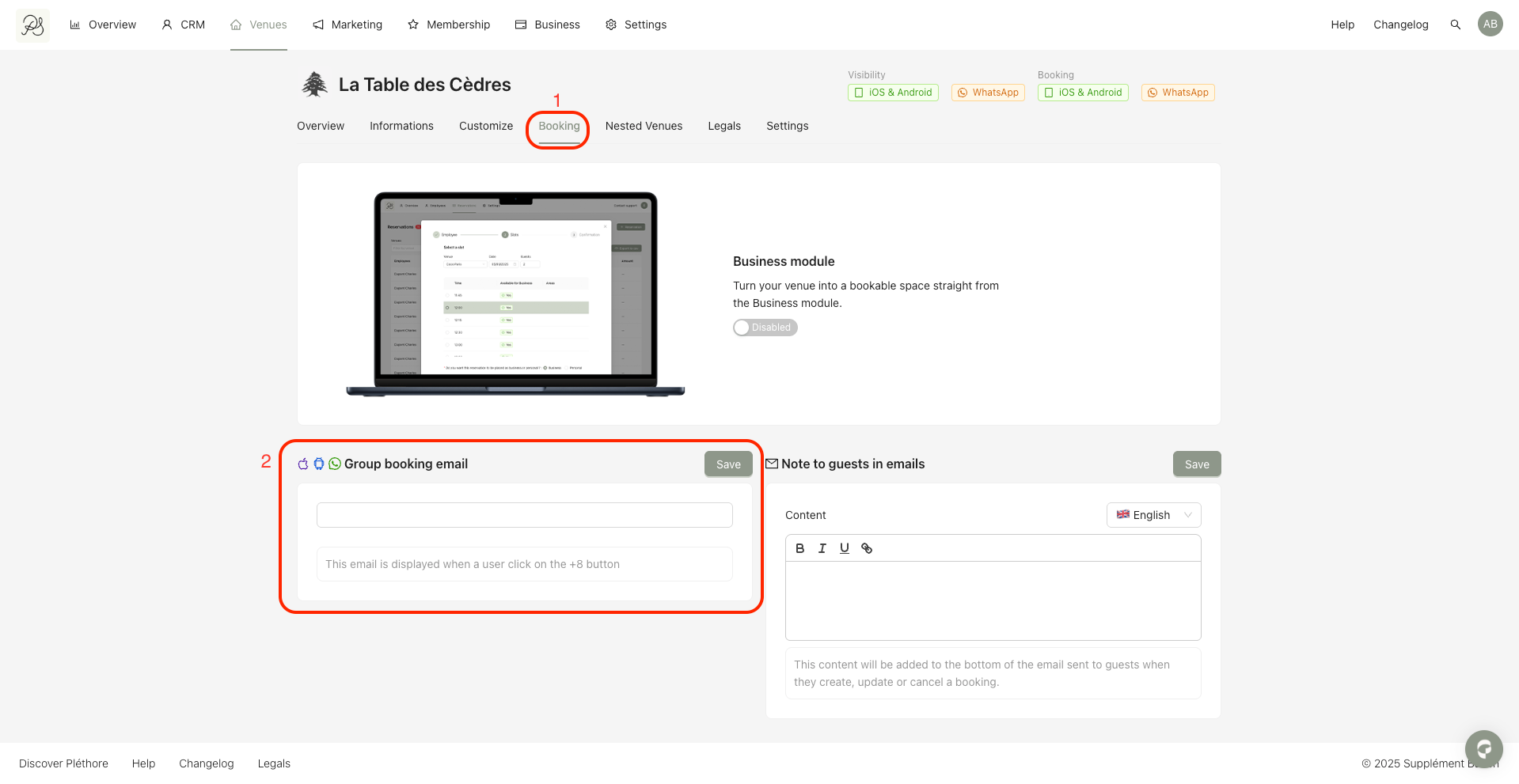
Step 2: Click the Booking tab (1), then scroll down to the Group booking email section highlighted in red (2). Enter an email address and click Save.
Below is how it appears in the mobile application. When a user attempts to make a reservation for more than 8 guests, a message will be displayed with the configured email address.
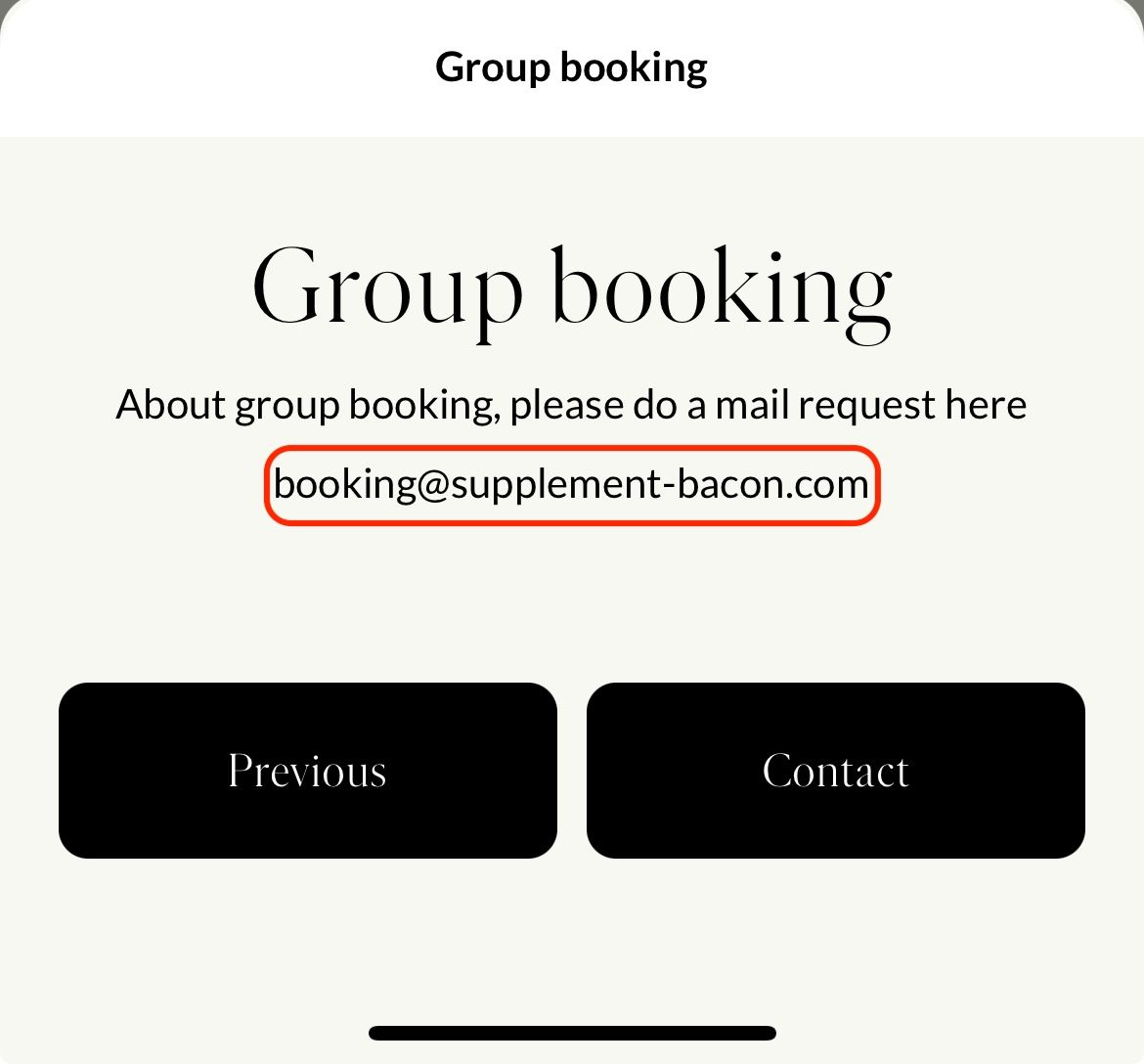

Note: If the field is left empty in the Back Office, a default email address will be displayed instead (configured in Settings → General).