Roles with permission to launch campaigns:
Admin
Marketing
Communication
Head of Project
Membership
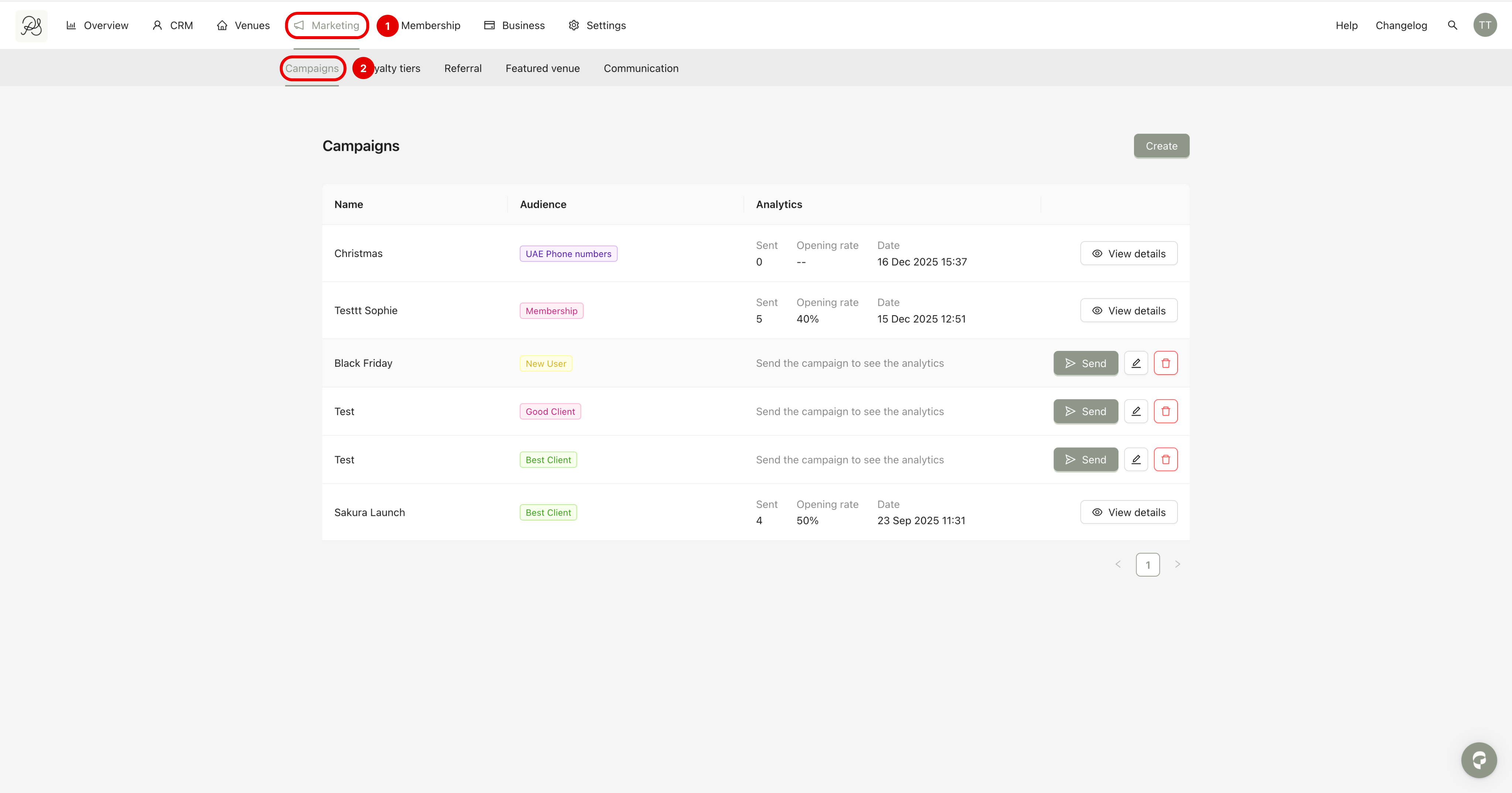
Step 1: Go to Marketing (1) → Campaigns (2).
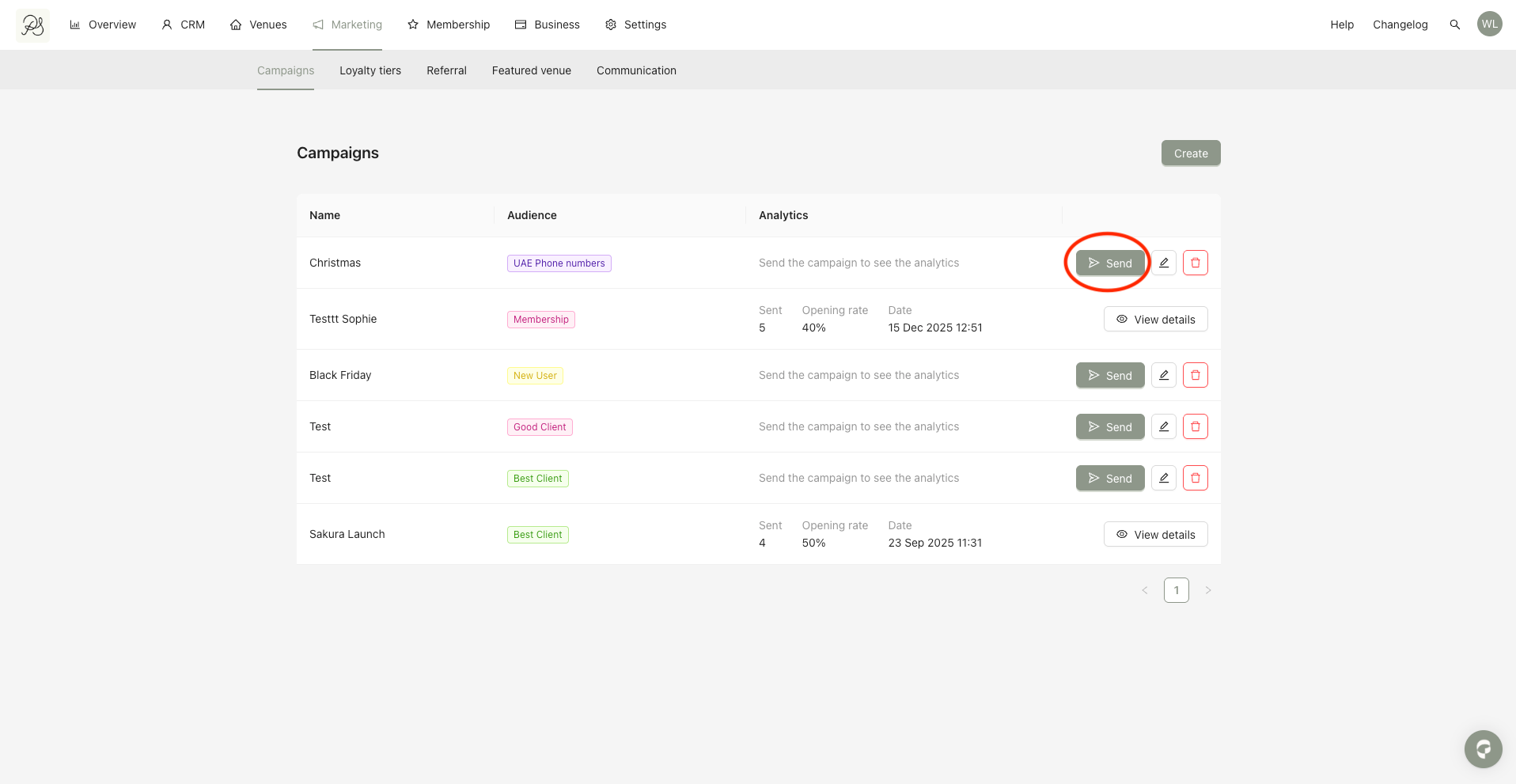
Step 2: Locate the campaign you want to send and click the Send button.
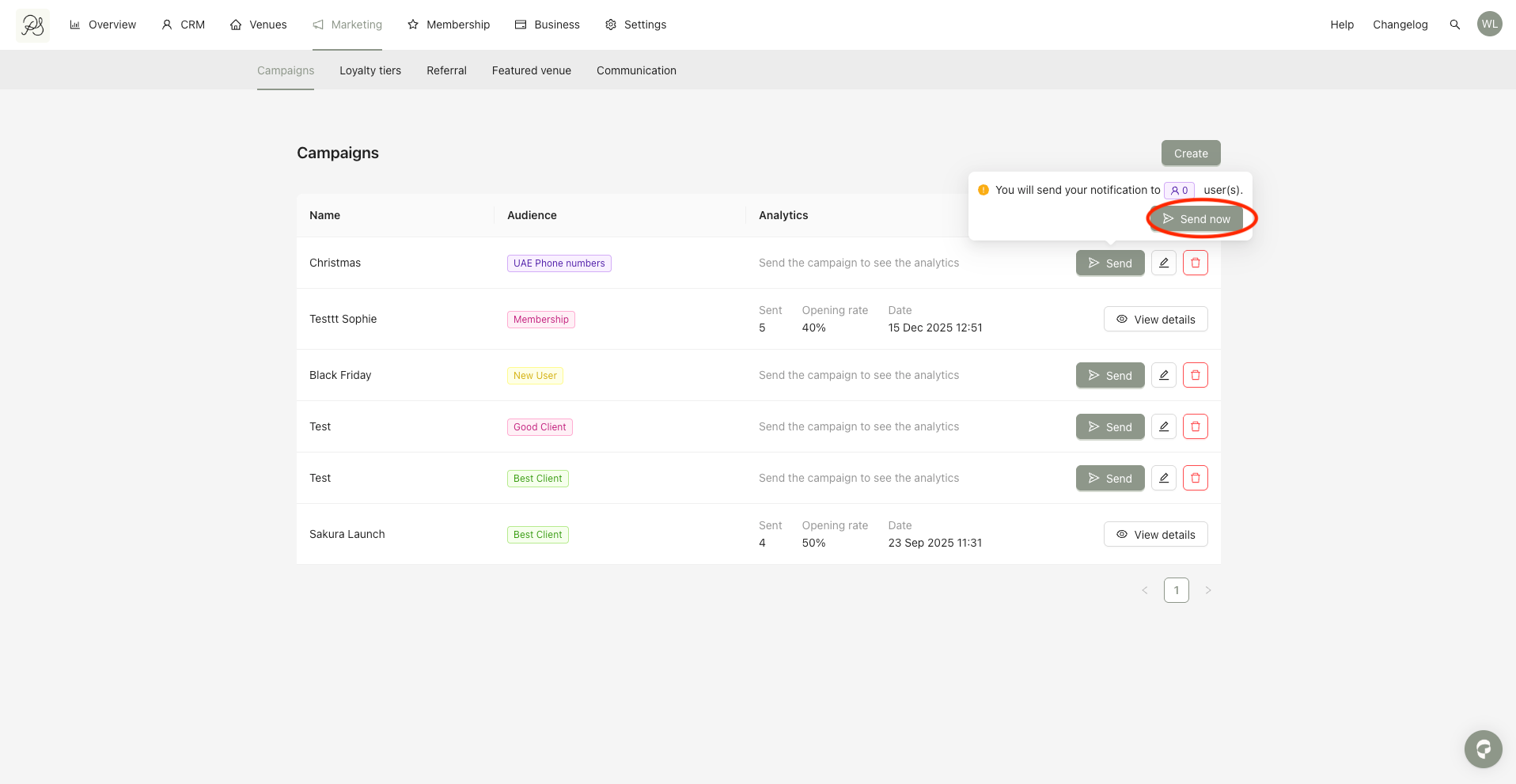
Step 3: Click Send now to confirm and launch the campaign.
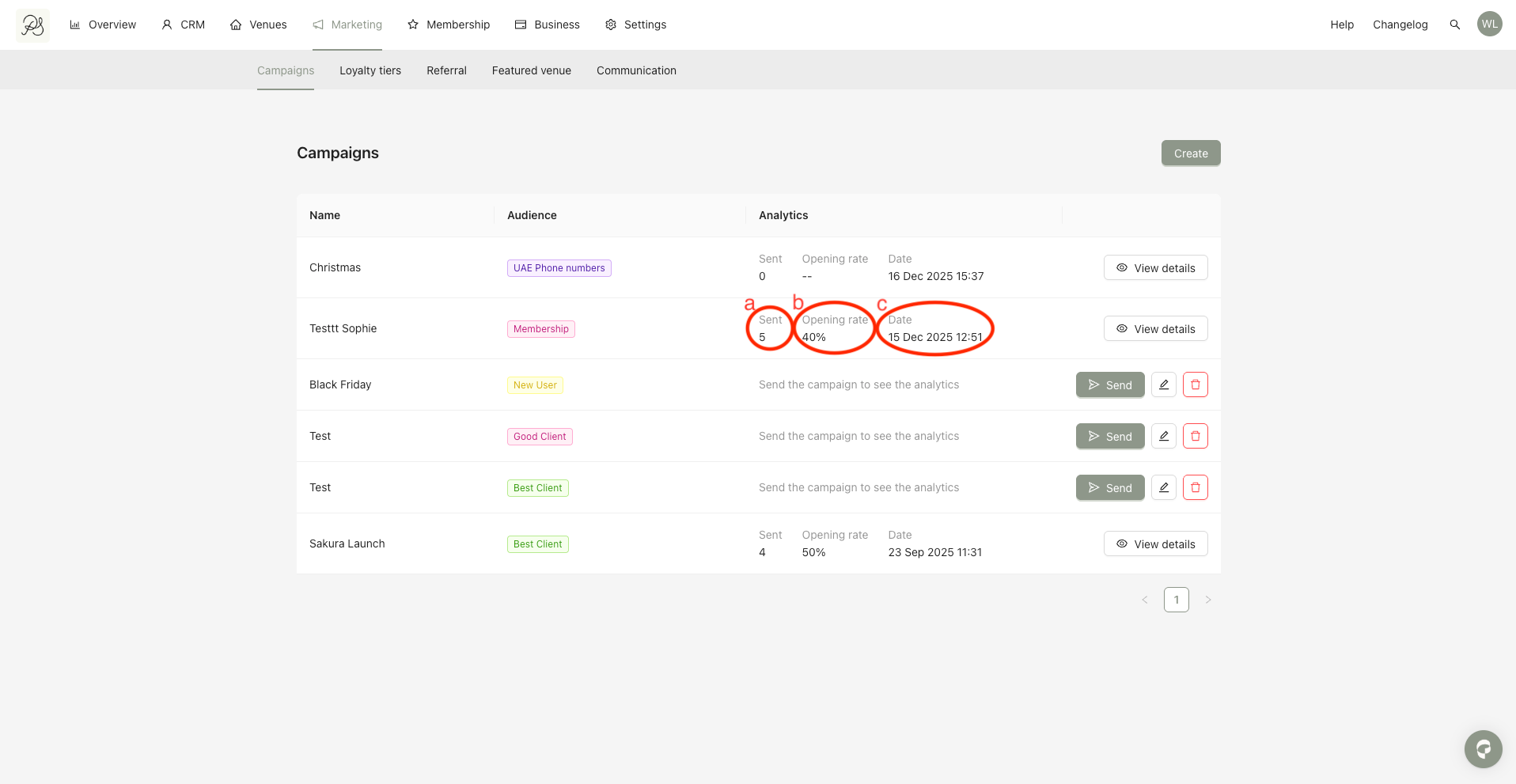
After the campaign is sent, you can monitor its statistics, including:
a. Number of notifications sent (one per user)
b. Open rate (%) showing how many users opened the notification
c. Launch date of the campaign