The Transactions tab displays the complete booking history of the user. It shows key details such as the venue, date and time, party size, booking reference, status, and source.
Roles with access to user transactions:
Admin
Head of Project
Marketing
Communication
Membership
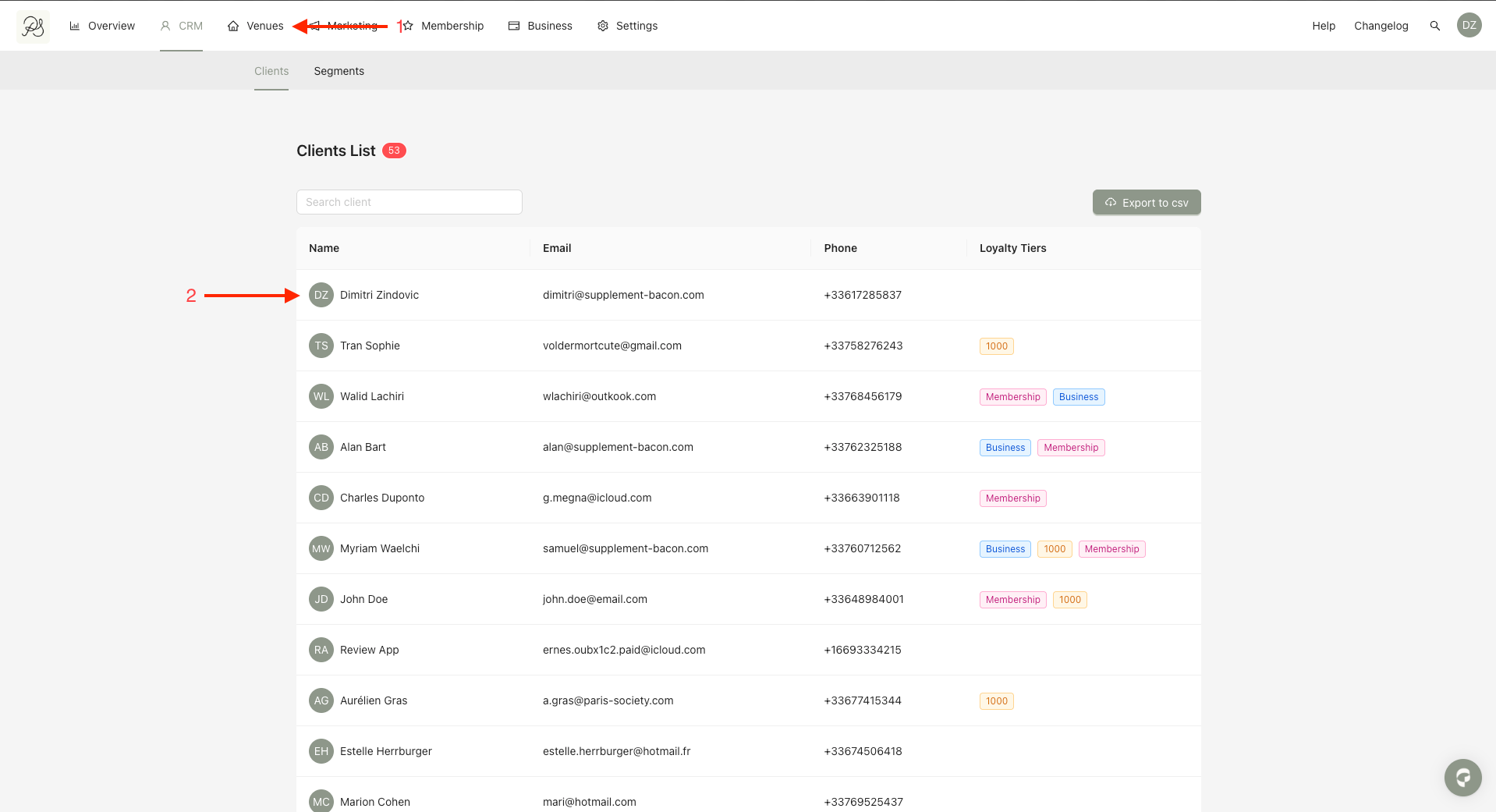
Step 1: Click CRM (1) and select the user you want to review (2).
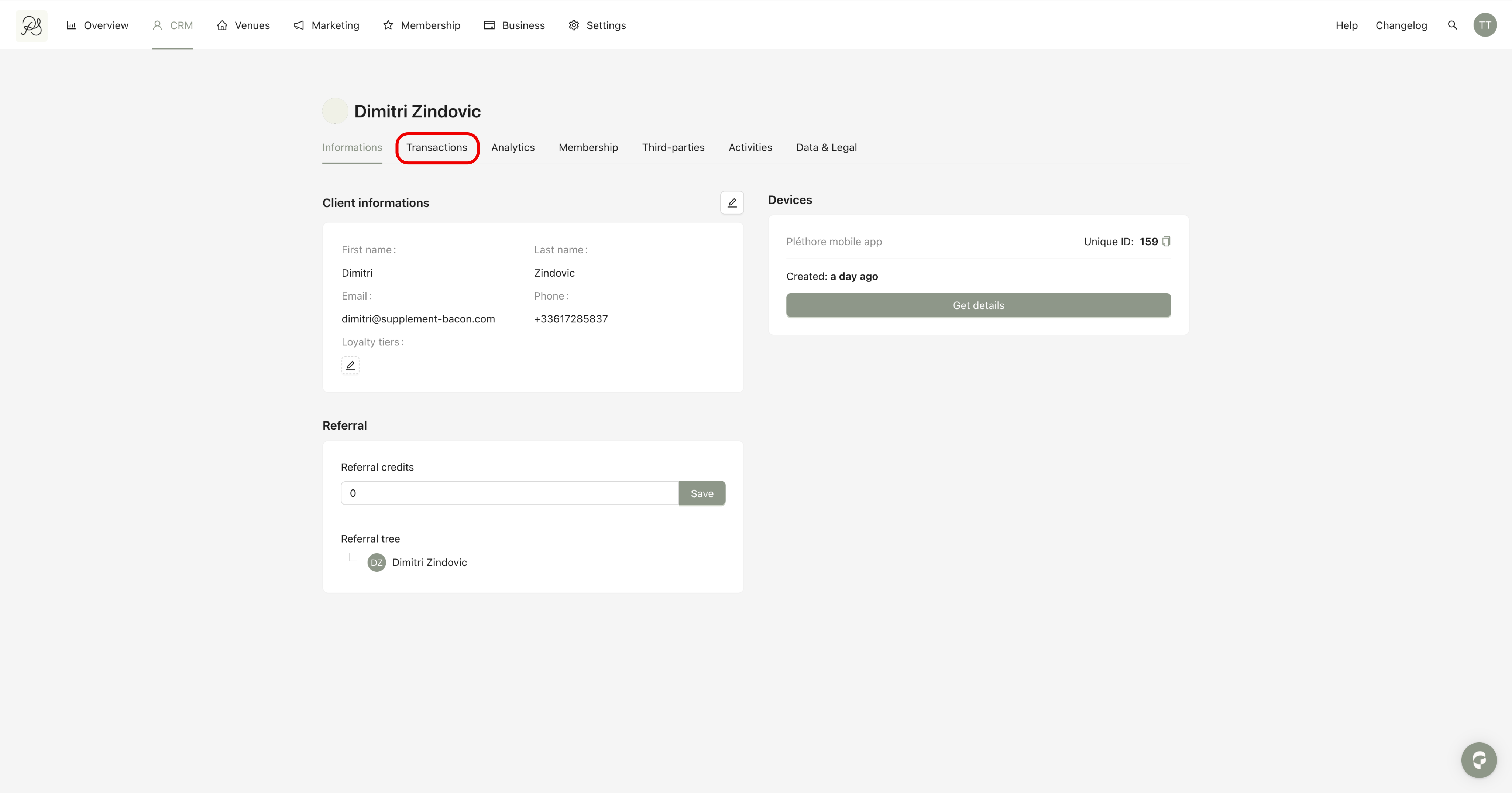
Step 2: On the user detail page, click the Transactions tab.
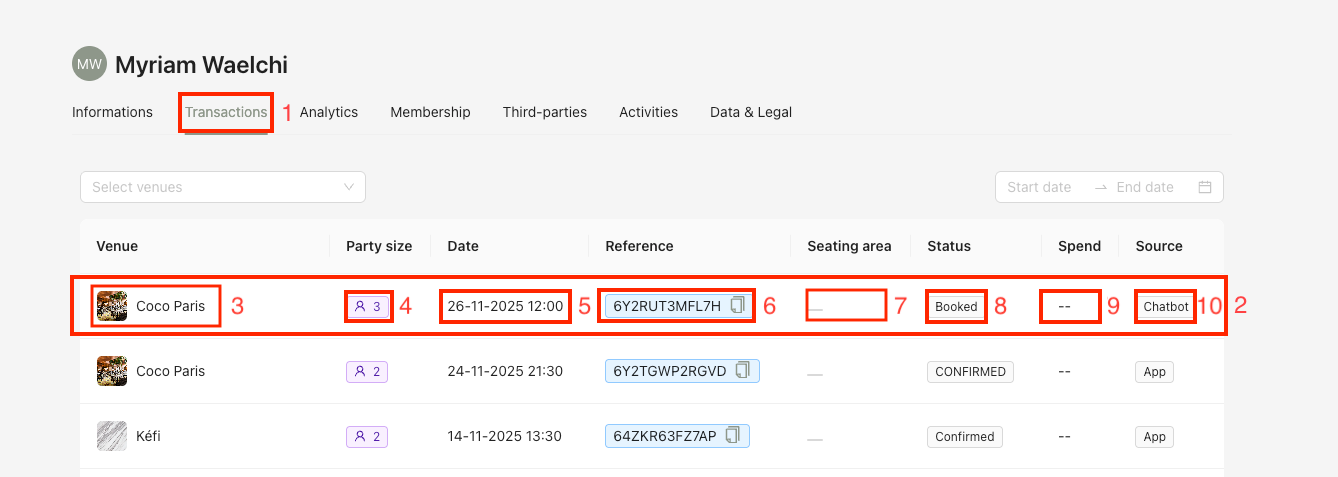
Each row (2) in the table represents one reservation made by the user. It includes the following information:
Venue: The location where the reservation was made
Party size: Number of guests for the reservation
Date: The time user made the reservation
Reference: Reservation reference in the PMS
Seating area: The seating selected, if applicable
Reservation status, which can be: Booked / Confirmed / Canceled
Spend: Amount spent for this reservation retrieved from the PMS
Source, which can be: App / Chatbot / Company Back Office / Webhook / Other