The following roles can edit the “Note to guests in emails” section:
Admin
Communication
Head of Project
Marketing
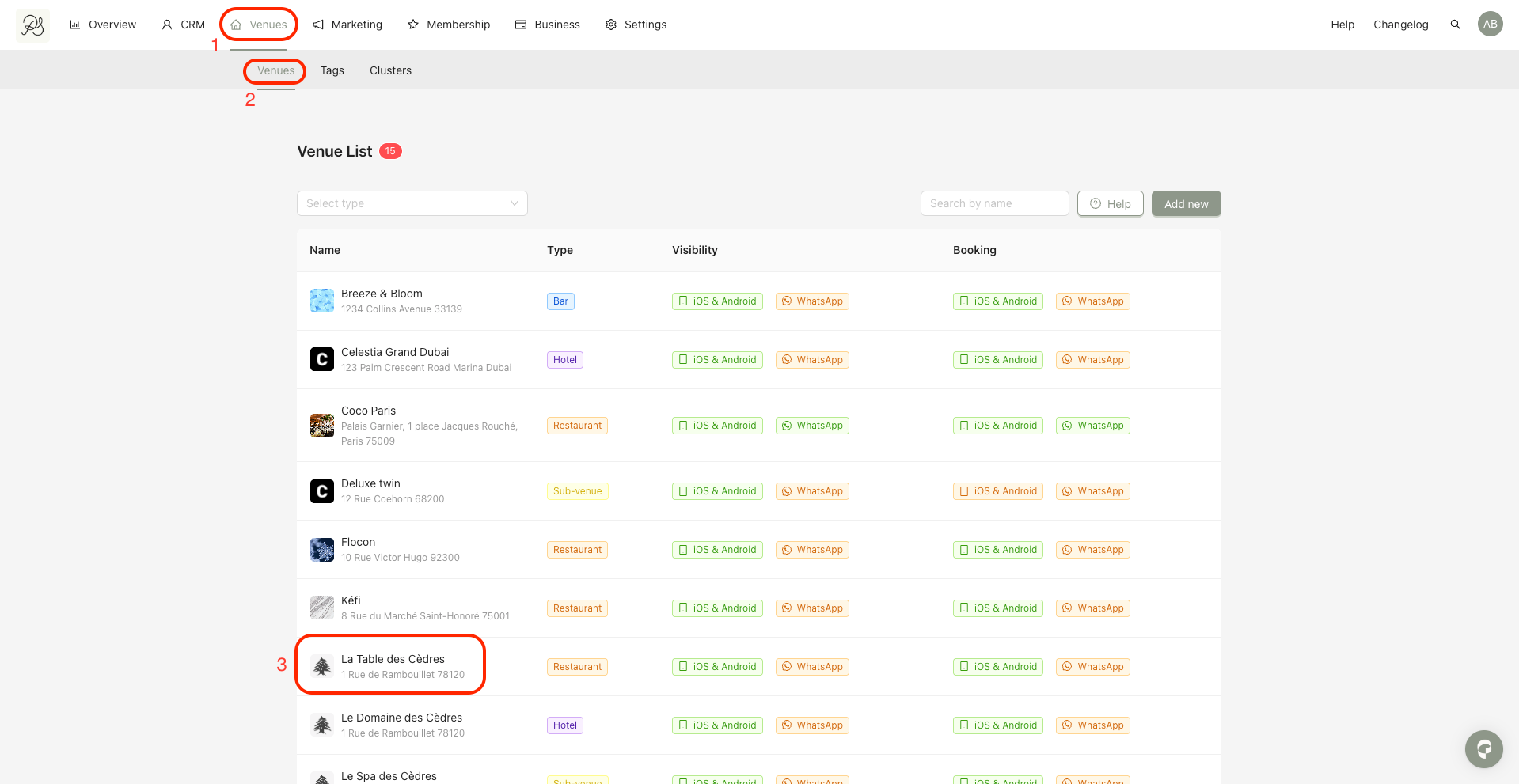
Step 1: Go to Venues (1) → Venues (2), then select the venue you want to edit.
In this example, we will use “La Table des Cèdres” (3).
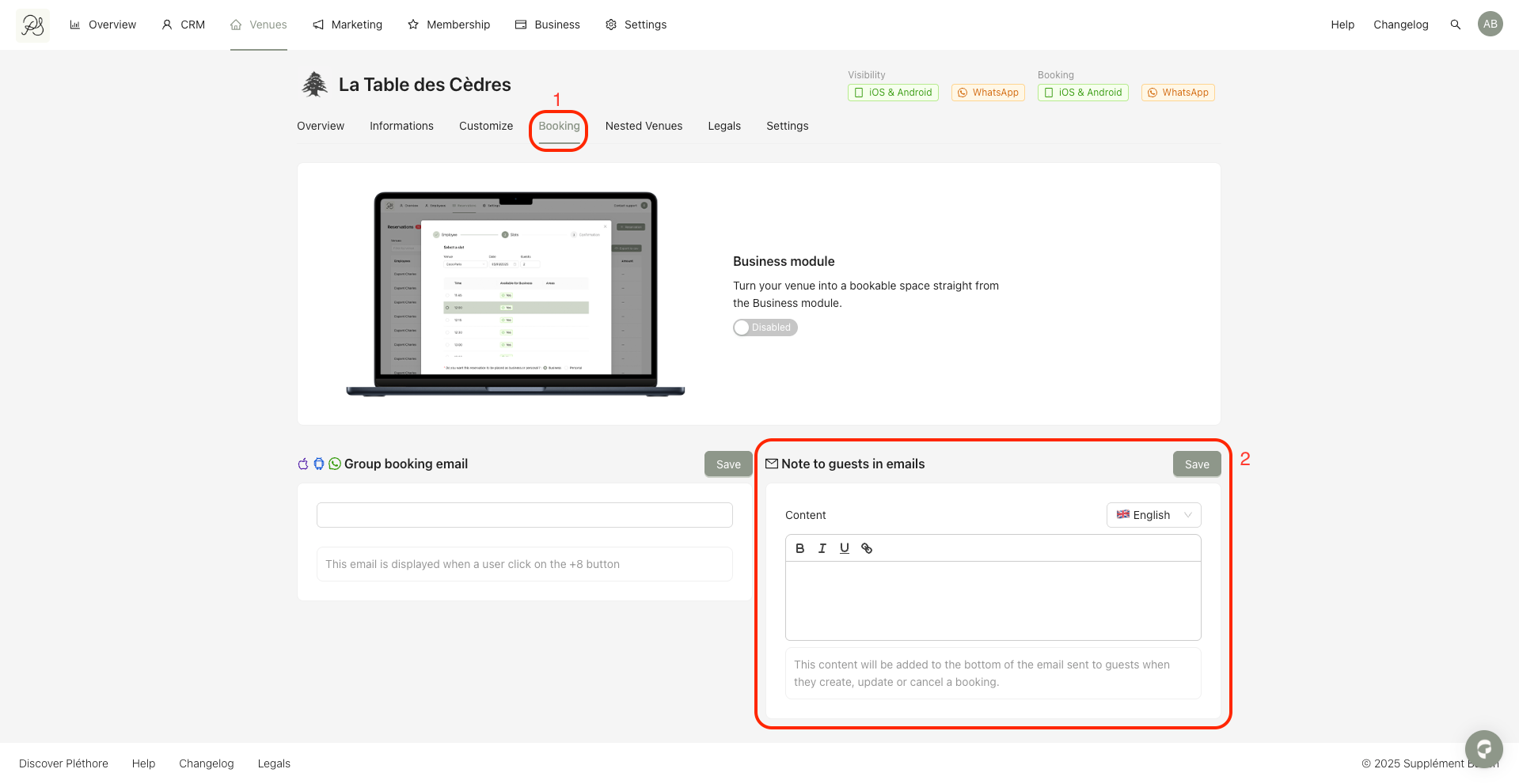
Step 2: Open the Booking tab (1) and scroll down to the “Note to guests in emails” section (2).
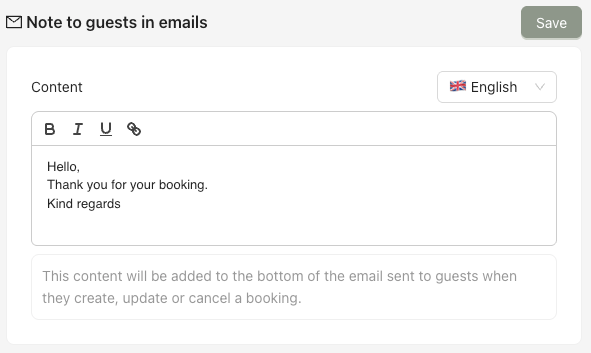
Step 3: Enter your message in French and English, then click Save.
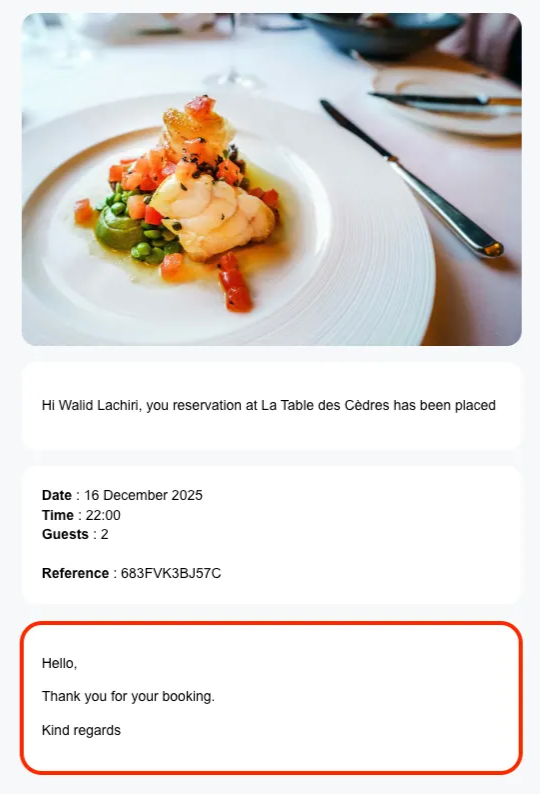
 Below is an example of how this note appears in the reservation confirmation email.