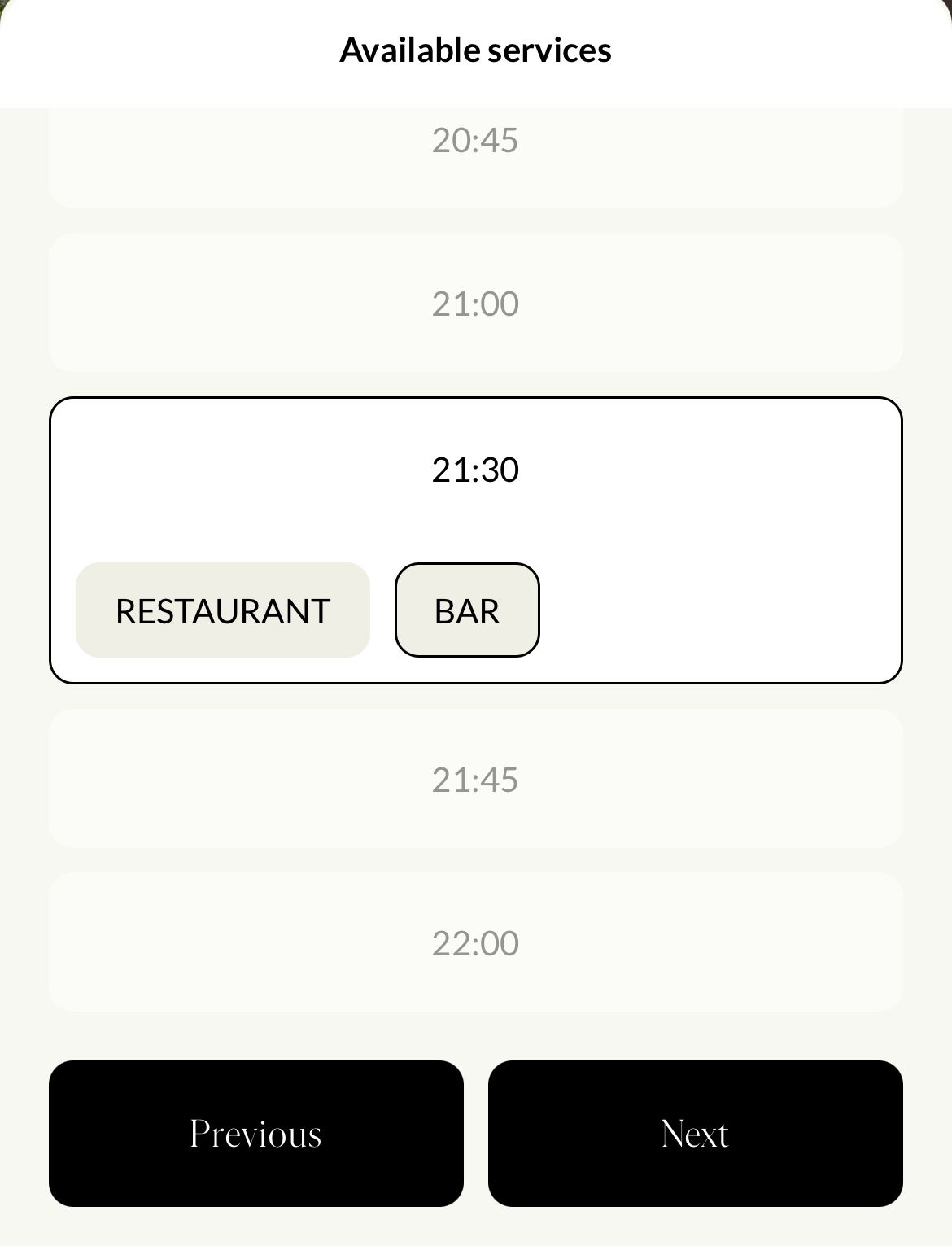
Settings Areas allow you to define the different areas of a venue so that users can select where they would like to make their reservation. Below is an example from the mobile application. The available Settings Areas for this venue are “Restaurant” and “Bar”.
The following roles have access to this page and can perform actions:
Admin
Communication
Head of Project
Marketing
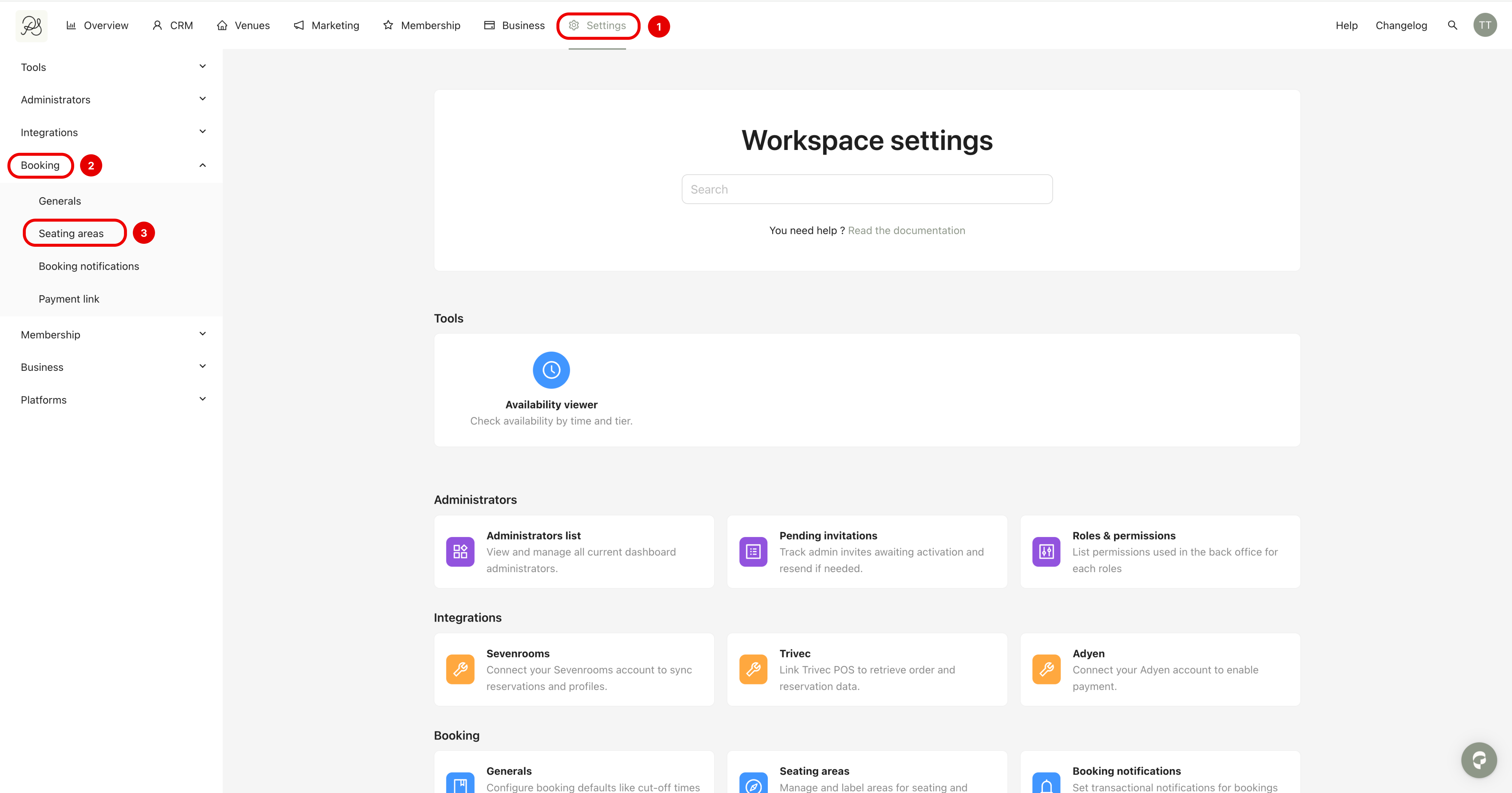
Step 1: To access the Settings Areas page, go to Settings (1) → Booking (2) → Settings Areas (3).
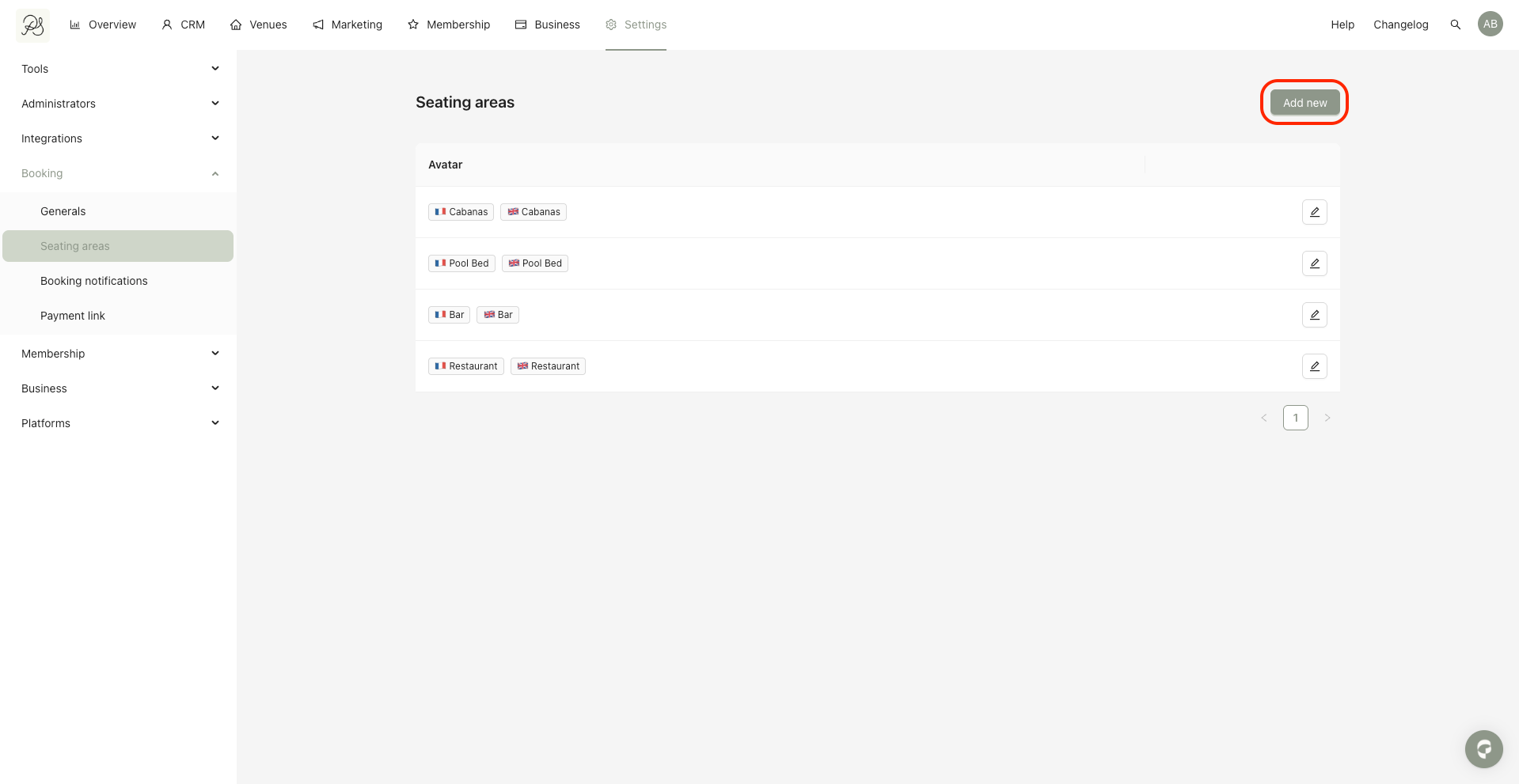
Step 2: Pour create a Seating Area, click Add new.
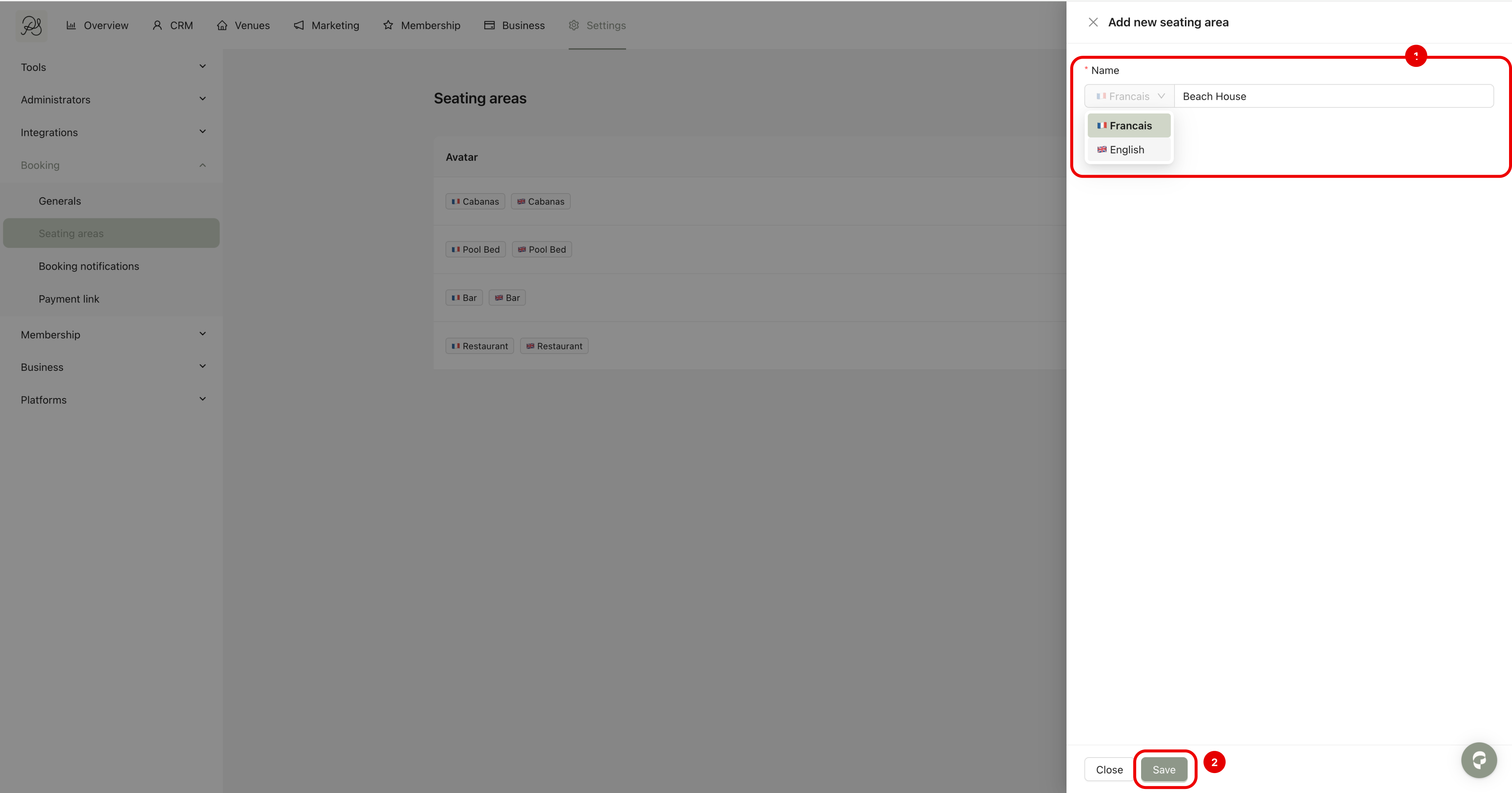
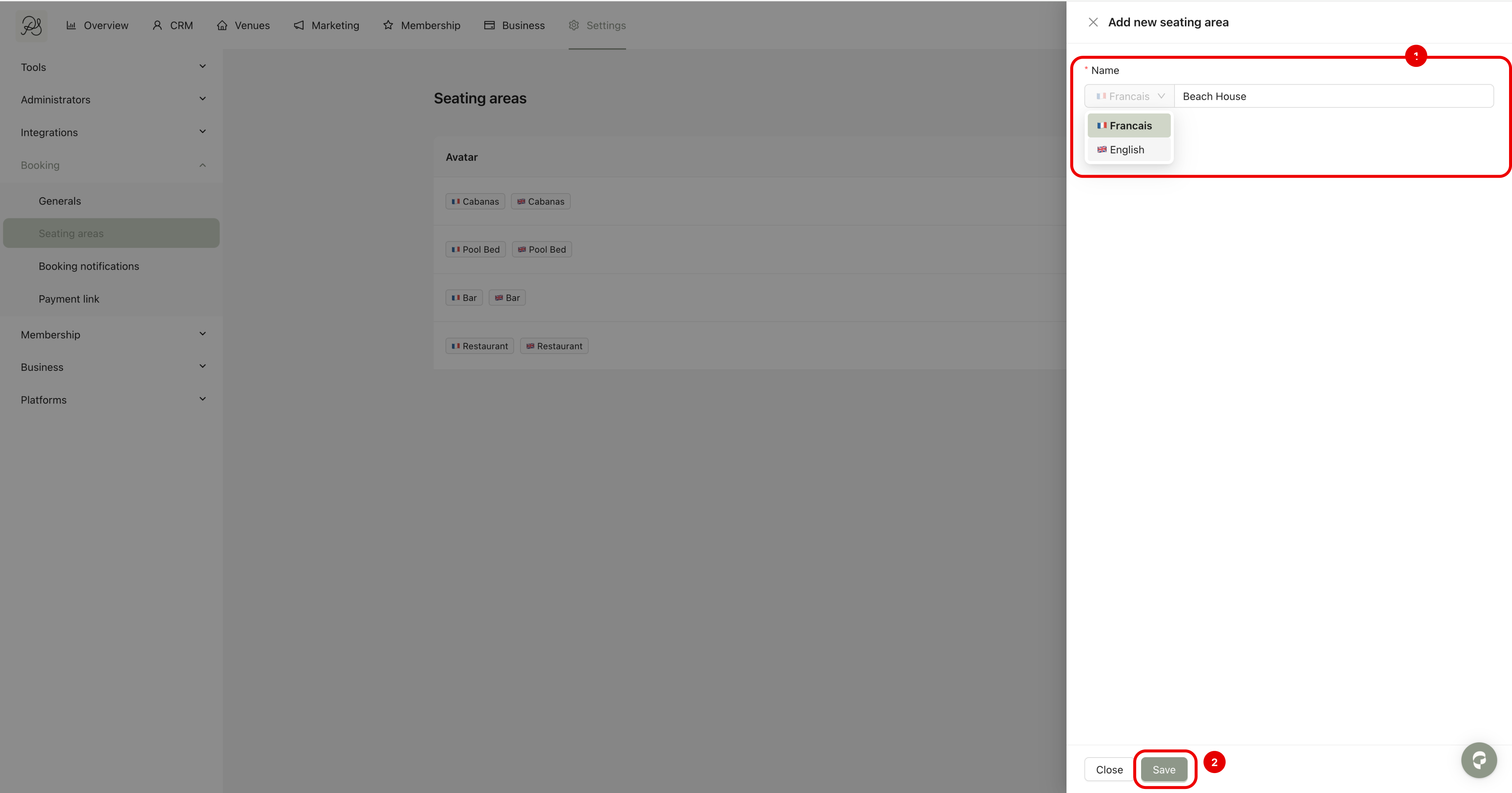
Step 3: Fill in the form by entering the name of the Settings Area in both French and English, then click Save.
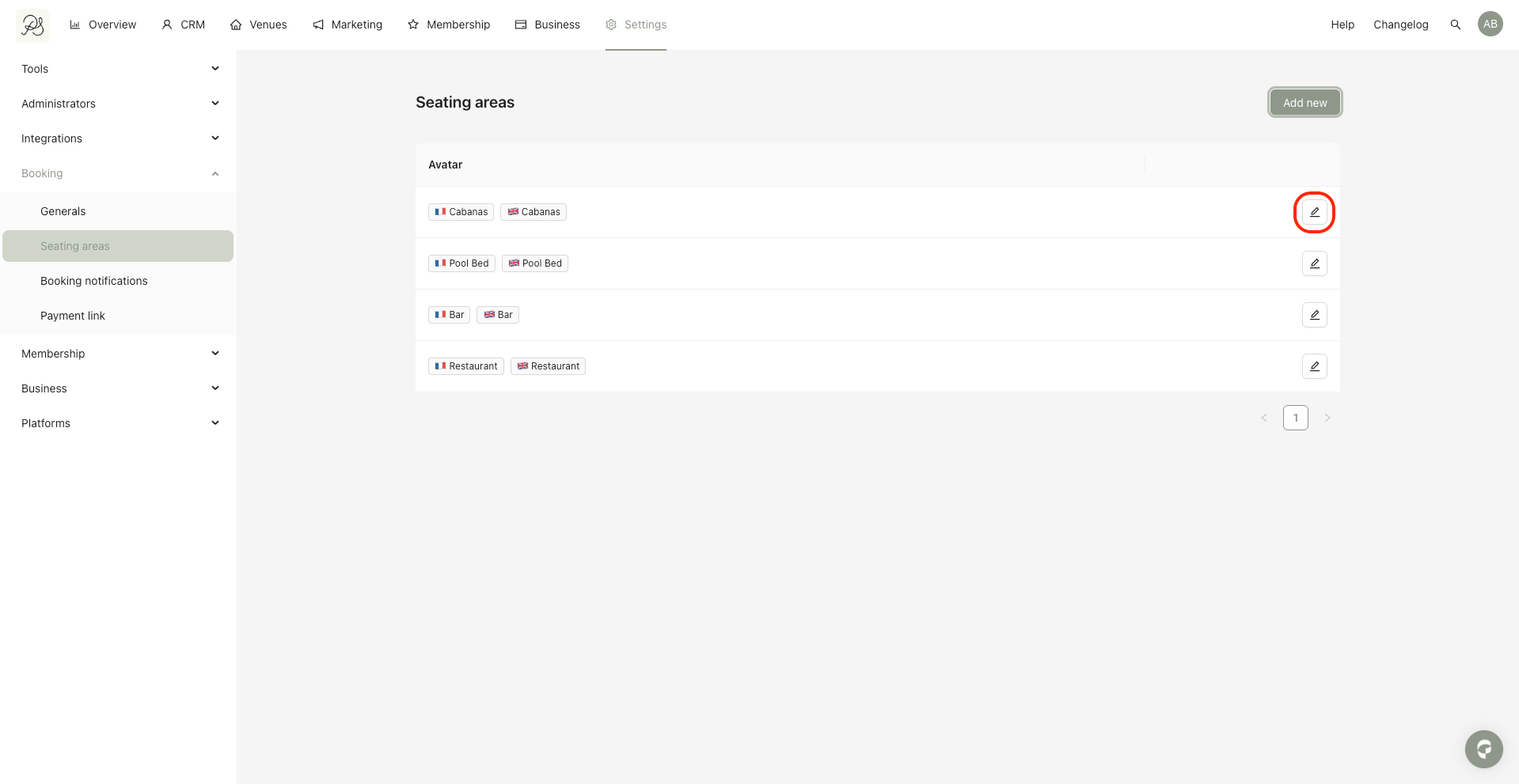
Step 1: Click the edit (pencil) icon next to the Seating Area you want to modify.
Step 2: Update the name in French and English, then click Save.
For seating areas to be available for booking in the mobile application, they must be connected to a third-party reservation system. Our platform currently supports integration with SevenRooms.

