Role: Admin or Head of Project
At least one venue connected to SevenRooms
At least one Loyalty Tier configured
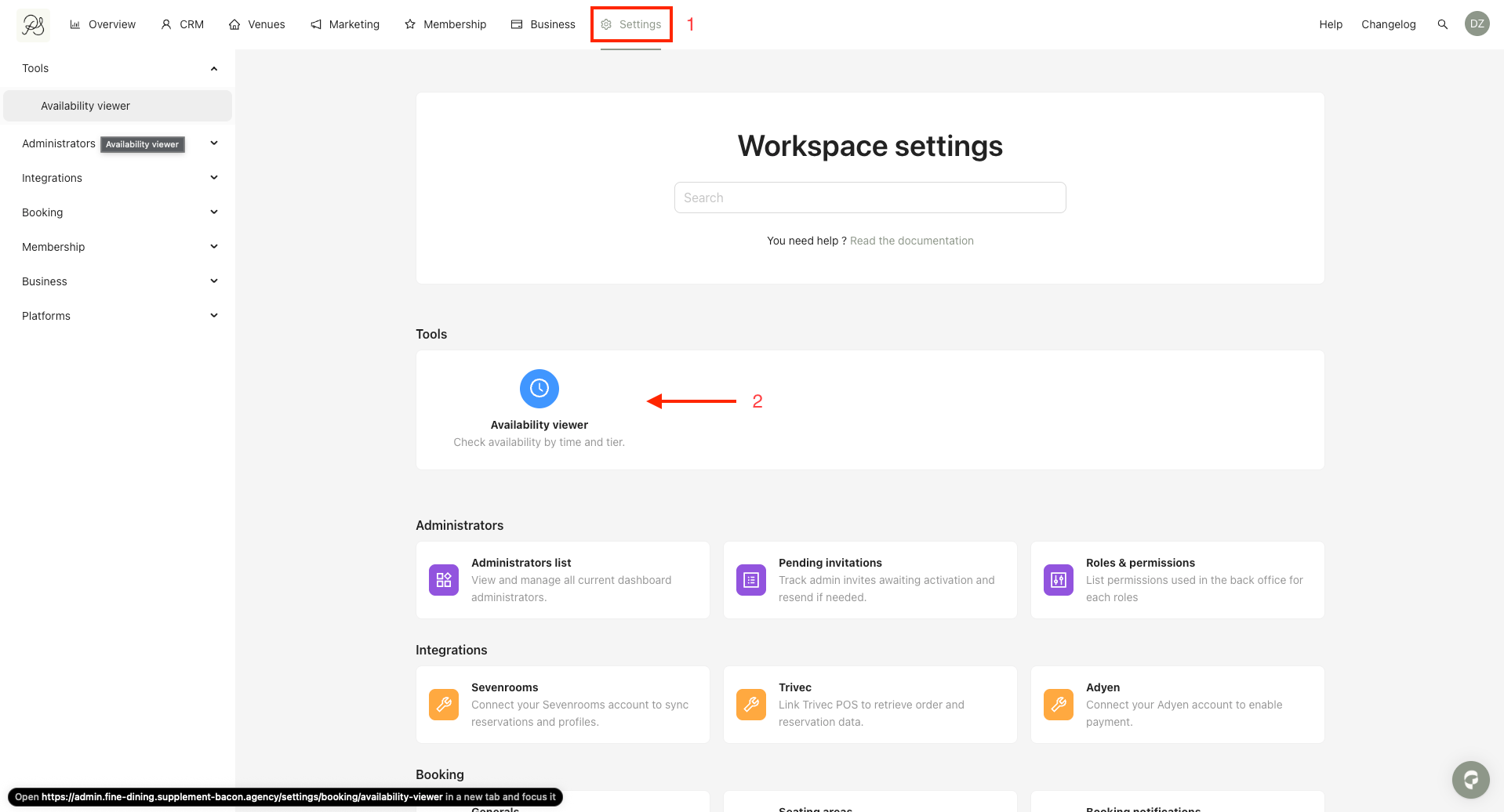
To access the Availability Viewer from the homepage:
Step 1: Click Settings.
Step 2: Click Availability Viewer.
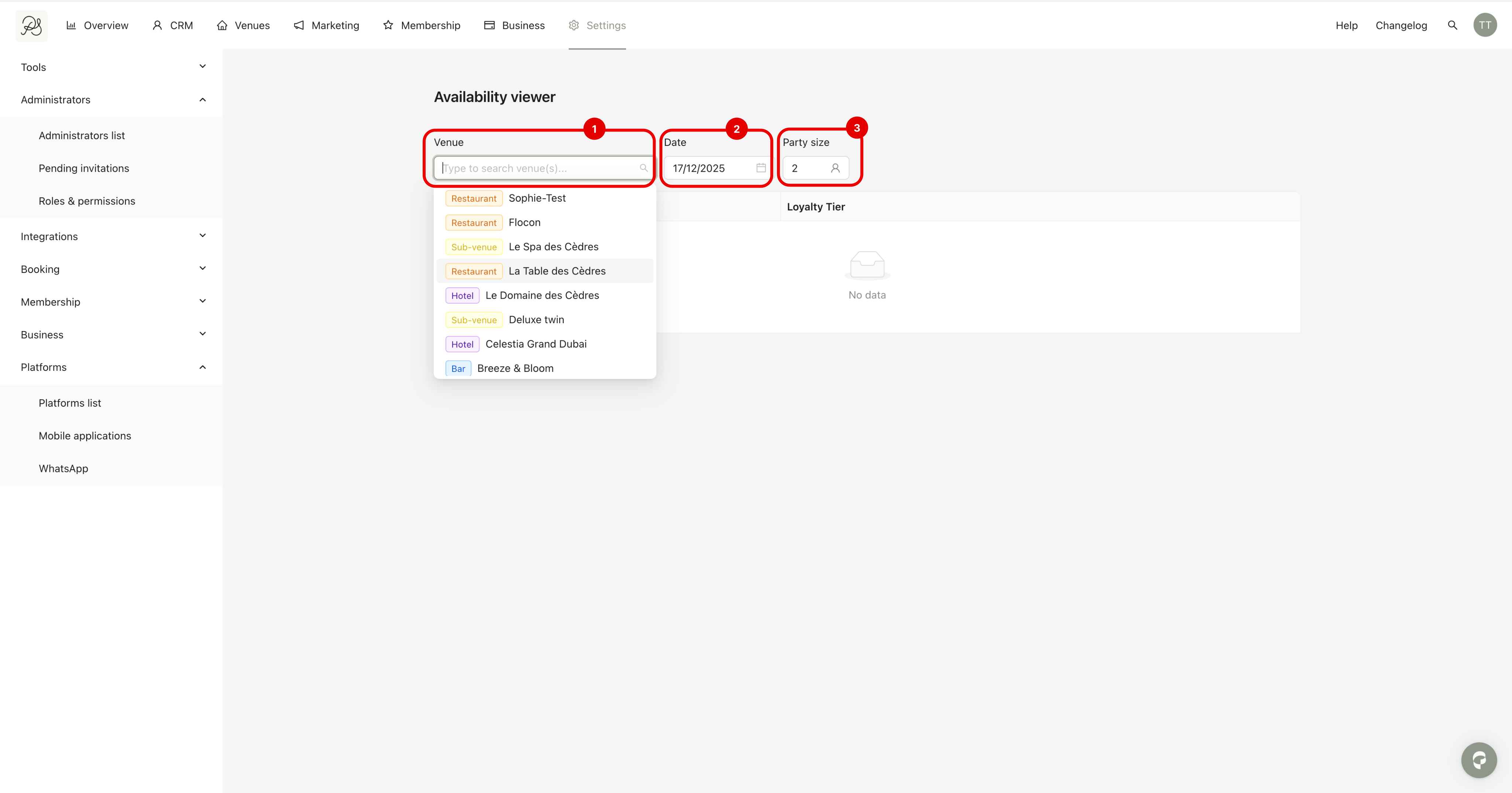
Step 3: On the Availability Viewer page:
Enter the name of the venue for which you want to check availability.
Select a date.
Select the number of guests.

Once all required information has been entered, the available time slots will be displayed. Each result includes:
Time slot section
List of your Pléthore Loyalty Tiers
Tags automatically added by the PMS to the reservation
Tags added by Pléthore to the reservation in the PMS
Example of a slot that is not available for a specific Loyalty Tier

