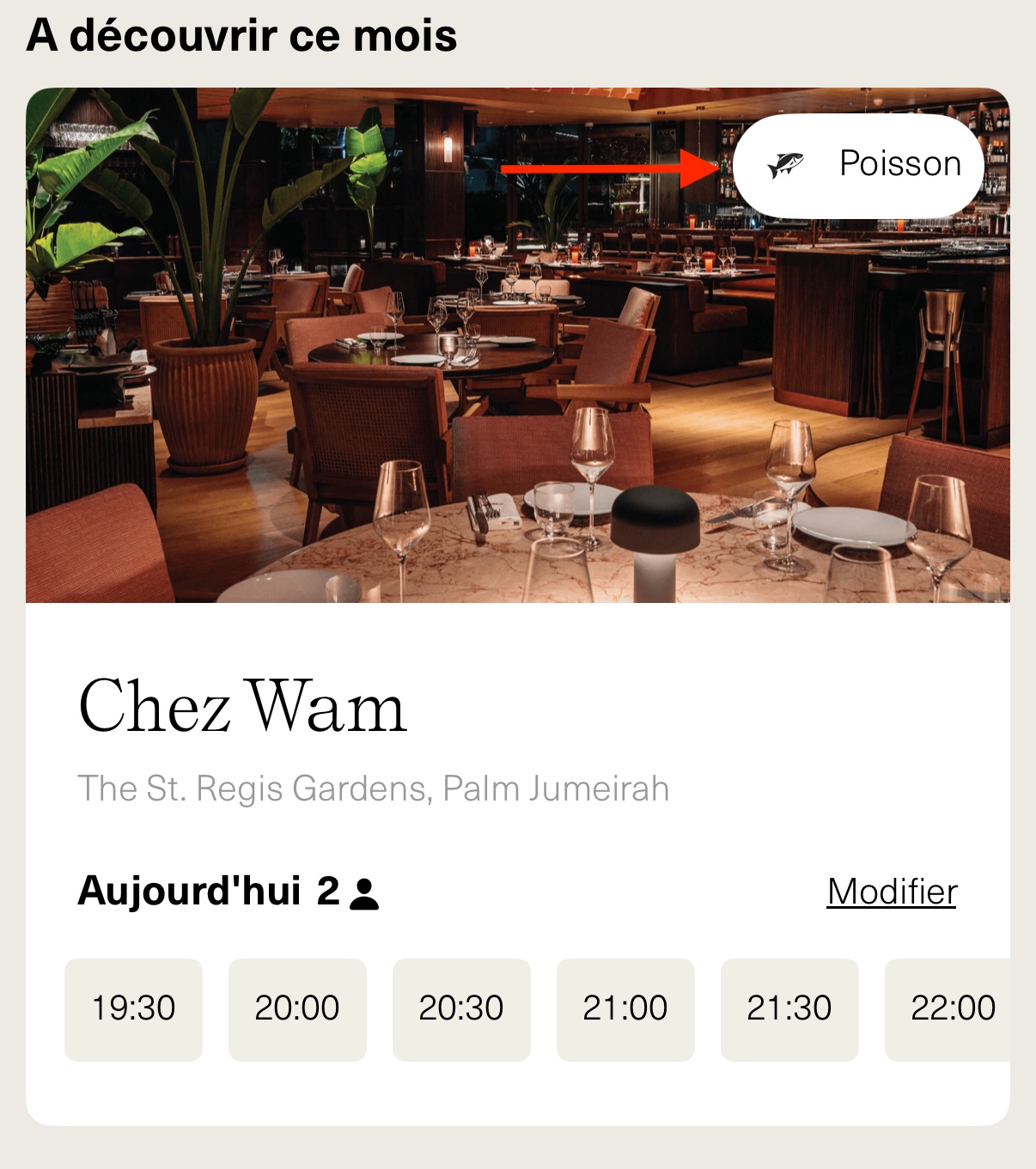
A tag is a visual element displayed on a venue cell, consisting of an icon and a descriptive text. It helps users quickly identify a key feature of the venue, improving visibility and navigation within the app.
From your homepage, ensure you are in the venues section.

Click on Tags.
Click on Add New.
A pop-up will open, with various fields to complete:
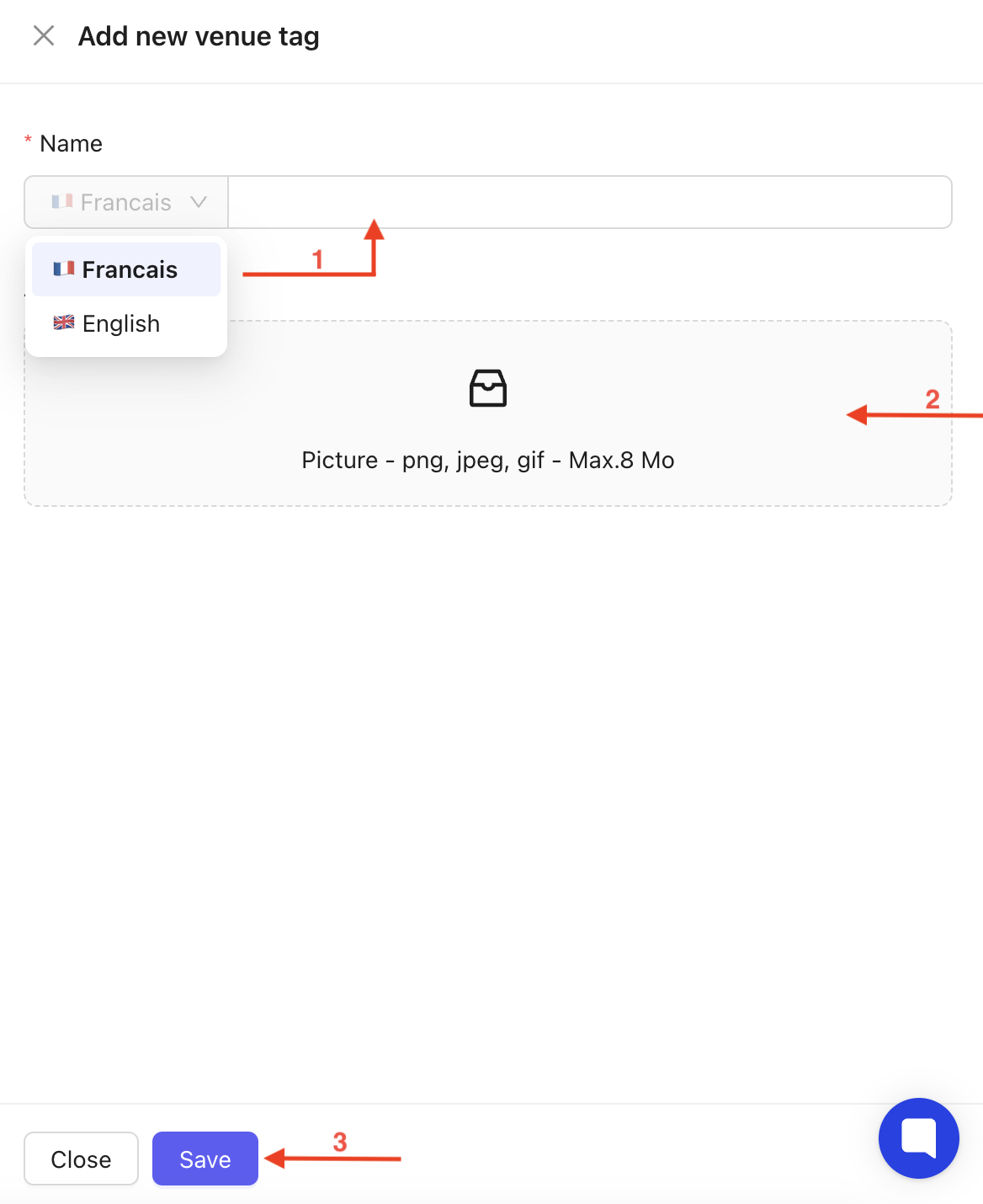
Choose the tag name in the selected languages.
Upload the icon image related to the tag.
Click Save.
From the homepage, you will see an overview of the created tags :
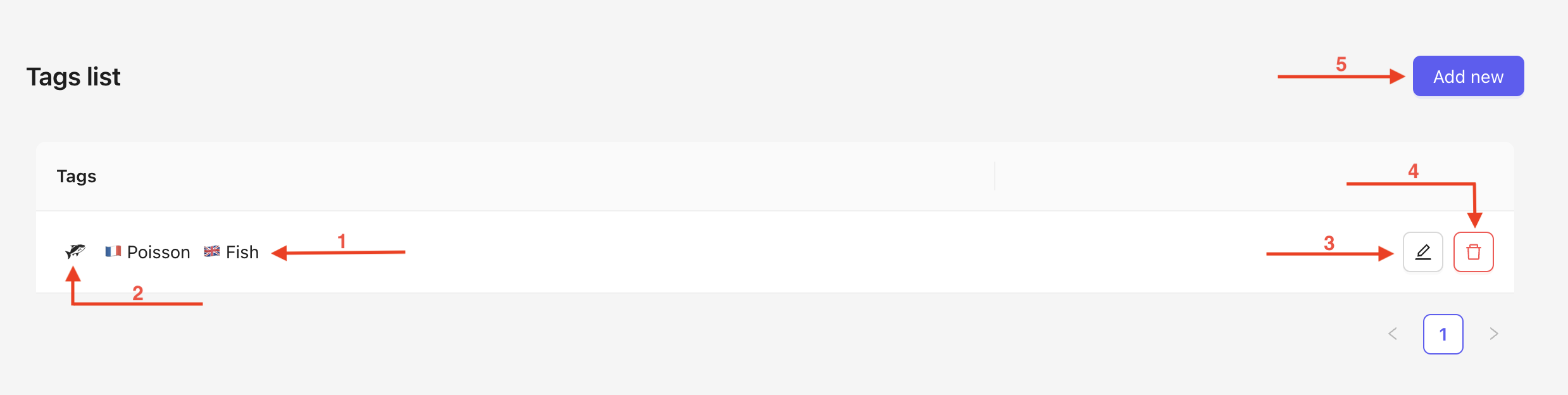
The tag name in the different selected languages.
The thumbnail of the uploaded photo for the icon.
Edit icon to modify your tag
Trash icon to delete your tag.
Add a tag at any time.
Visual appearance of a Tag in the App
When you click on the edit icon, a pop-up will open. It is the same as the one when creating the tag.
Several fields are editable :
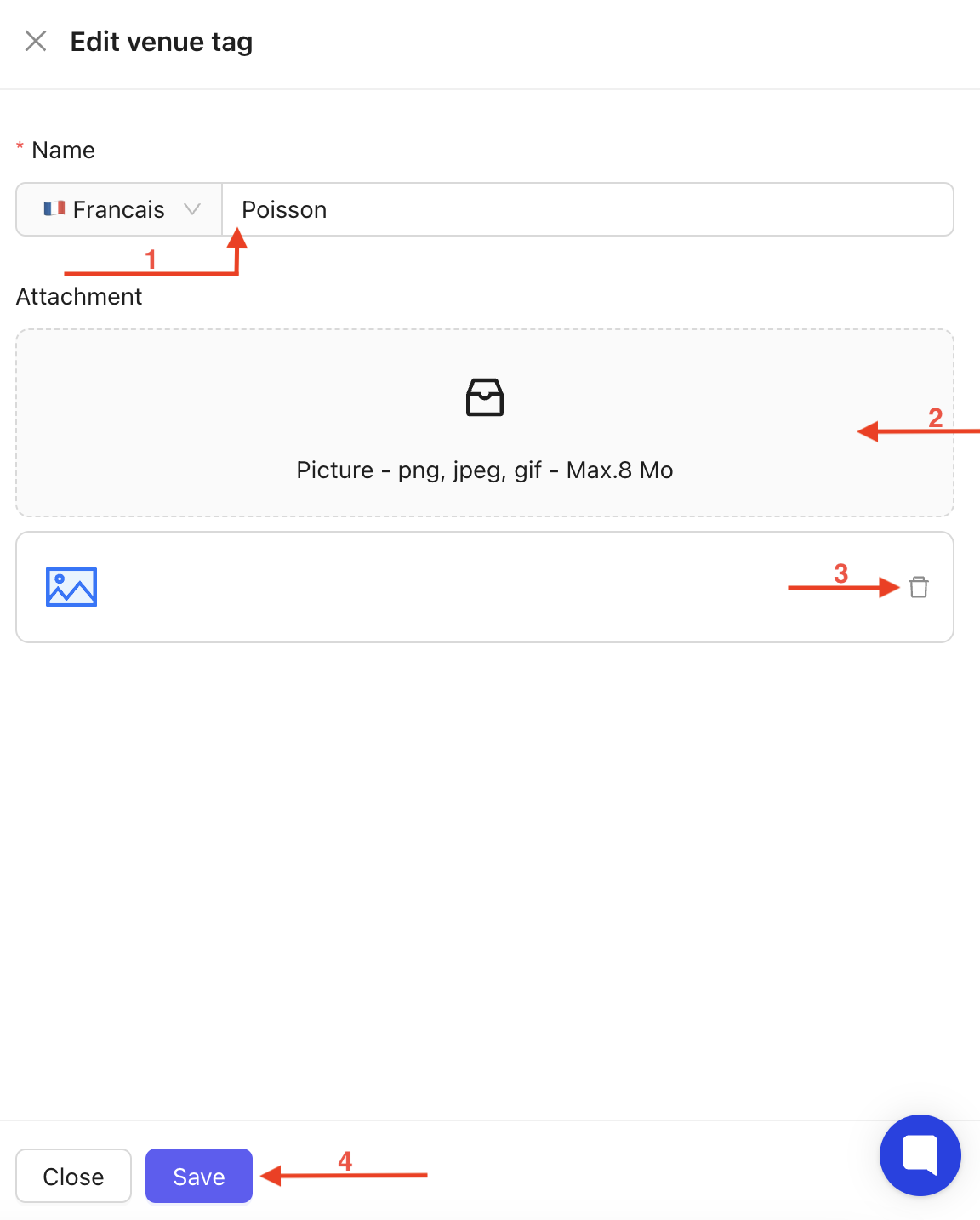
Edit the title in the selected languages.
Upload a new photo for the icon.
Delete the previously uploaded photo.
Save to apply the changes.

Managing tags effectively allows you to enhance the user experience by clearly categorizing venues and highlighting their key features, ensuring easy navigation and visibility within the app.
