You must have the Admin or Head of Project role to edit this section.
From your homepage:
Click Settings.
Click Platform.
Click Mobile Applications.
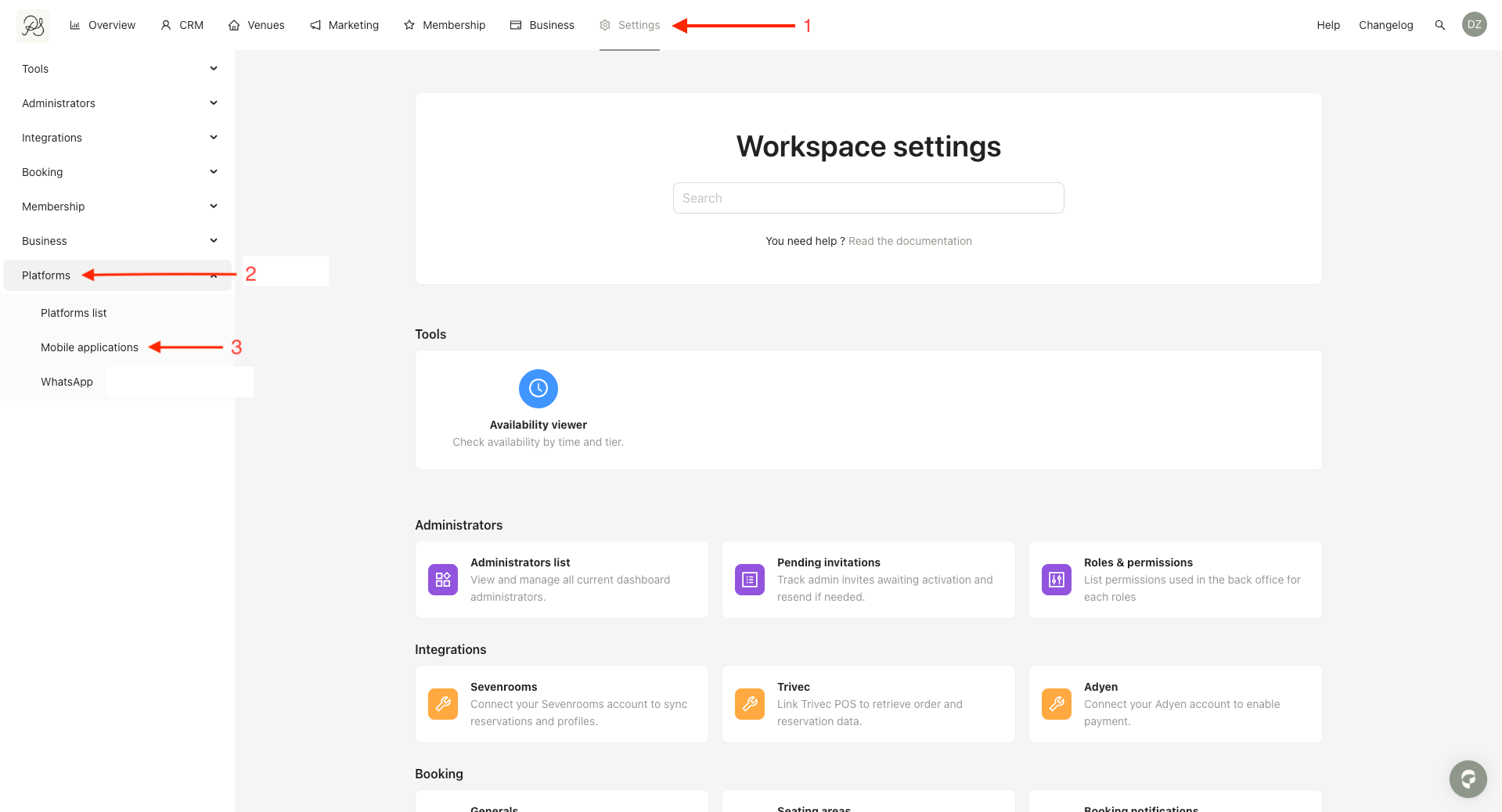
You will be taken to the page where you can edit the data privacy and marketing opt-in consent texts.
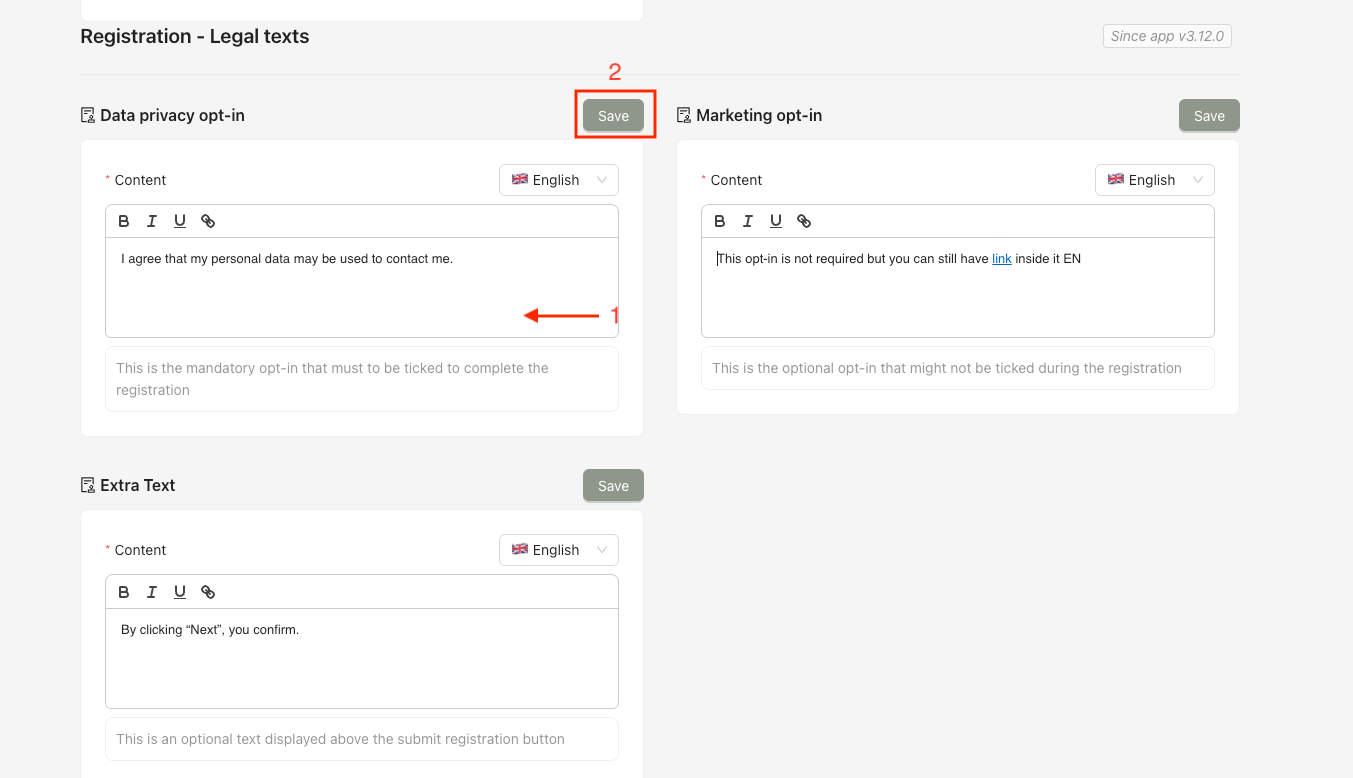
Select and customize the text content and display style for each setting in the available languages.
Click Save for each item to apply your changes.
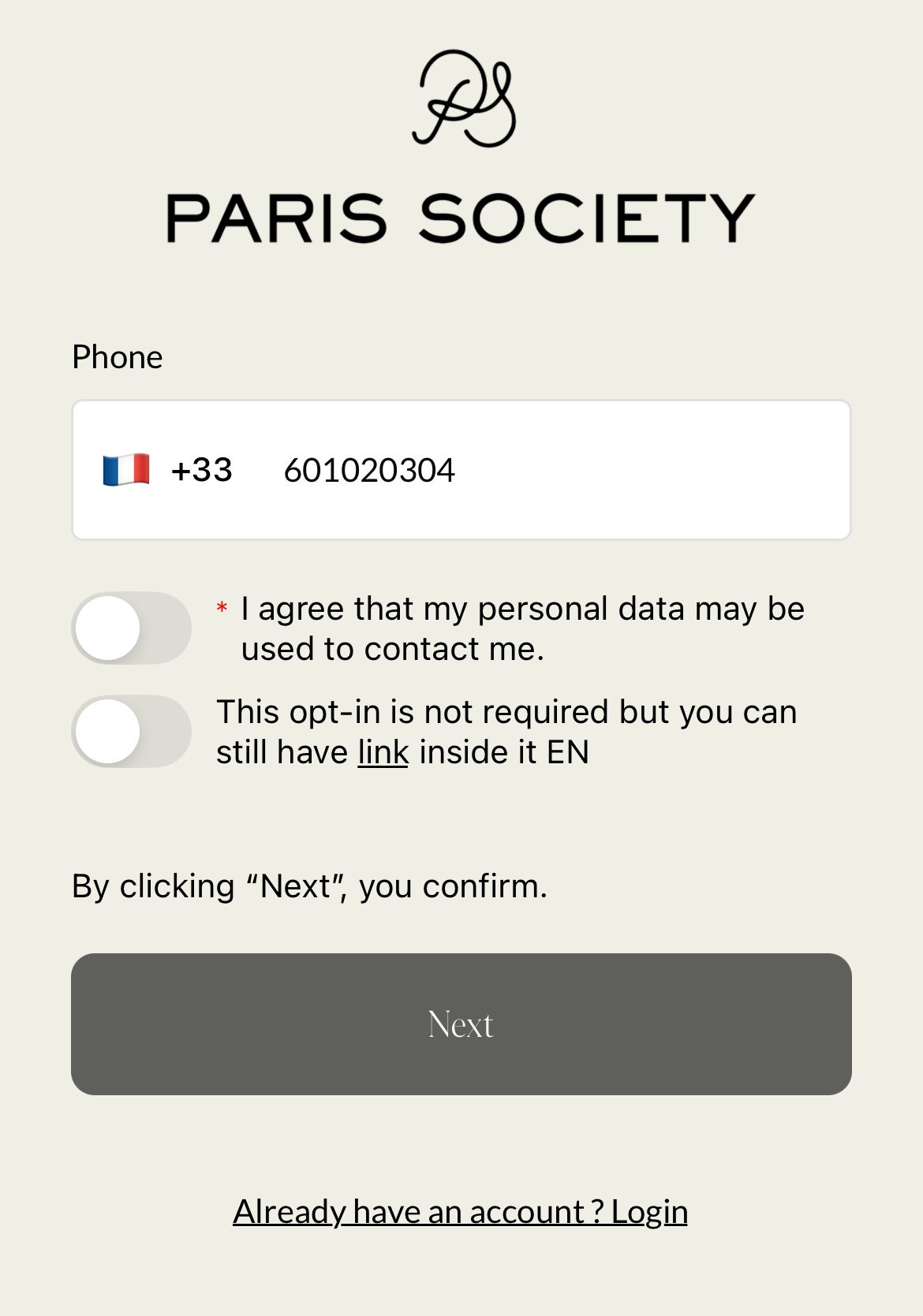
 Result in the mobile application
The updated consent texts will be displayed to users in the mobile application during sign-up, based on the selected language and configuration.