The Booking Policy helps tailor reservation conditions to the establishment's needs. It allows customized rules to be shown to customers before confirming their booking, ensuring clarity on requirements like minimum spend, dress code, or set menus for special events.
From SevenRooms :
Make sure you are in the Access Rules section.
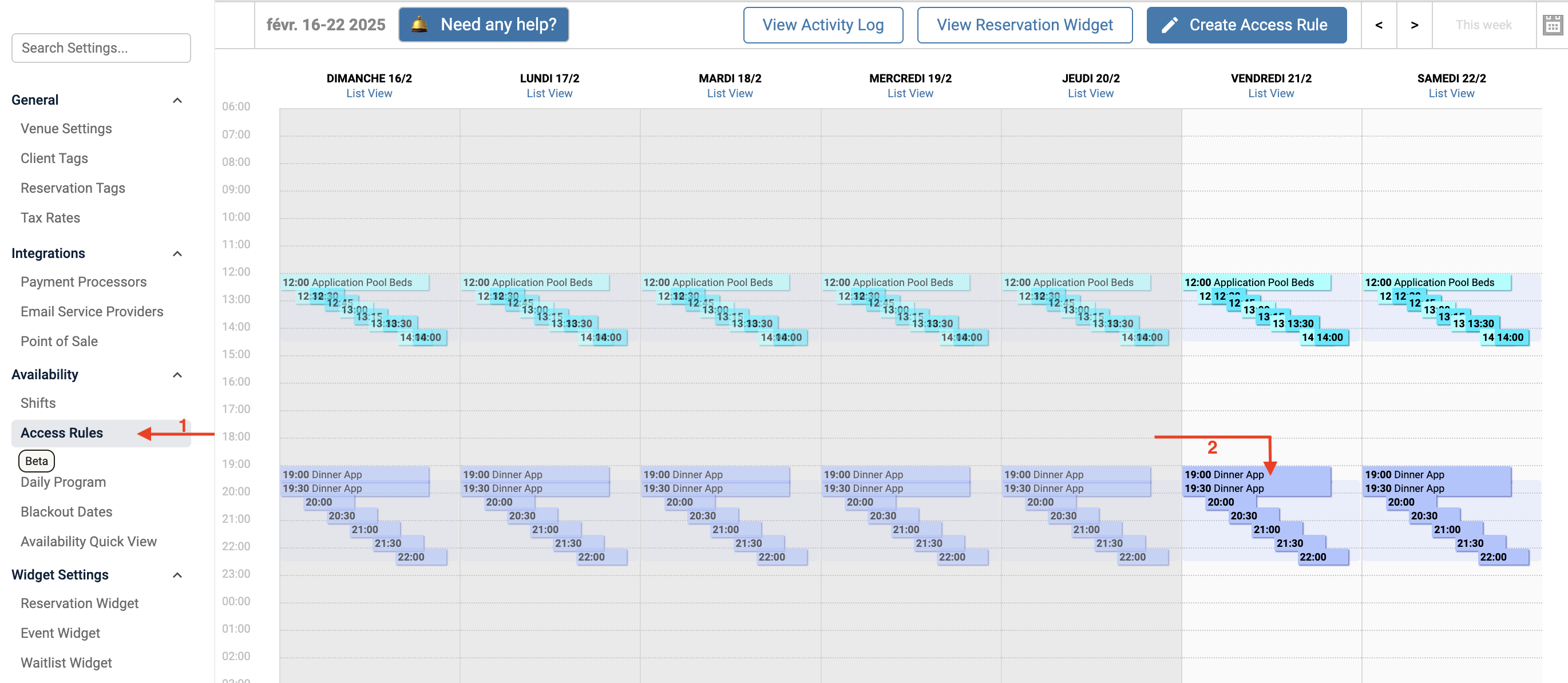
Select the Access Rule you want to edit.
A pop-up with the Access Rule details will appear :
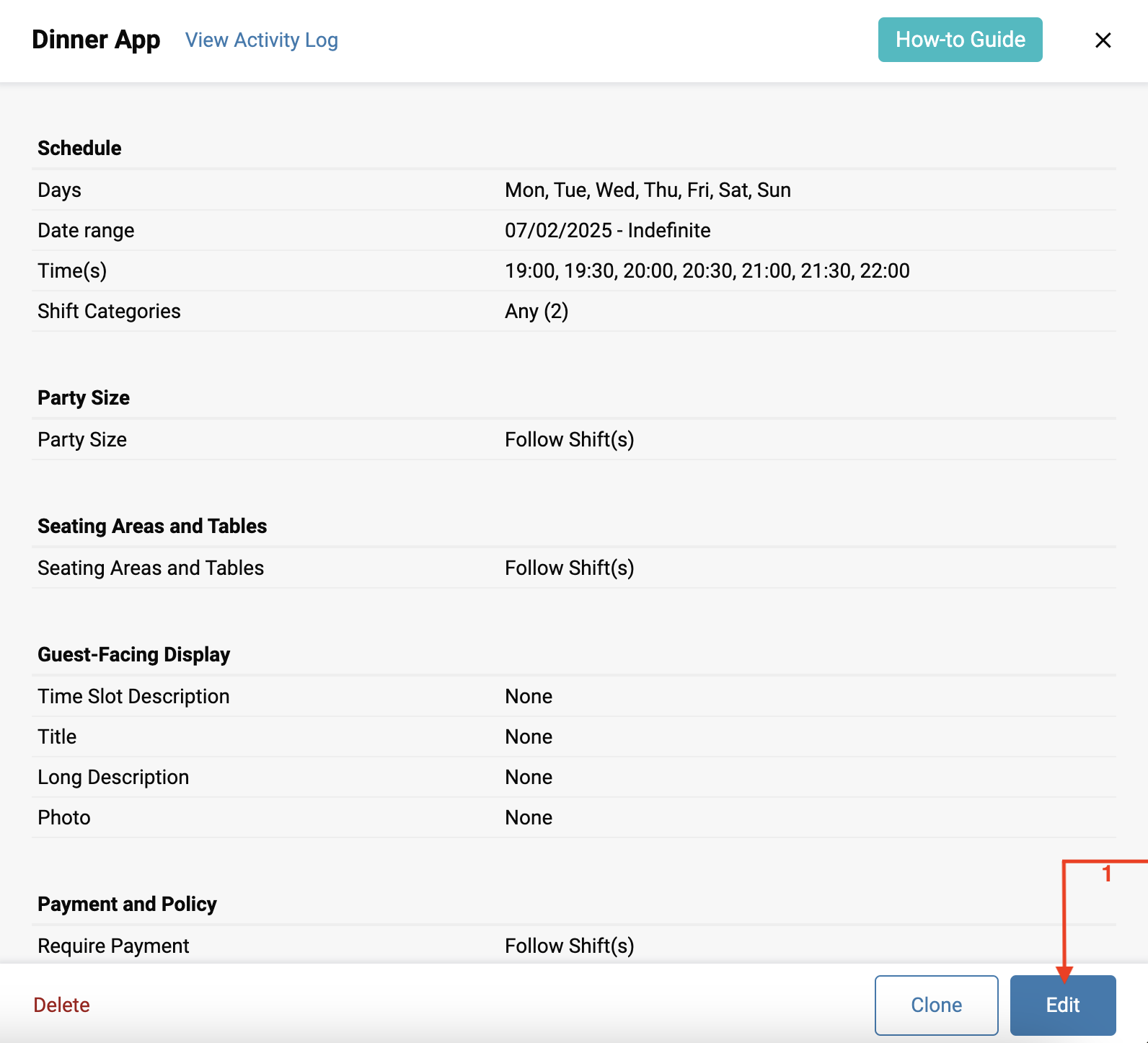
Click Edit to modify it.
A new pop-up will ask you to specify which Access Rule to modify :
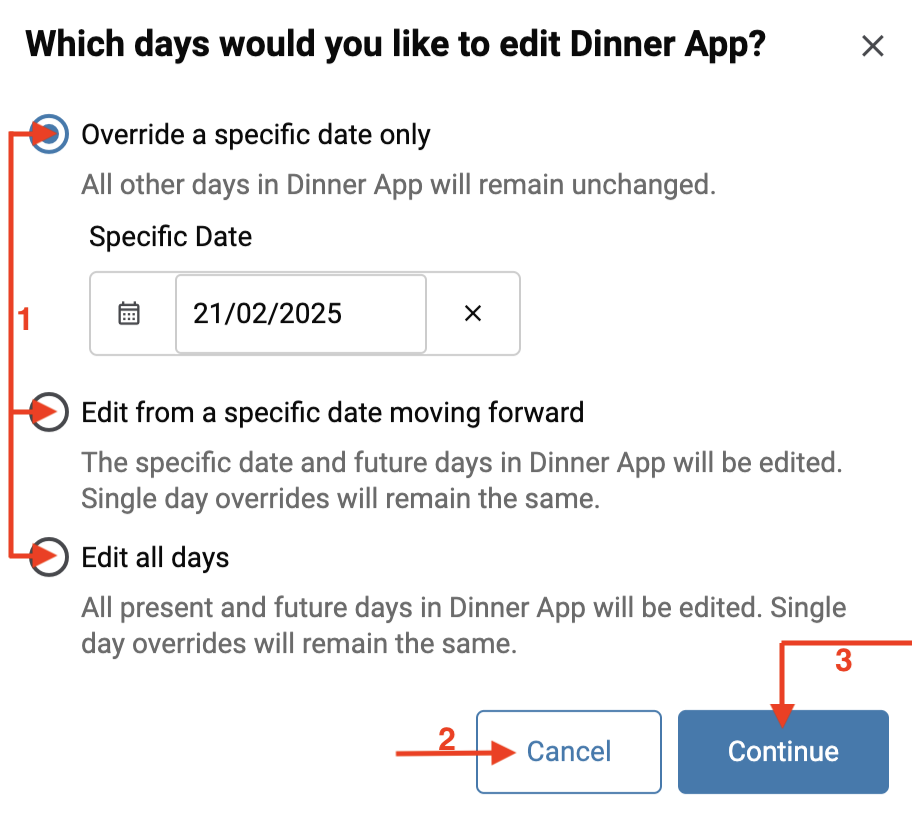
Choose whether you want to modify only the access rules for 02/21/2025, until a specific date of your choice, or all access rules.
You can cancel at any time by clicking on Cancel.
Click on Continue to confirm the modification.
Scroll down the pop-up to reach the Basic Settings section, then click on Guest-Facing Display :
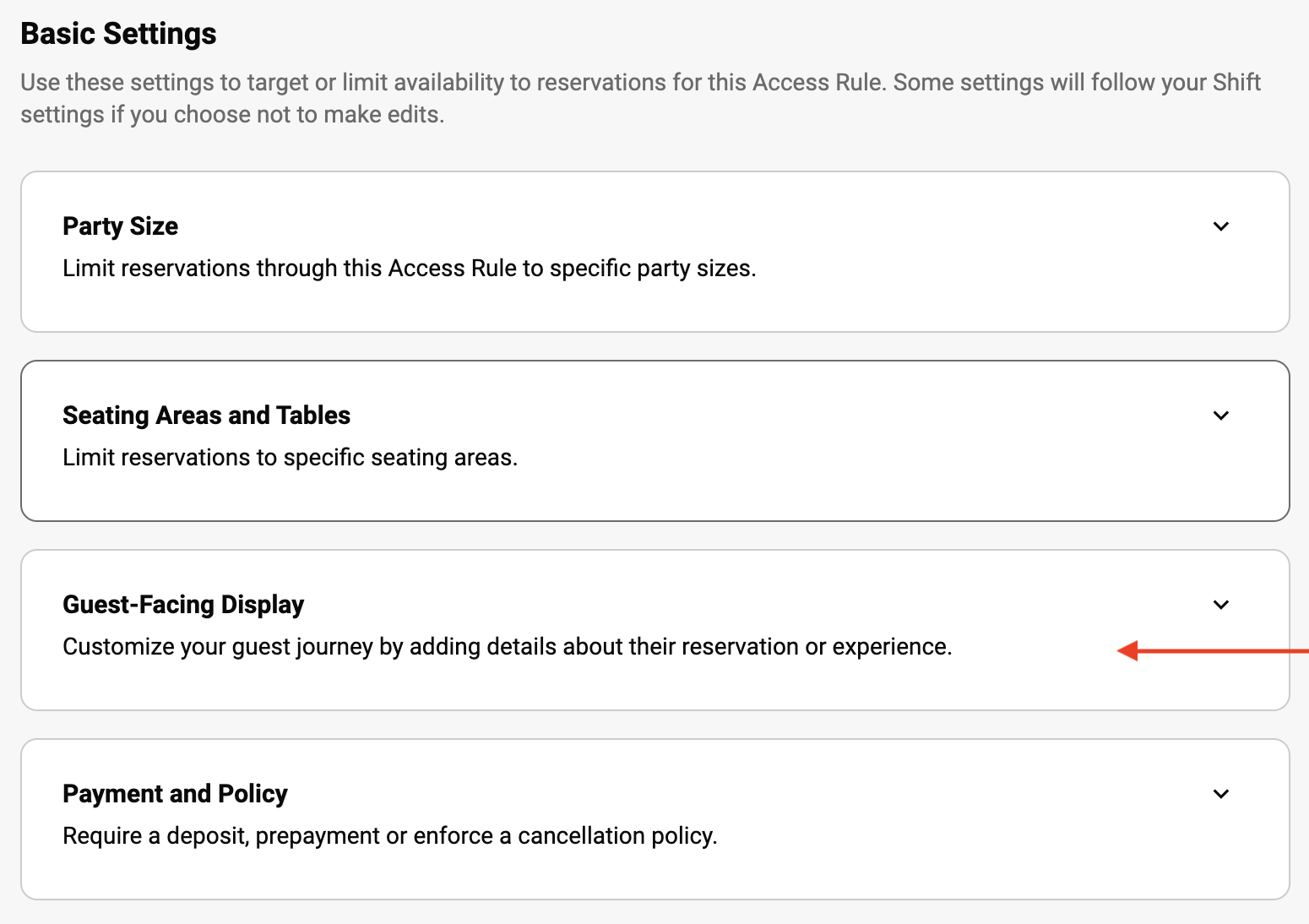
You can now edit your Access Rules :
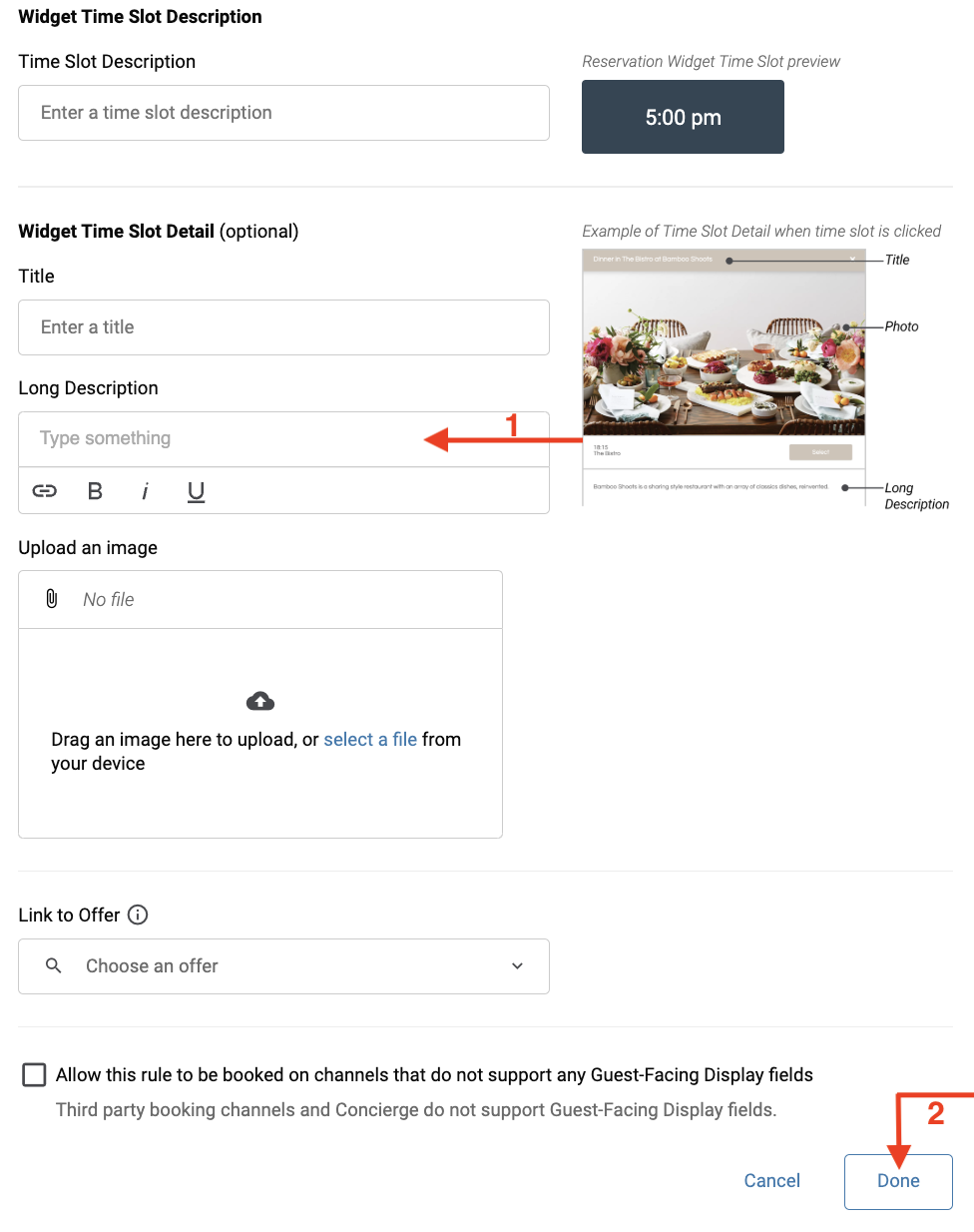
Fill in the Long Description field with the desired text.
Click on Done to confirm your changes.
Visual appearance of a Booking Policy in the App :
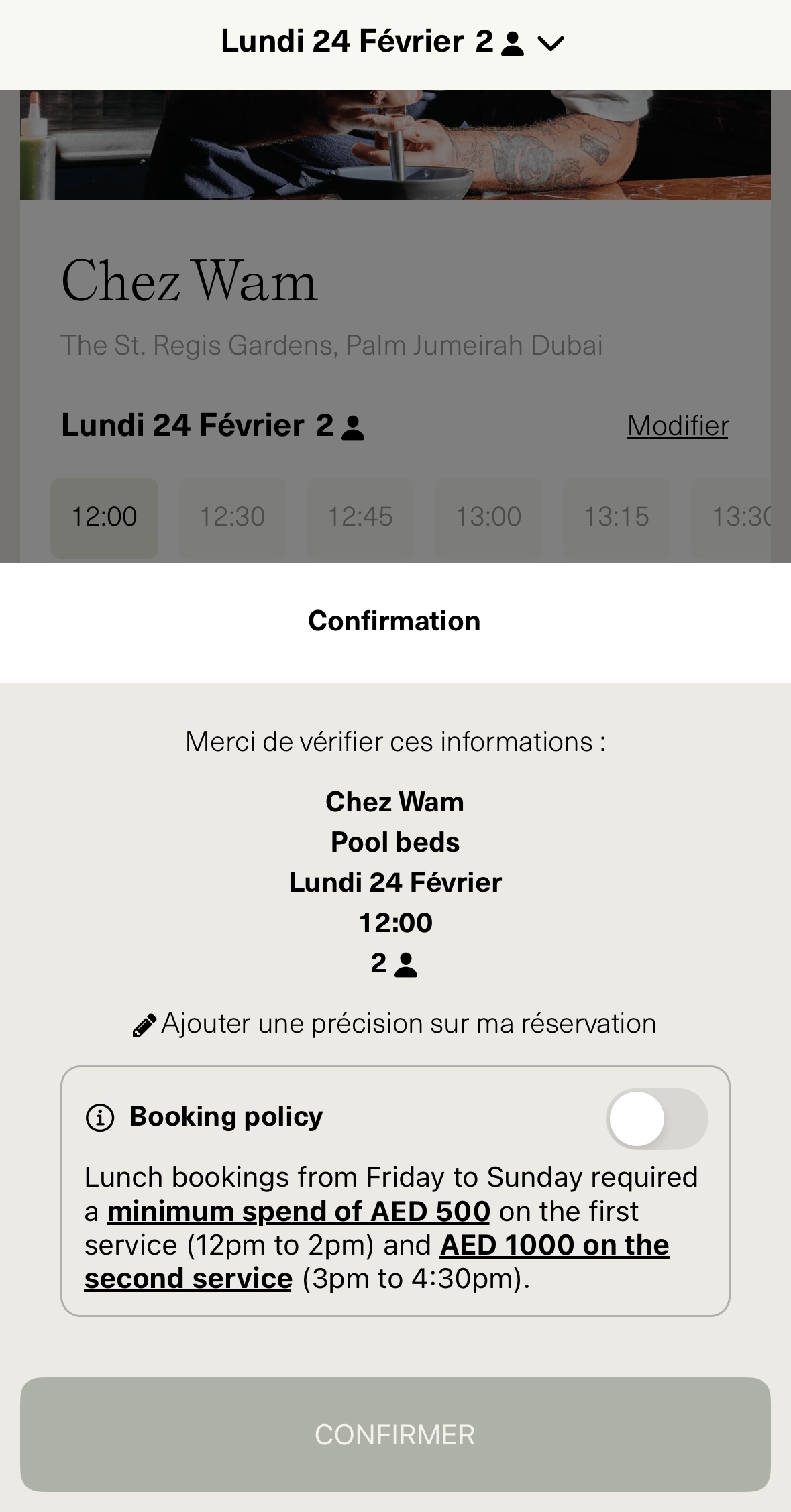
Adding and modifying a Booking Policy provides establishments with great flexibility, helping them optimize reservation management and enhance the customer experience. By effectively communicating specific rules before booking, you can reduce misunderstandings and ensure better service organization.
