When a membership reaches its renewal date, the platform automatically attempts to renew the subscription by charging the member’s saved payment method through the Adyen payment service.
This article explains how the system handles payment during the renewal process and what happens in each possible scenario.
The renewal payment is only attempted when the subscription status is Active.
If the subscription status is To cancel, meaning the subscription is scheduled to be cancelled at the end of the current billing period, the system will not attempt to charge the payment method.
If the subscription is still Active on the renewal date, the system automatically attempts to charge the member’s saved payment method using the Adyen payment service.
After trying to charge member, two outcomes are possible:
1. Payment Successful
If the payment is successfully captured, the subscription is renewed and membership benefits remain active. No further action is required from the user.
2. Payment Failed
If the payment attempt fails, the subscription status changes to Failed to renew and membership benefits are temporarily disabled.
To notify the user, the platform automatically sends a Failed to renew email. This email contains a direct link to the payment portal, where the user can retry the payment with their previously saved card.
The user can also retry the payment directly from the application by clicking the Pay Online button on the Membership page. This button redirects the user to the same payment portal.
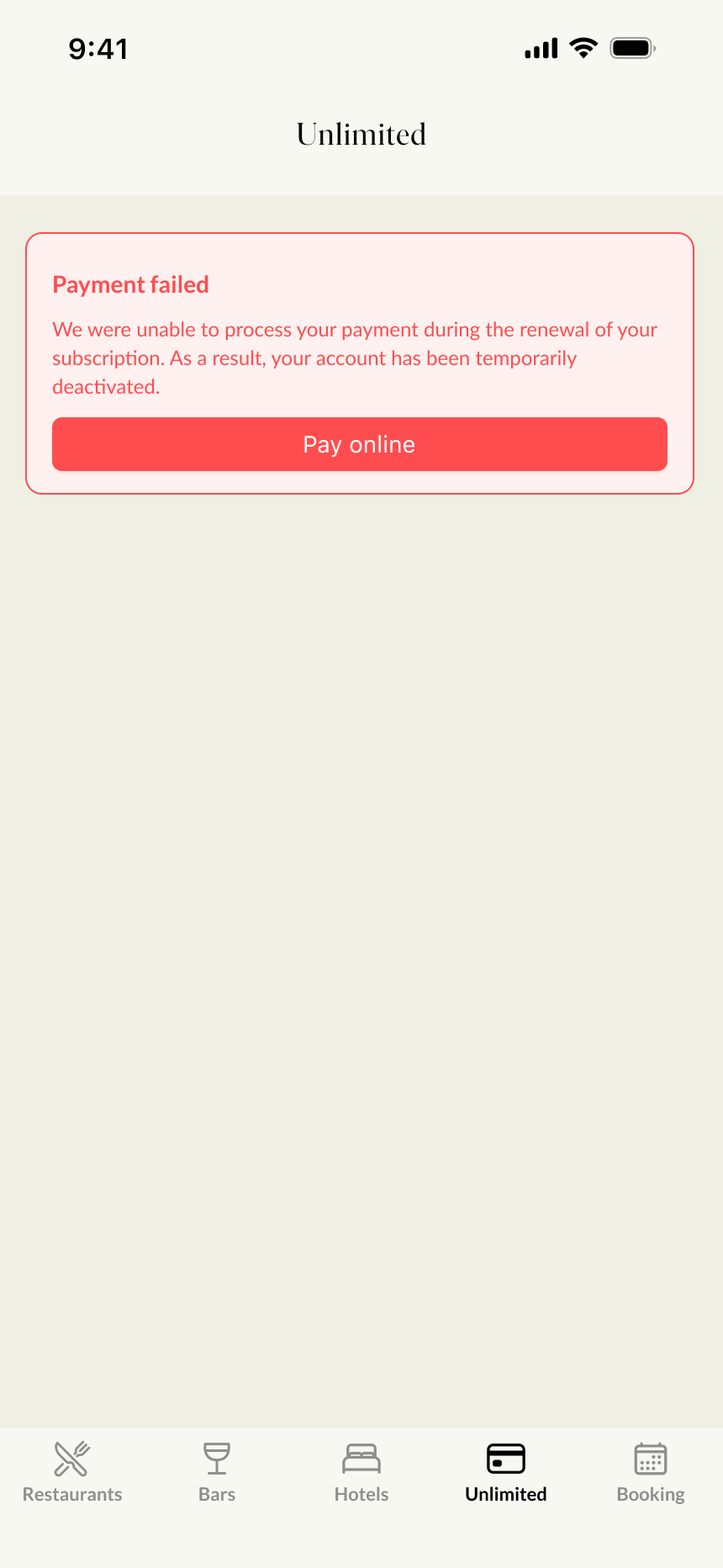
Once the payment is successful, the subscription is renewed and the status returns to Active.
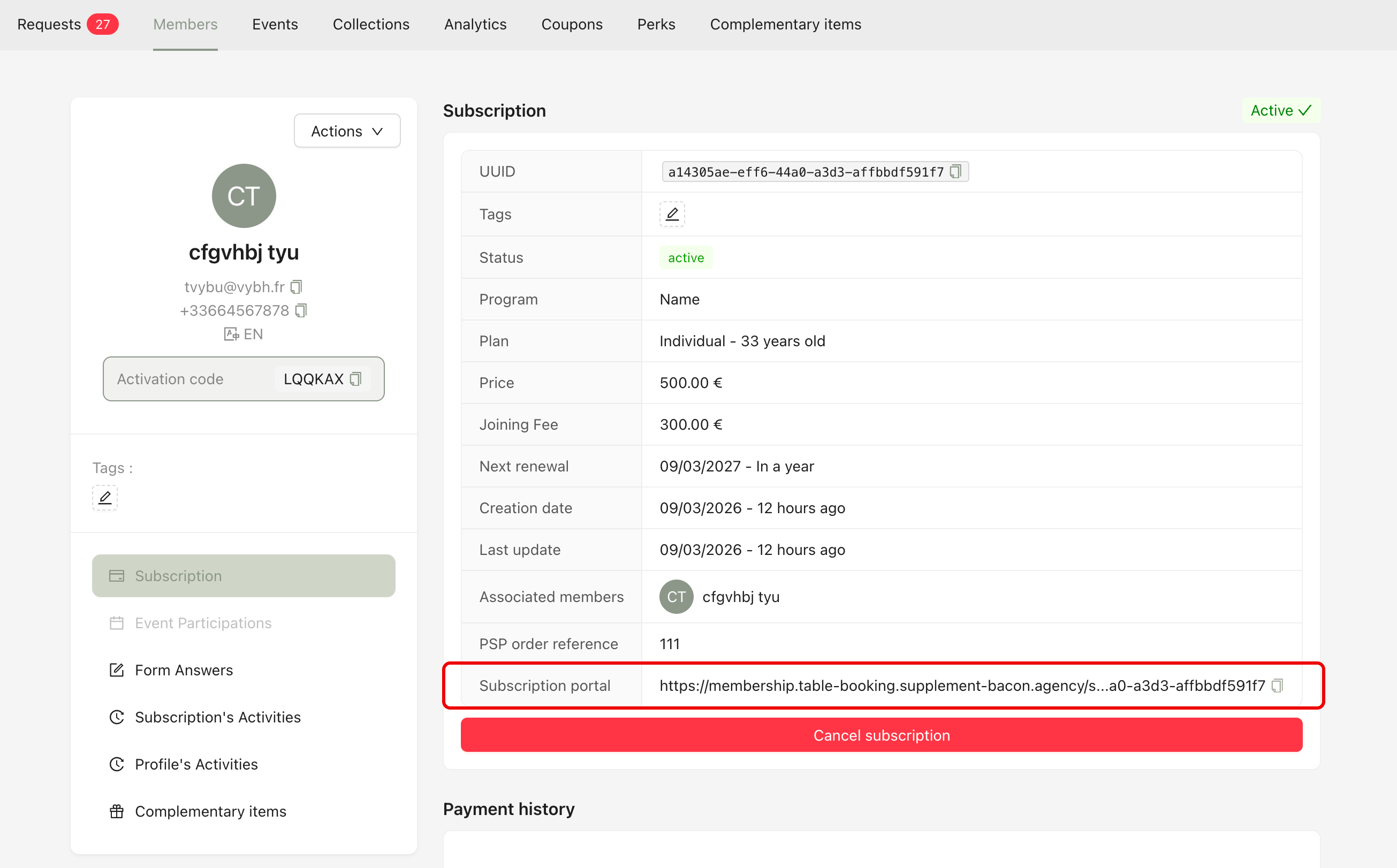
If a user wants to update their payment method during their membership, they can do so using the payment portal link, which allows them to update their card information.
This link is not automatically sent by the system. It is available in the member’s profile in the Back Office. The membership team can copy this link manually and send it to the customer through communication channels such as email, WhatsApp, or other messaging tools.
After clicking the link, the user will be redirected to the secure payment portal, where they can update their card details.
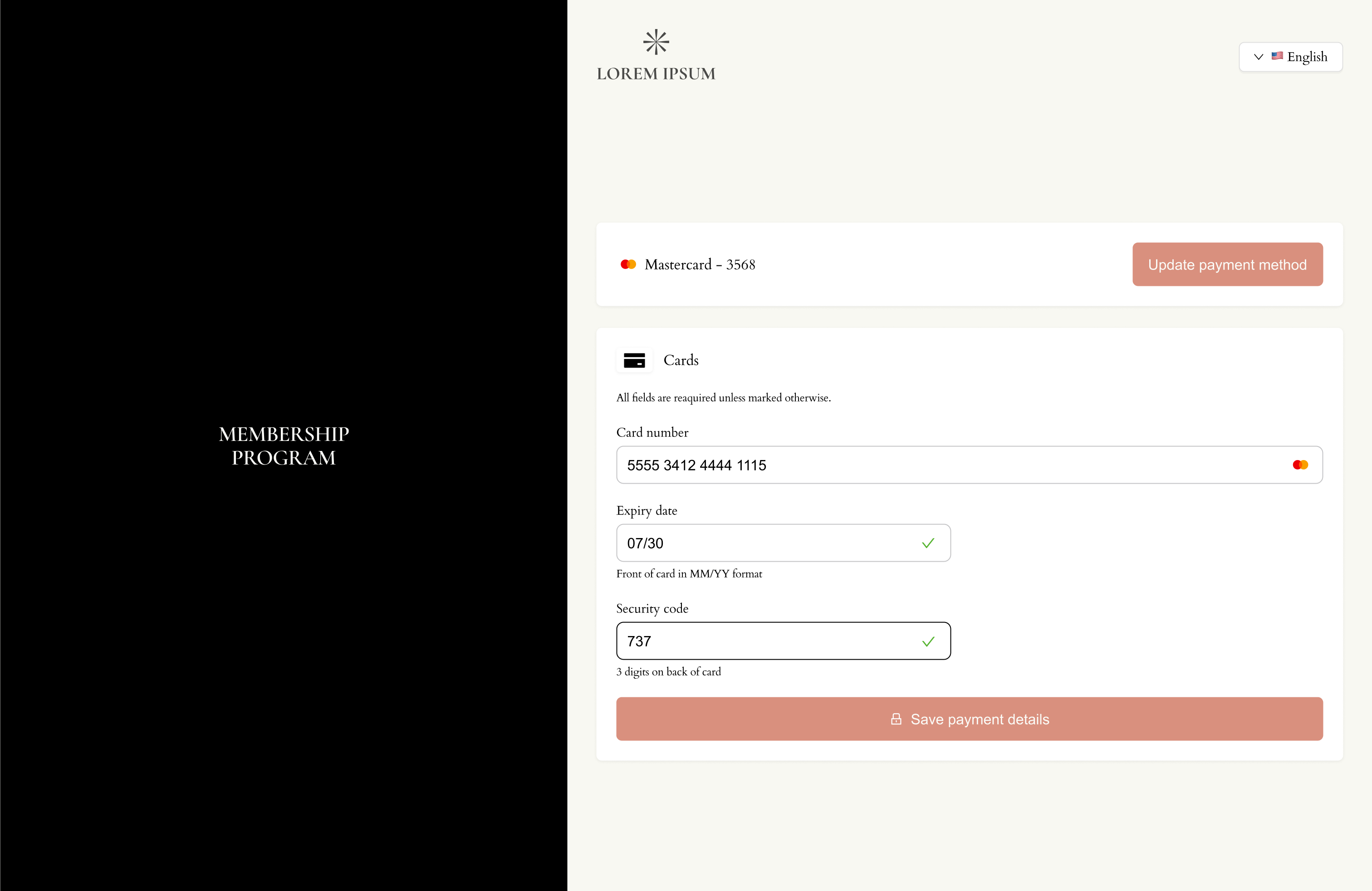
Once the card information is updated, the new card will be saved and automatically used for the next renewal payment on the subscription renewal date.
