This guide assists you in managing and customizing Loyalty Tiers. By structuring loyalty levels and applying specific rules, you enhance the customer experience and control access to availability. Throughout this document, you will learn how to configure Loyalty Tiers and associate the right users.
Loyalty Tiers are groups of users assigned to a specific loyalty level, which you fully define.
For example, you can set specific booking time slots exclusively for a particular Loyalty Tier (e.g., 12:20 PM - 2:00 PM for VIPs). This system allows for optimized access management and better recognition of loyal customers.

You can create as many Loyalty Tiers as you like, such as VIP, Membership, Business Client, etc., but to do so, you must contact support.
From your homepage, ensure you are in the Marketing section :
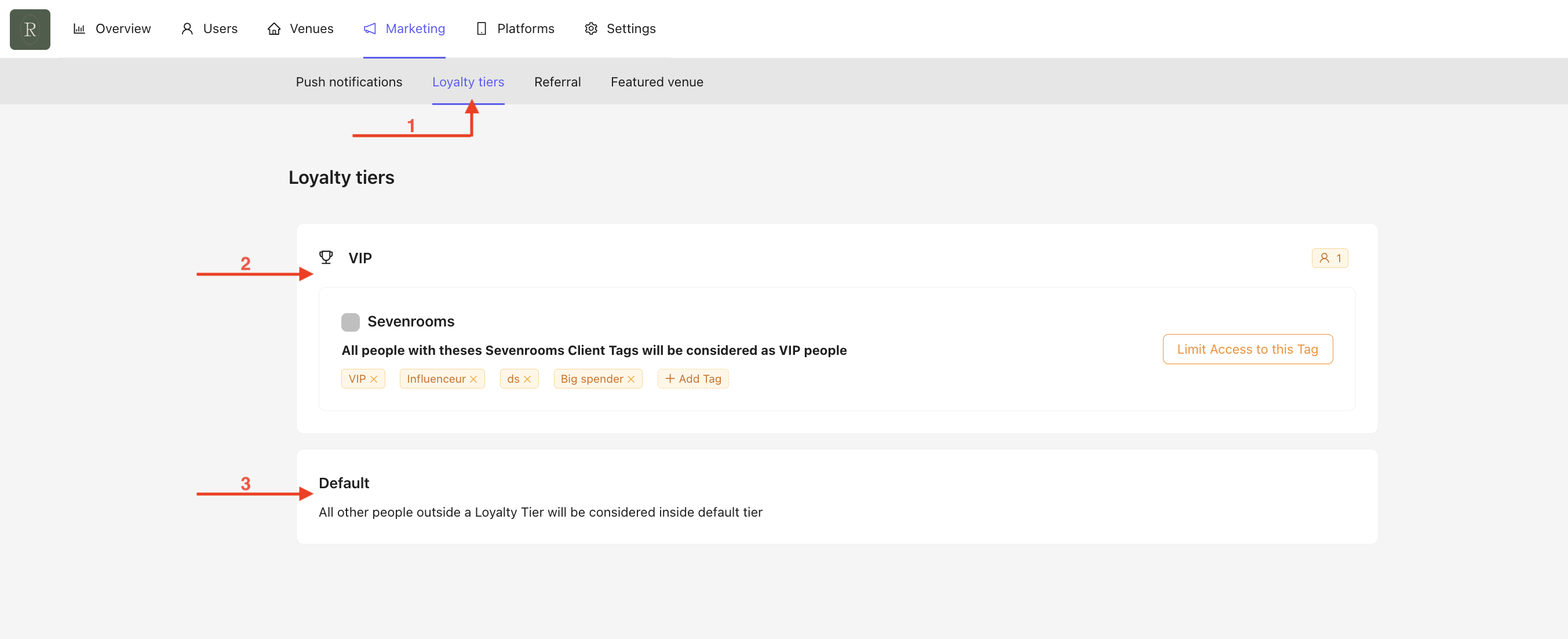
Click on Loyalty Tiers.
For example, in the above screen, you can see:
The VIP Loyalty Tier includes all users with SevenRooms tags defined below.
The Default Loyalty Tier includes all other users outside of a Loyalty Tier.
A Loyalty Tier can be seamlessly linked to a client's app profile by automatically syncing with SevenRooms Client Tags. When a tag is assigned to a customer’s SevenRooms profile, the corresponding loyalty tier is updated accordingly, ensuring a smooth and automated experience.
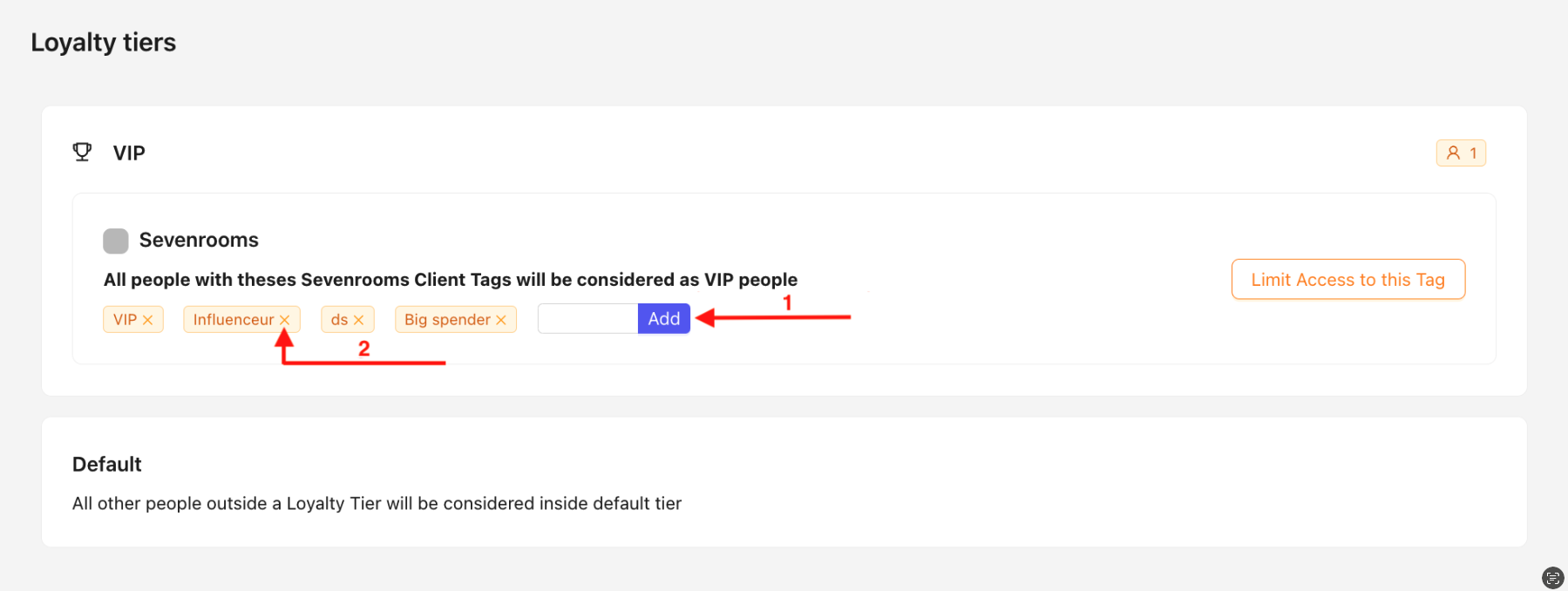
Add a new tag by clicking on Add and fill the Name field with your Sevenrooms Client Tag.
Remove a tag from an existing Loyalty Tier at any time by clicking on the cross.

